
2V0-51.23 · Question #87
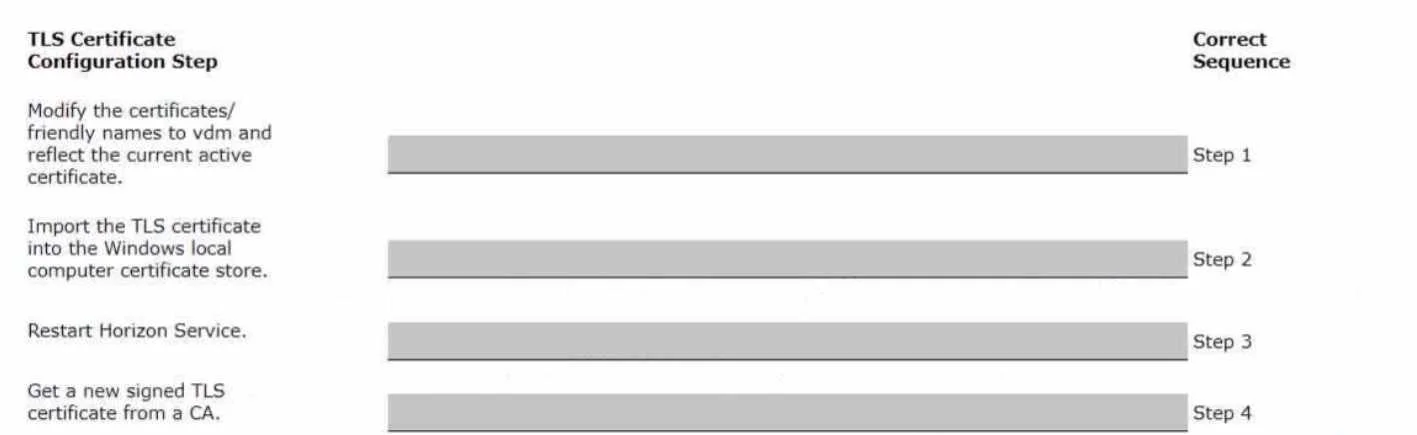
Drag and Drop Question Drag and drop the TLS Configuration steps on the left into the correct sequential order on the right. Answer:
The correct answer is Get a new signed TLS certificate from a CA.; Import the TLS certificate into the Windows local computer certificate store.; Modify the certificates (vdm, ws_vdm, and pcoip) to reflect the current active certificate.; Restart Horizon Service. TLS Configuration for VMware Horizon - Step-by-Step Explanation This question covers configuring a signed TLS certificate for VMware Horizon (Connection Server or Security Server). The order follows a strict dependency chain: you cannot use what doesn't exist yet. --- Step 1…
Question
Drag and Drop Question Drag and drop the TLS Configuration steps on the left into the correct sequential order on the right. Answer:
Exhibit
Answer Area
Drag items
Correct arrangement
- Get a new signed TLS certificate from a CA.
- Import the TLS certificate into the Windows local computer certificate store.
- Modify the certificates (vdm, ws_vdm, and pcoip) to reflect the current active certificate.
- Restart Horizon Service.
Explanation
TLS Configuration for VMware Horizon - Step-by-Step Explanation
This question covers configuring a signed TLS certificate for VMware Horizon (Connection Server or Security Server). The order follows a strict dependency chain: you cannot use what doesn't exist yet.
Step 1 - Get a new signed TLS certificate from a CA
Why first: This is the prerequisite for everything else. Without a certificate issued by a trusted Certificate Authority (CA), there is nothing to import, bind, or activate. You cannot skip ahead - the certificate file must physically exist before any subsequent step can act on it.
Common mistake: Using a self-signed certificate instead of a CA-signed one. Self-signed certs will cause client trust errors in production and are not valid for this workflow.
Step 2 - Import the TLS certificate into the Windows local computer certificate store
Why second: Horizon's services read certificates from the Windows Local Computer certificate store (not the current user store). The certificate must be imported there before Horizon can reference it. If you try to bind or assign the certificate before importing it, the service won't find it.
Common mistake: Importing into the "Current User" store instead of "Local Computer." The service runs under a system account and won't have access to user-scoped stores.
Step 3 - Modify the certificates (vdm, ws_vdm, and pcoip) to qualify/assign the certificate
Why third: After the certificate is in the store, you must tell Horizon which certificate to use by setting the friendly name on the correct certificate entries (vdm, ws_vdm, pcoip). This is the binding step - it maps Horizon's internal service identifiers to the newly imported cert. Without this, the service still uses the old or default certificate even though the new one is in the store.
Common mistake: Forgetting to set the friendly name correctly, or setting it on the wrong certificate in the store. If multiple certs exist, the wrong one may be selected.
Step 4 - Restart Horizon Service
Why last: Horizon reads certificate configuration at startup. Changes to the certificate store and friendly name assignments are not picked up dynamically - a service restart is required to apply them. Restarting before completing steps 2–3 would mean the service restarts with incomplete or incorrect configuration.
Common mistake: Restarting the service too early (e.g., after import but before assignment), then having to restart again after step 3 - wasting downtime.
Summary of the Dependency Chain
CA issues cert → cert exists in store → Horizon knows which cert → service loads it
Each step creates the precondition for the next. Violating this order either errors out or silently applies the wrong configuration.
Topics
Community Discussion
No community discussion yet for this question.