
2V0-51.23 · Question #5
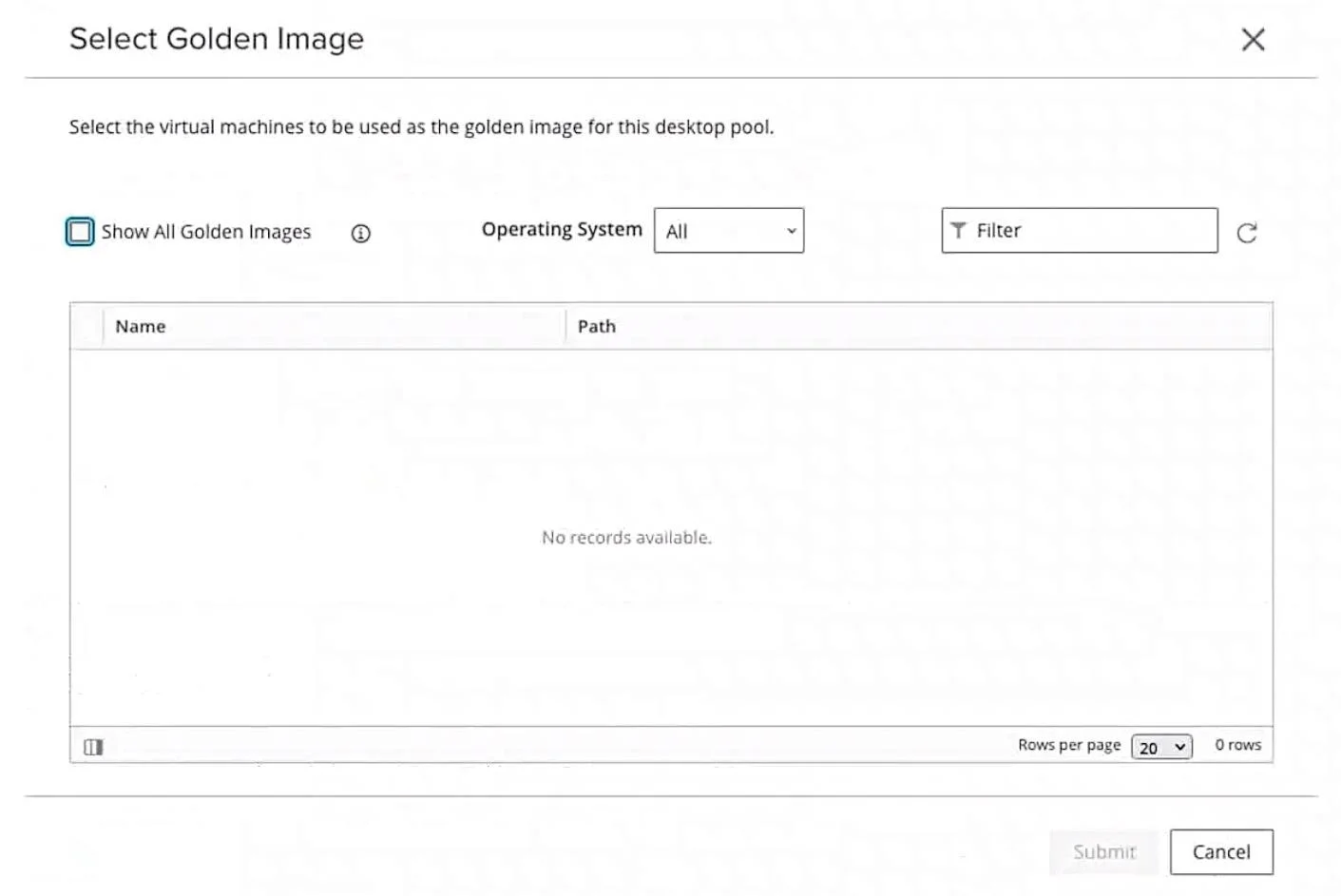
Refer to the exhibit. An administrator is tasked with creating an instant clone pool for their sales department. During the creation of the pool the administrator saw that there is no golden image…
The correct answer is B. Refresh the Select Golden Image view and select the Golden Image. D. Login to the vSphere Client, select the Golden Image virtual machine and create a snapshot. For an instant clone pool in VMware Horizon, the parent VM must have at least one snapshot before it appears in the Golden Image selection window - without a snapshot, Horizon won't recognize the VM as a valid golden image candidate. Option D (creating a snapshot) resolves the…
Question
Refer to the exhibit. An administrator is tasked with creating an instant clone pool for their sales department. During the creation of the pool the administrator saw that there is no golden image available, as seen in the exhibit. Which two actions can an administrator take so that the golden image is showing up in the Golden Image selection window? (Choose two.)
Exhibit
Options
- ALogin to the vSphere Client, select the Golden Image virtual machine and convert it to a template.
- BRefresh the Select Golden Image view and select the Golden Image.
- CLogin to the vSphere Client, select the Golden Image virtual machine and clone it to a new virtual
- DLogin to the vSphere Client, select the Golden Image virtual machine and create a snapshot.
- ELogin to the vSphere Client, select the Golden Image virtual machine and delete all snapshots.
How the community answered
(25 responses)- A4% (1)
- B76% (19)
- C4% (1)
- E16% (4)
Explanation
For an instant clone pool in VMware Horizon, the parent VM must have at least one snapshot before it appears in the Golden Image selection window - without a snapshot, Horizon won't recognize the VM as a valid golden image candidate. Option D (creating a snapshot) resolves the root cause, and Option B (refreshing the view) is then required because the console won't automatically reflect the change without a manual refresh.
Why the distractors are wrong:
- A - Converting the VM to a template is the wrong approach for instant clones; templates are used for full clones, and a template cannot be snapshotted or used as a live parent.
- C - Cloning to a new VM doesn't help because the clone would still be a plain VM with no snapshot, leaving the same problem unsolved.
- E - Deleting all snapshots is the opposite of what's needed; removing snapshots would guarantee the VM stays hidden from the selection list.
Memory tip: Think "Snap, then Refresh" - Instant clones need a Snapshot to exist before the golden image shows up, and then you must Refresh the view to see it. No snap = no show.
Topics
Community Discussion
No community discussion yet for this question.