
220-1201 · Question #162
SIMULATION 3 Laura, a customer, has instructed you to configure her home office wireless access point. She plans to use the wireless network for finances and has requested that the network be setup…
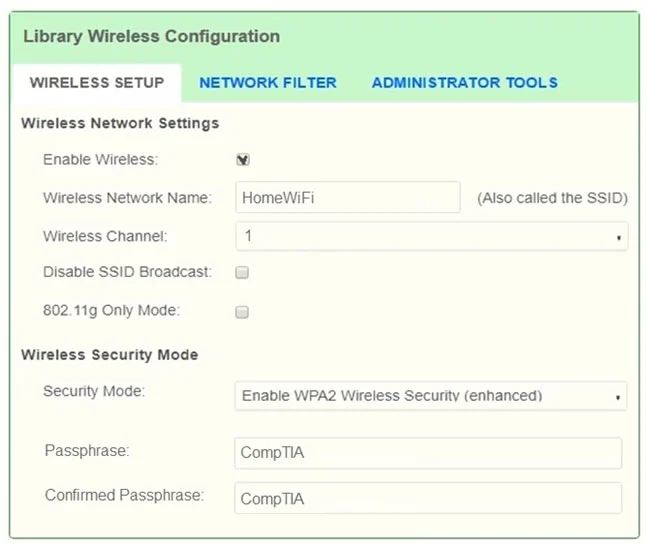
The correct configuration requires navigating to the Wireless Setup tab to set the SSID to 'HomeWiFi', selecting WPA2 (the highest available encryption standard) with the shared key 'CompTIA', and changing the router password to 'Secure$1'. To avoid interference from…
Question
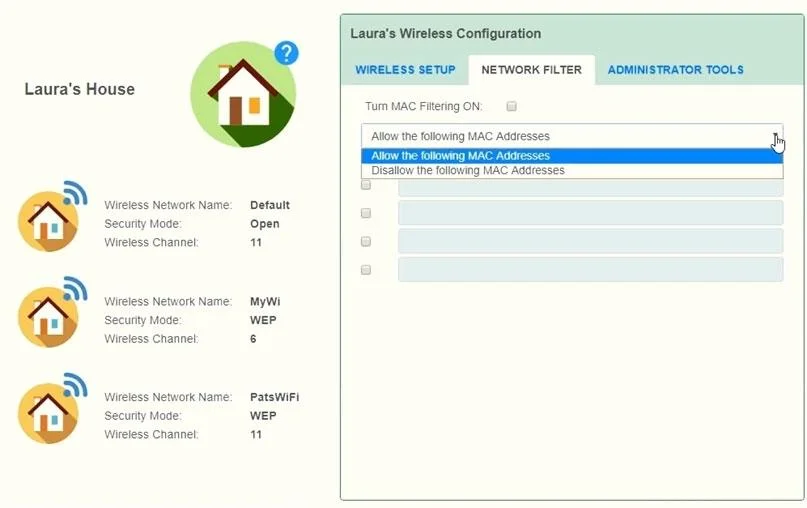
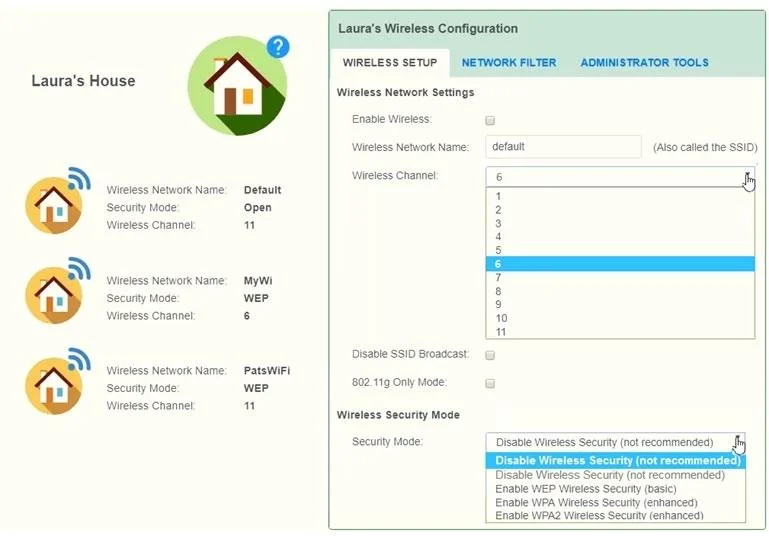
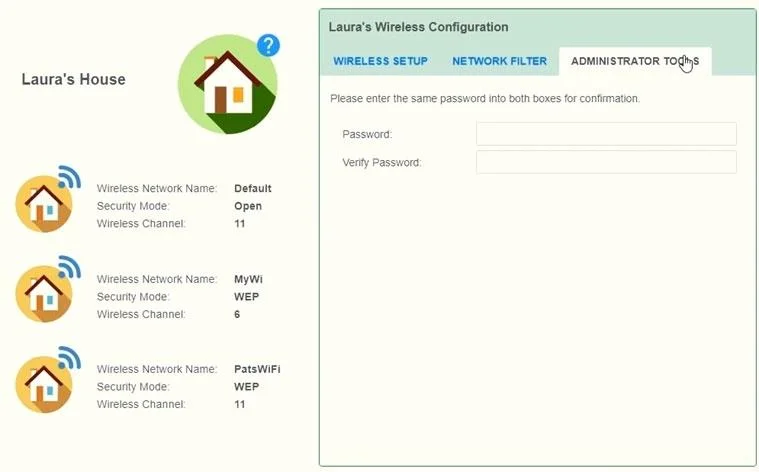
SIMULATION 3 Laura, a customer, has instructed you to configure her home office wireless access point. She plans to use the wireless network for finances and has requested that the network be setup with the highest encryption possible. Additionally, Laura knows that her neighbors have wireless networks and wants to ensure that her network is not being interfered with by the other networks. She requests that the default settings be changed to the following. Wireless Name: HomeWiFi Shared Key: CompTIA Router Password: Secure$1 Finally, Laura wants to ensure that only her laptop and Smartphone can connect to the network. Laptop: IP Address 192.168.1.100 Hardware Address: 00:0A:BF:03:C4:54 Smartphone: IP Address 192.168.1.101 Hardware Address: 09:2C:D0:22:3F:11 INSTRUCTIONS Configure Laura’s wireless network using the network adapter window. If at any time you would like to bring back the initial state of the situation, please click the Reset All button. Answer:
Exhibits
Explanation
The correct configuration requires navigating to the Wireless Setup tab to set the SSID to 'HomeWiFi', selecting WPA2 (the highest available encryption standard) with the shared key 'CompTIA', and changing the router password to 'Secure$1'. To avoid interference from neighboring networks, a non-overlapping channel (1, 6, or 11 in the 2.4GHz band) should be selected, and MAC address filtering must be enabled with only Laura's two devices (00:0A:BF:03:C4:54 and 09:2C:D0:22:3F:11) added to the allow list to ensure exclusive access. This multi-step simulation tests practical understanding of wireless security hardening, combining encryption, authentication, channel management, and MAC filtering into a single real-world scenario.
Topics
Community Discussion
No community discussion yet for this question.