
210-065 · Question #213
When the Cisco Jabber usertries to call extension 3501, Cisco Jabber never places the call No errors or messages are seen and no reordertone is heard. Assuming that the Cisco Jabber calling search…
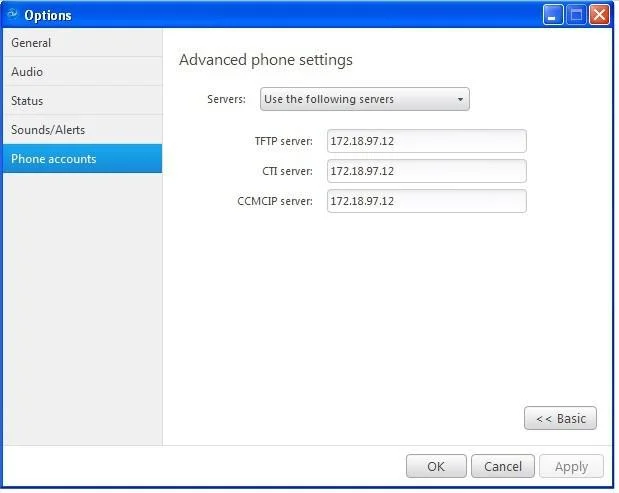
The correct answer is D. The Cisco Jabber Advanced Phone Settings are misconfigured. A silent call failure in Cisco Jabber - with no error message and no reorder tone - points to a client-side configuration problem in the Advanced Phone Settings rather than a network or directory issue.
Question
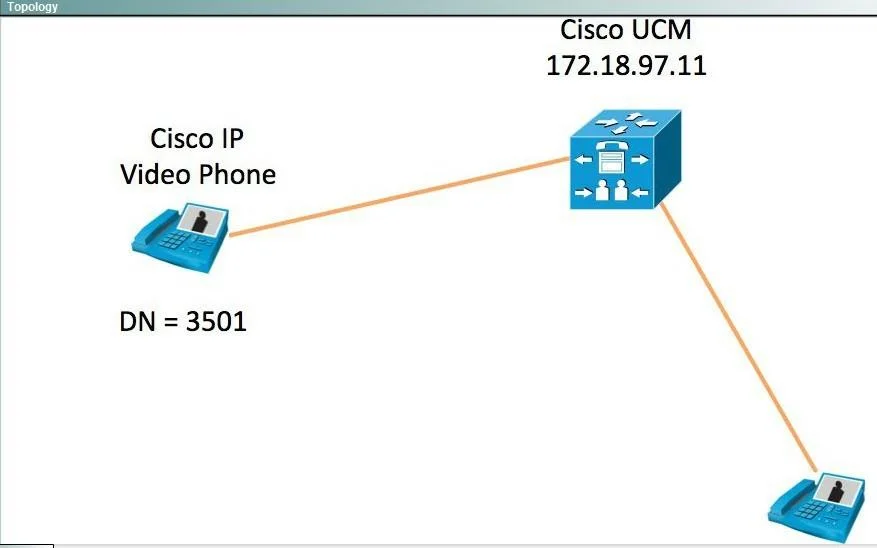
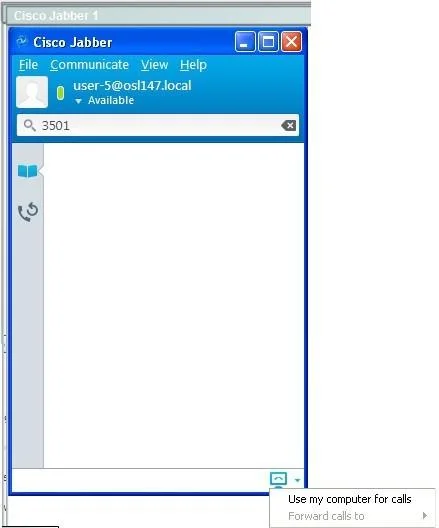
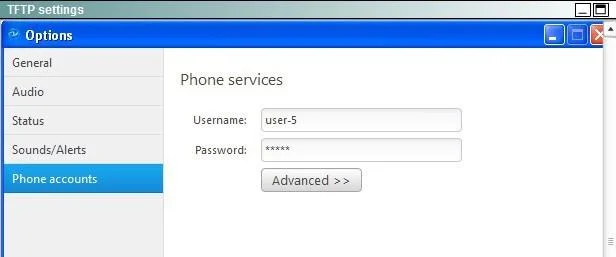
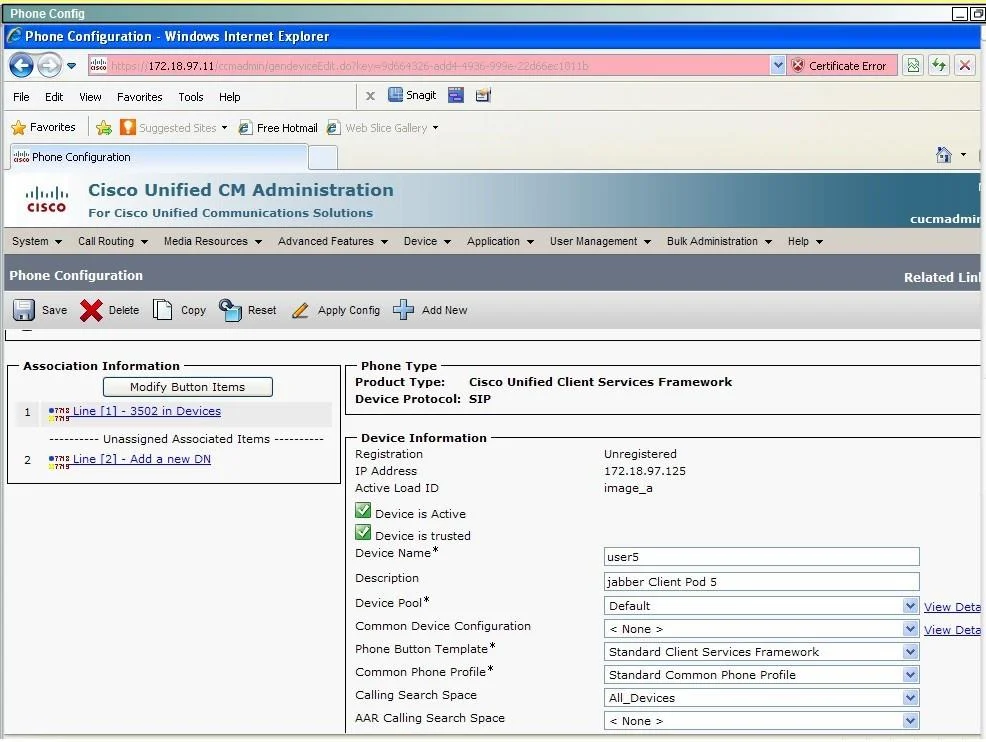
When the Cisco Jabber usertries to call extension 3501, Cisco Jabber never places the call No errors or messages are seen and no reordertone is heard. Assuming that the Cisco Jabber calling search space is configured correctly in Cisco Unified Communications Manager, which of these could be causing this issue?
Exhibits
Options
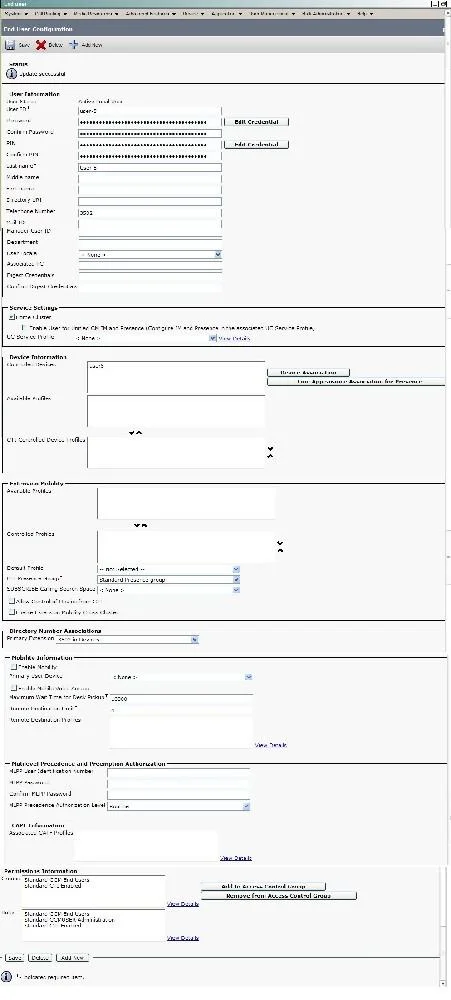
- ACTI for the end user must be enabled.
- BCisco Jabber must be reconfigured for desktop mode.
- CThe username or password is misconfigured in Cisco Jabber.
- DThe Cisco Jabber Advanced Phone Settings are misconfigured.
- ECisco Jabber does not have the correct phone button template and hence has not registered to
- FThe called user presence status is unknown.
- GThe called user has not been added as a contact in Cisco Jabber.
How the community answered
(17 responses)- A12% (2)
- C6% (1)
- D47% (8)
- E6% (1)
- F29% (5)
Why each option
A silent call failure in Cisco Jabber - with no error message and no reorder tone - points to a client-side configuration problem in the Advanced Phone Settings rather than a network or directory issue.
CTI must be enabled for a user to control a physical desk phone via Jabber, but this setting affects CTI-controlled device association and would produce observable registration or association errors, not a silent dialing failure.
Switching Cisco Jabber between softphone and desktop modes changes the call handling path but would not cause a completely silent failure when the calling search space is confirmed correct in CUCM.
A misconfigured username or password prevents Cisco Jabber from authenticating and logging in entirely, which surfaces as a visible credential error at startup rather than a silent per-call failure.
The Cisco Jabber Advanced Phone Settings control critical softphone behaviors such as audio device binding, call handling mode, and codec preferences; if misconfigured, Jabber can fail to properly initiate the call signaling path, producing a silent failure before any SIP request is sent or any network response is received. This matches the described symptom precisely: the call attempt disappears without any error or tone feedback from the network, indicating the failure occurs entirely within the client configuration layer.
An incorrect phone button template would prevent the Jabber softphone device from registering to CUCM, which produces a visible registration failure, not a silent failure at the moment of dialing.
The called party's presence status being unknown only affects the presence indicator displayed in the Jabber UI and has no effect on the ability to dial an extension.
A user does not need to be added as a contact in Cisco Jabber to be dialed by extension; directory dialing and manual digit entry work independently of the contact list.
Concept tested: Cisco Jabber Advanced Phone Settings silent call failure troubleshooting
Source: https://www.cisco.com/c/en/us/support/unified-communications/jabber-windows/products-installation-guides-list.html
Topics
Community Discussion
No community discussion yet for this question.