
SY0-701 · Question #1070
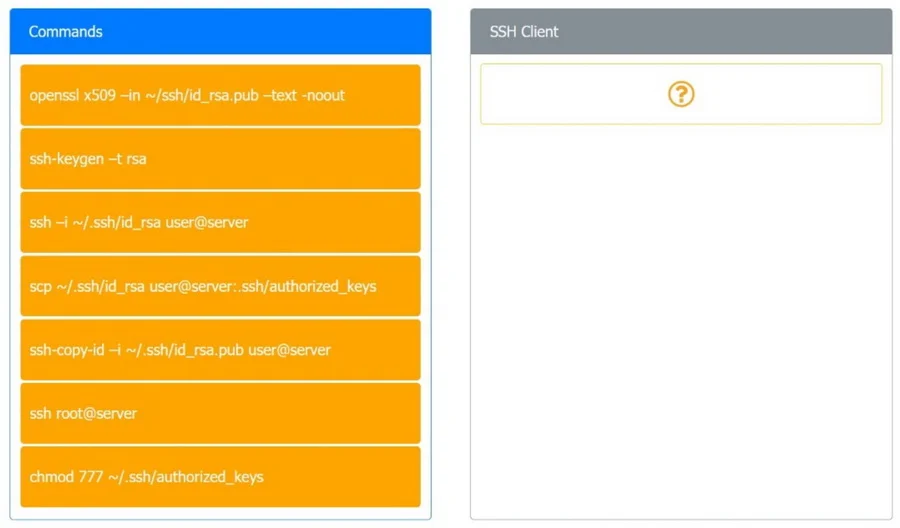
Drag and Drop Question A security engineer is setting up passwordless authentication for the first time. INSTRUCTIONS Drag and drop the MINIMUM set of commands to set this up and verify that it…
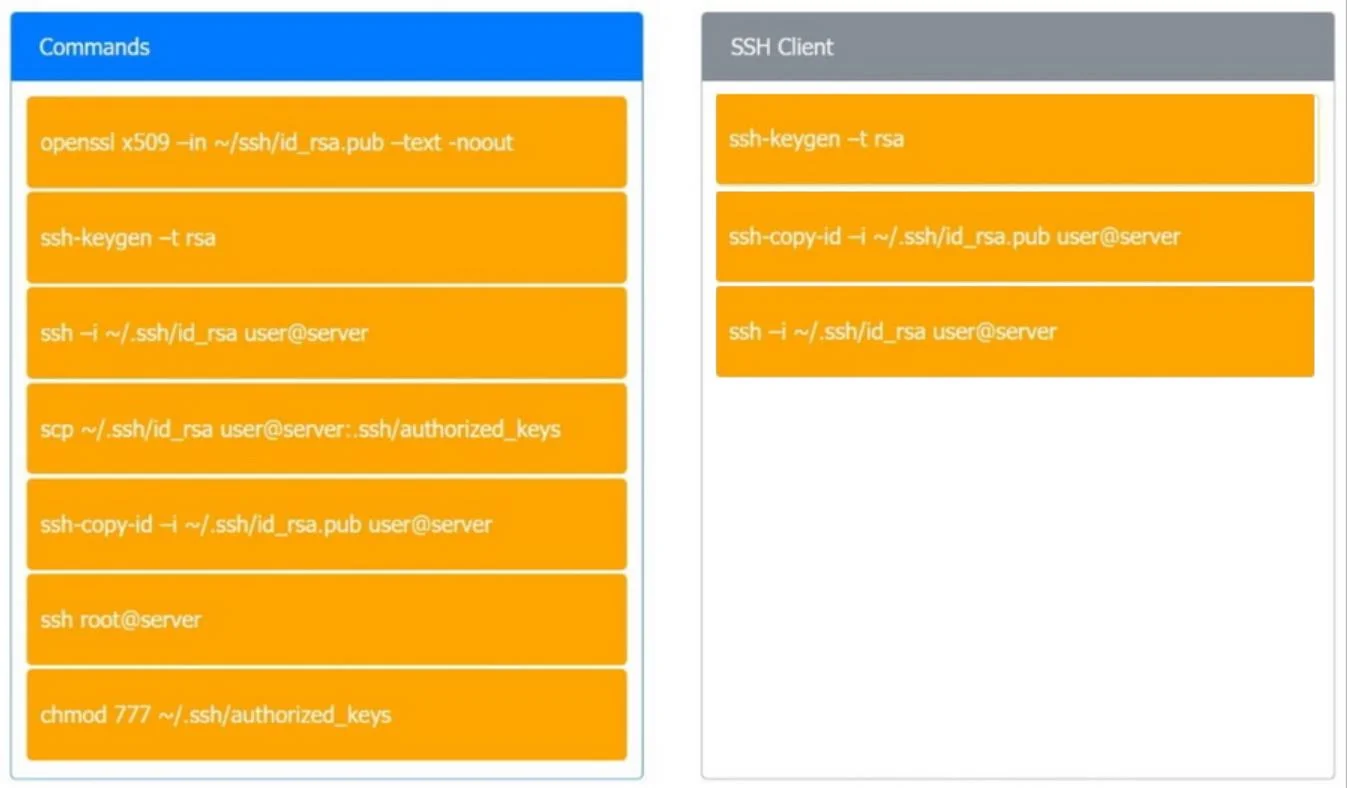
The minimum steps to set up and verify passwordless SSH authentication are: (1) generate an SSH key pair using 'ssh-keygen -t rsa', which creates both the private and public keys; (2) copy the public key to the remote server using 'ssh-copy-id', which appends it to the server's…
Question
Drag and Drop Question A security engineer is setting up passwordless authentication for the first time. INSTRUCTIONS Drag and drop the MINIMUM set of commands to set this up and verify that it works. Commands may only be used once, and not all will be used. If at any time you would like to bring back the initial state of the simulation, please click the Reset All button. Answer:
Exhibits
Explanation
The minimum steps to set up and verify passwordless SSH authentication are: (1) generate an SSH key pair using 'ssh-keygen -t rsa', which creates both the private and public keys; (2) copy the public key to the remote server using 'ssh-copy-id', which appends it to the server's authorized_keys file; and (3) verify the setup by connecting with 'ssh -i ~/.ssh/id_rsa user@server' to confirm no password is required. These three steps represent the complete, minimal workflow - skipping any one of them would either prevent setup or leave it unverified.
Topics
Community Discussion
No community discussion yet for this question.