
SY0-501 · Question #94
Drag and Drop Question A Security administrator wants to implement strong security on the company smart phones and terminal servers located in the data center. Drag and Drop the applicable controls…
Security Controls: Smartphones vs. Terminal Servers Overall Goal The question tests whether you can match security controls to the asset type they're designed for. The key distinction is: Smartphones are mobile, portable, and user-facing - threats are theft, loss, and malware…
Question
Exhibits
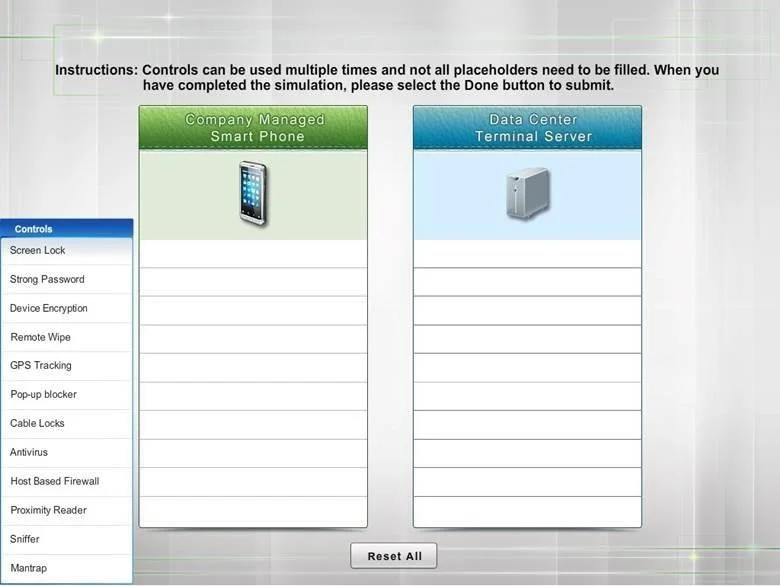
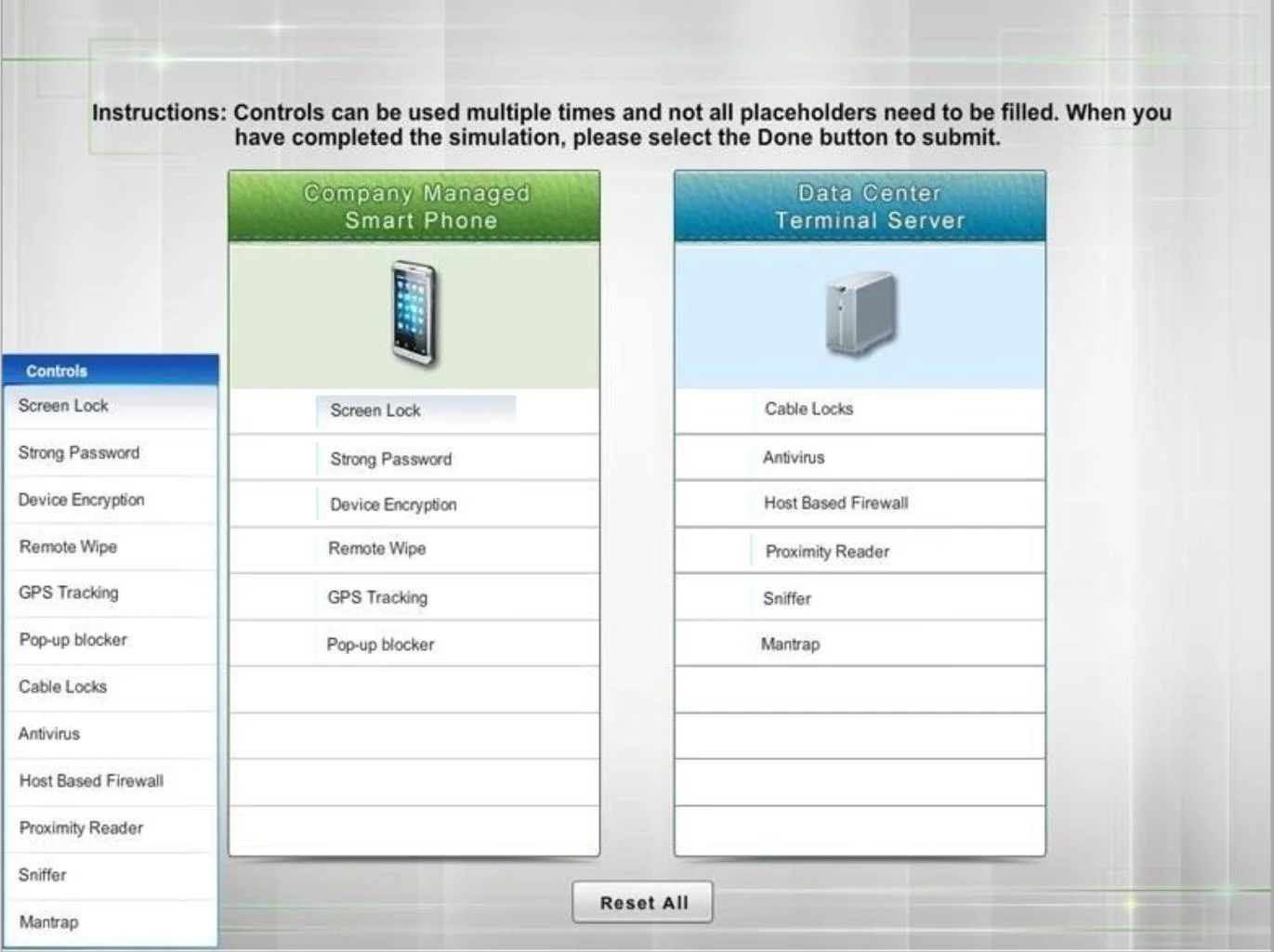
Explanation
Security Controls: Smartphones vs. Terminal Servers
Overall Goal
The question tests whether you can match security controls to the asset type they're designed for. The key distinction is:
- Smartphones are mobile, portable, and user-facing - threats are theft, loss, and malware from apps/browsing
- Terminal servers (data center) are fixed, physically accessible only to authorized staff - threats are unauthorized physical access, network attacks, and malware
Smartphone Controls
1. Screen Lock Prevents unauthorized access if the device is lost or stolen. Without it, anyone who picks up the phone has immediate access to all data and apps.
2. Strong Password Complements the screen lock - a weak PIN can be brute-forced. A strong password (or passphrase) raises the attack cost significantly.
3. Device Encryption Even if someone bypasses the OS (e.g., removes the storage chip), encrypted data is unreadable without the key. Screen lock alone doesn't protect raw storage.
4. Remote Wipe If a device is lost/stolen and cannot be recovered, IT can erase all corporate data over the network. Skipping this means a lost phone permanently exposes sensitive data.
5. GPS Tracking Enables locating a lost/stolen device before resorting to remote wipe. Also useful for verifying device location for compliance purposes.
6. Pop-up Blocker Prevents malicious pop-ups on mobile browsers from tricking users into installing malware or surrendering credentials (clickjacking/phishing). Mobile users are especially vulnerable because small screens make deceptive UI easier.
Terminal Server Controls
7. Cable Locks Physical security - servers in a data center can still be tampered with at the hardware level (USB drops, drive removal). Cable locks deter opportunistic physical access.
8. Antivirus Terminal servers run software and accept connections from many users simultaneously, making them high-value malware targets. Antivirus detects and removes malicious code.
9. Host-Based Firewall Controls which network traffic reaches the server at the OS level, independent of perimeter firewalls. Limits attack surface by blocking unnecessary ports/services.
10. Proximity Reader A physical access control - only badge-carrying authorized personnel can enter the data center. This is the first line of defense against insider threats and physical intrusion.
11. Sniffer (Network Analyzer) Used defensively to monitor network traffic to/from the terminal server, detecting anomalies, unauthorized connections, or data exfiltration attempts.
12. Mantrap A double-door entry system (first door must close before second opens) that prevents tailgating - someone following an authorized employee through a secured door. Critical in data centers where badge readers alone can be defeated by social engineering.
What Goes Wrong Without Each Layer
| Skipped Control | Risk |
|---|---|
| No Screen Lock | Lost phone = instant data breach |
| No Encryption | Physical storage access bypasses all software controls |
| No Remote Wipe | Permanent data exposure after loss |
| No Proximity Reader | Anyone walks into the data center |
| No Mantrap | Tailgating defeats the badge system |
| No Host Firewall | Perimeter breach = full server access |
Why Controls Are NOT Swapped
- Cable locks / Proximity readers / Mantraps on a smartphone makes no sense - you can't bolt a phone to a desk in practice, and there's no door to control
- Remote Wipe / GPS on a fixed server is irrelevant - servers don't move
- Pop-up blocker is a browser/client concern, not a server concern
Memory Tip
Use two mental categories:
"Mobile = Protect the data if the device walks away" -> encryption, remote wipe, GPS, screen lock, strong password, pop-up blocker
"Server = Control who gets near it and what runs on it" -> physical controls (mantrap, proximity reader, cable lock) + software controls (antivirus, host firewall, sniffer)
If a control involves physical location or mobility, it belongs on the smartphone side. If it involves building/room access or network defense, it belongs on the server side.
Topics
Community Discussion
No community discussion yet for this question.