
SC-300 · Question #72
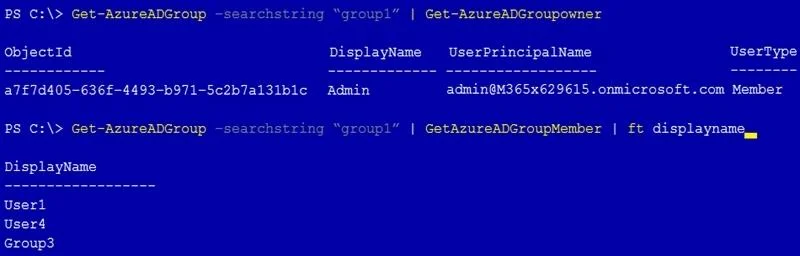
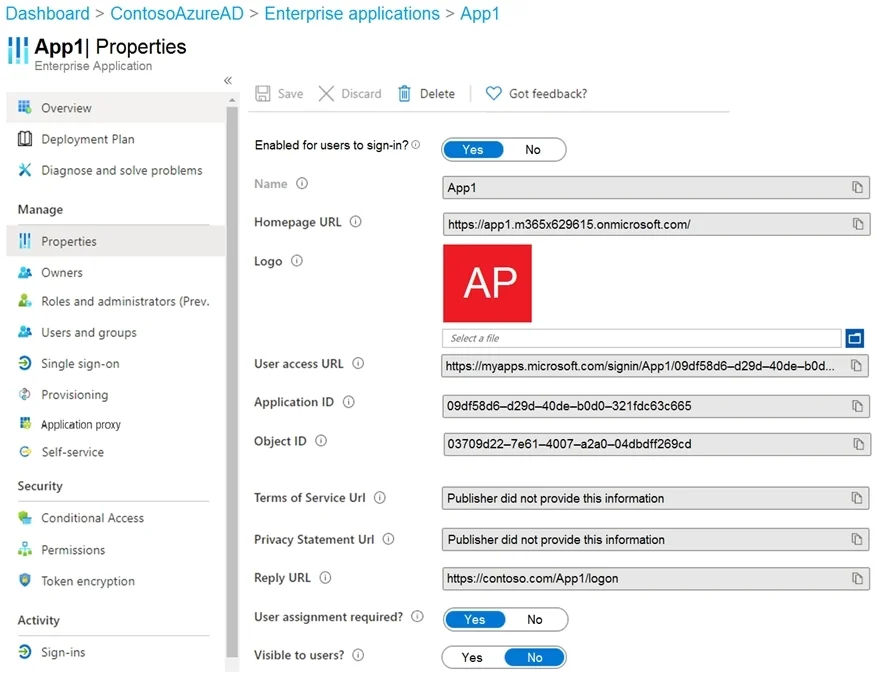
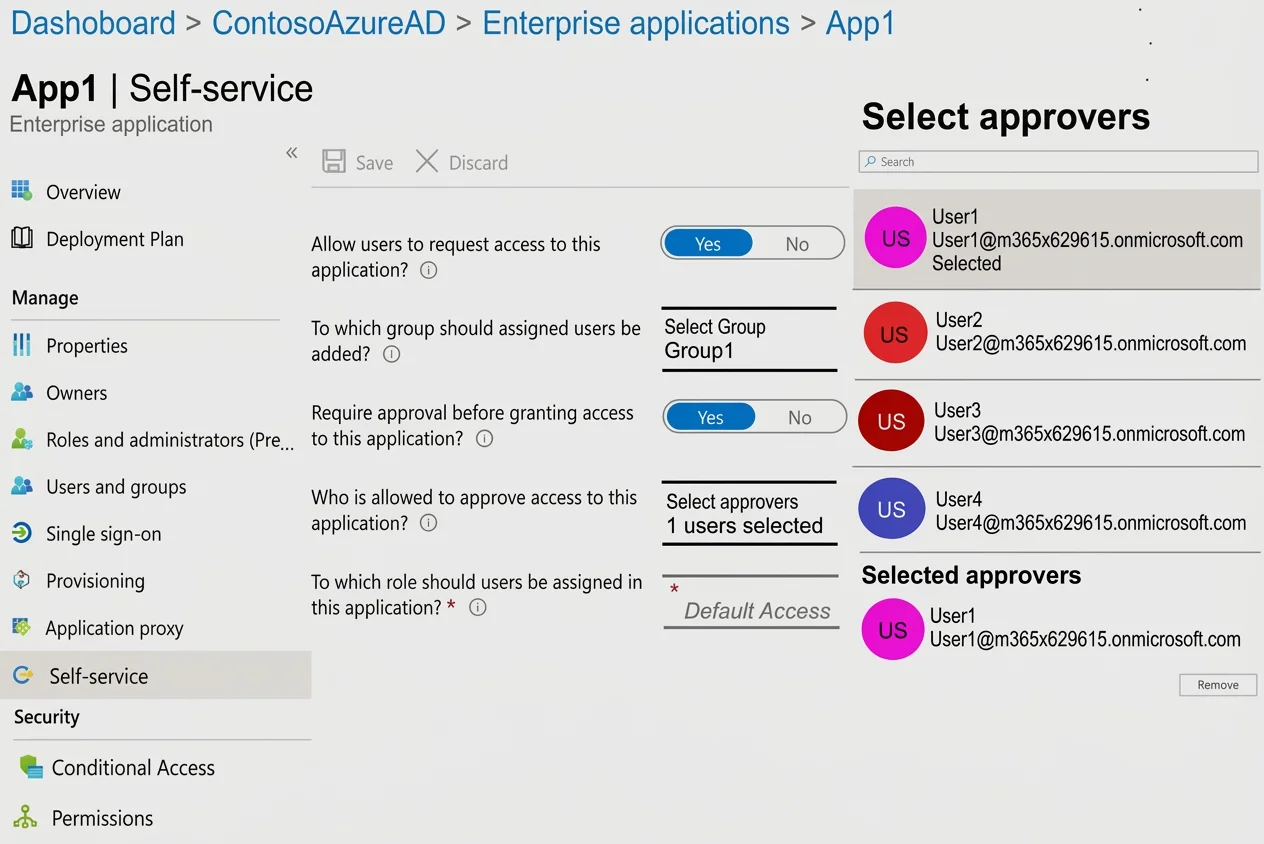
Hotspot Question You have a Microsoft 365 tenant that contains a group named Group1 as shown in the Group1 exhibit. (Click the Group1 tab.) You create an enterprise application named App1 as shown…
The correct answer is The members of Group3 can access App1 without first being approved by User1. = No; After you configure self-service for App1, the owner of Group1 is User1. = Yes; App1 appears in the Microsoft Office 365 app launcher of User4. = No. The self-service configuration for App1 requires approval by User1 before any user (including Group3 members) can access it, so Group3 members cannot access App1 without approval - making Statement 1 'No'. When self-service is configured and an approver group is designated, the…
Question
Exhibits
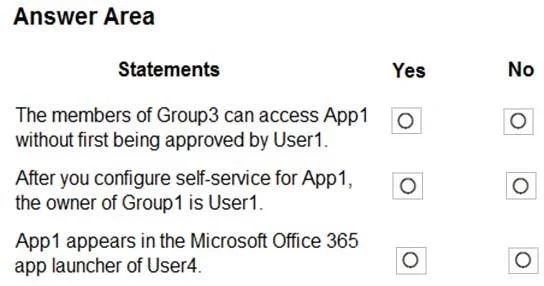
Answer Area
- The members of Group3 can access App1 without first being approved by User1.No
- After you configure self-service for App1, the owner of Group1 is User1.Yes
- App1 appears in the Microsoft Office 365 app launcher of User4.No
Explanation
The self-service configuration for App1 requires approval by User1 before any user (including Group3 members) can access it, so Group3 members cannot access App1 without approval - making Statement 1 'No'. When self-service is configured and an approver group is designated, the approver (User1) becomes the owner of the assigned group (Group1), making Statement 2 'Yes'. App1 appears in the MyApps portal only for users who have been assigned the application; User4, not having been assigned App1, would not see it in the Office 365 app launcher - making Statement 3 'No'.
Topics
Community Discussion
No community discussion yet for this question.