
SC-300 · Question #194
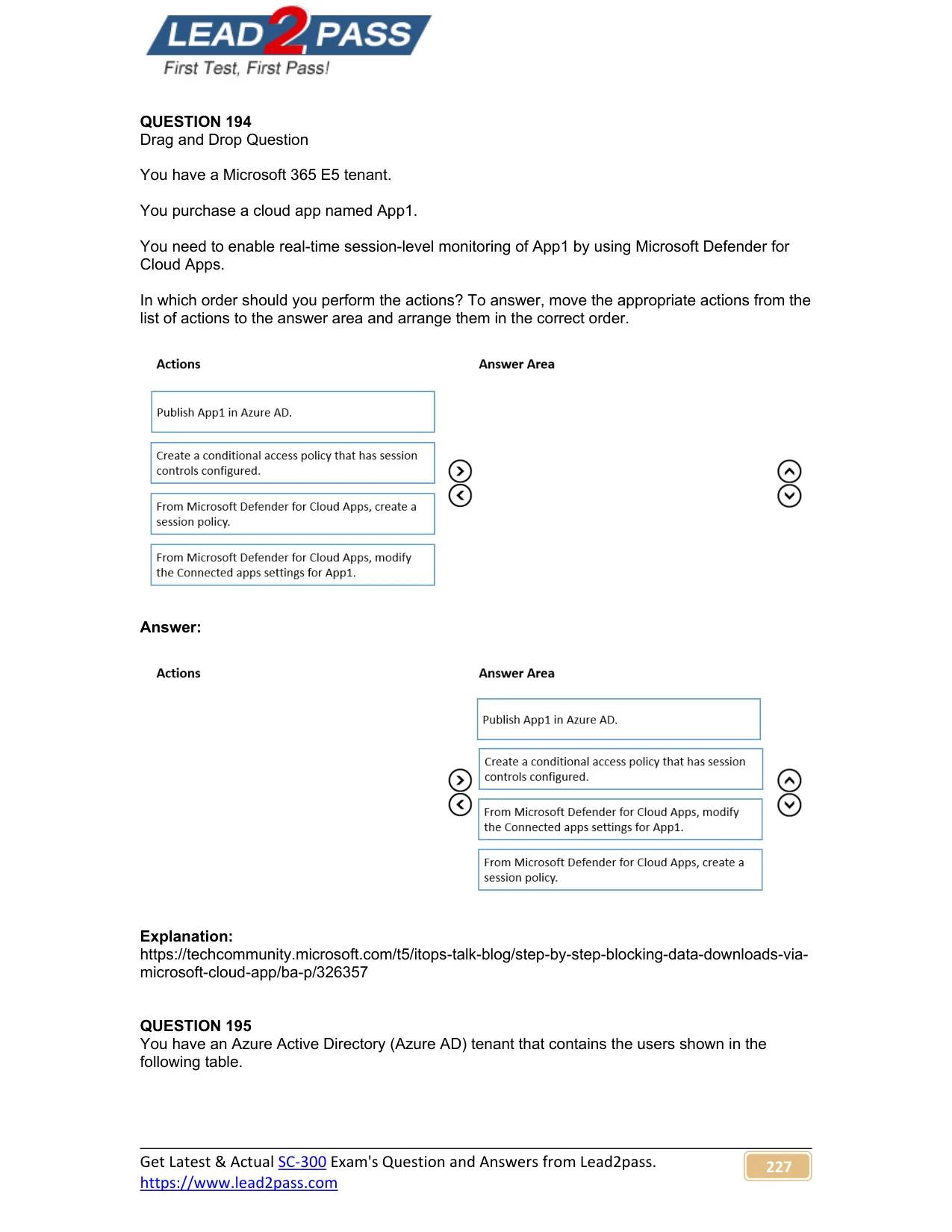
Drag and Drop Question You have a Microsoft 365 E5 tenant. You purchase a cloud app named App1. You need to enable real-time session-level monitoring of App1 by using Microsoft Defender for Cloud…
The correct answer is Publish App1 in Azure AD.; Create a conditional access policy that has session controls configured.; From Microsoft Defender for Cloud Apps, modify the Connected apps settings for App1.; From Microsoft Defender for Cloud Apps, create a session policy. The correct order follows the logical dependency chain for enabling Conditional Access App Control in Microsoft Defender for Cloud Apps. First, App1 must be published/registered in Azure AD so it can be recognized as a SAML/OAuth app. Next, a Conditional Access policy with…
Question
Exhibit
Answer Area
Drag items
Correct arrangement
- Publish App1 in Azure AD.
- Create a conditional access policy that has session controls configured.
- From Microsoft Defender for Cloud Apps, modify the Connected apps settings for App1.
- From Microsoft Defender for Cloud Apps, create a session policy.
Explanation
The correct order follows the logical dependency chain for enabling Conditional Access App Control in Microsoft Defender for Cloud Apps. First, App1 must be published/registered in Azure AD so it can be recognized as a SAML/OAuth app. Next, a Conditional Access policy with session controls (Use Conditional Access App Control) must be created to route traffic through the Defender for Cloud Apps proxy. Then, the Connected apps settings in Defender for Cloud Apps must be configured for App1 to finalize the proxy integration. Finally, a session policy is created in Defender for Cloud Apps to define what monitoring or control actions to enforce during live sessions. Each step is a prerequisite for the next - you cannot create a session policy for an app that hasn't been onboarded through Conditional Access first.
Topics
Community Discussion
No community discussion yet for this question.