
NCP-MCI-6.10 · Question #76
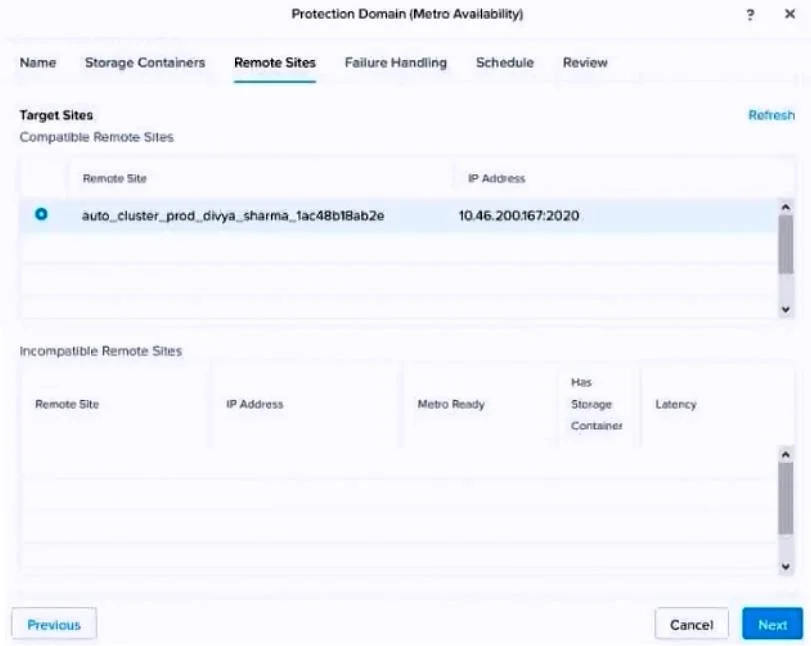
An administrator is trying to configure Metro Availability between Nutanix ESXi-based clusters. However, the Compatible Remote Sites screen does not list all required storage containers. Which two…
The correct answer is C. The destination storage container is not empty. D. Both storage containers must have the same name. Metro Availability in Nutanix has specific requirements for storage container compatibility between sites. First (C), the destination storage container must be completely empty - any existing data or VMs in the destination container will prevent it from appearing as a…
Question
An administrator is trying to configure Metro Availability between Nutanix ESXi-based clusters. However, the Compatible Remote Sites screen does not list all required storage containers. Which two reasons could be a cause for this issue? (Choose two.)
Exhibit
Options
- ASource and destination hardware are from different vendors.
- BThe remote site storage container has compression enabled.
- CThe destination storage container is not empty.
- DBoth storage containers must have the same name.
How the community answered
(28 responses)- A7% (2)
- B21% (6)
- C71% (20)
Explanation
Metro Availability in Nutanix has specific requirements for storage container compatibility between sites. First (C), the destination storage container must be completely empty - any existing data or VMs in the destination container will prevent it from appearing as a compatible remote site container, since Metro requires a clean replication target. Second (D), both the source and destination storage containers must share the same name - Nutanix Metro Availability uses container name matching to identify compatible pairs. Different container names will prevent the pairing. Hardware vendor differences (A) are irrelevant since both sites are Nutanix clusters. Compression settings (B) do not prevent Metro Availability compatibility.
Topics
Community Discussion
No community discussion yet for this question.