
NCP-MCA · Question #39
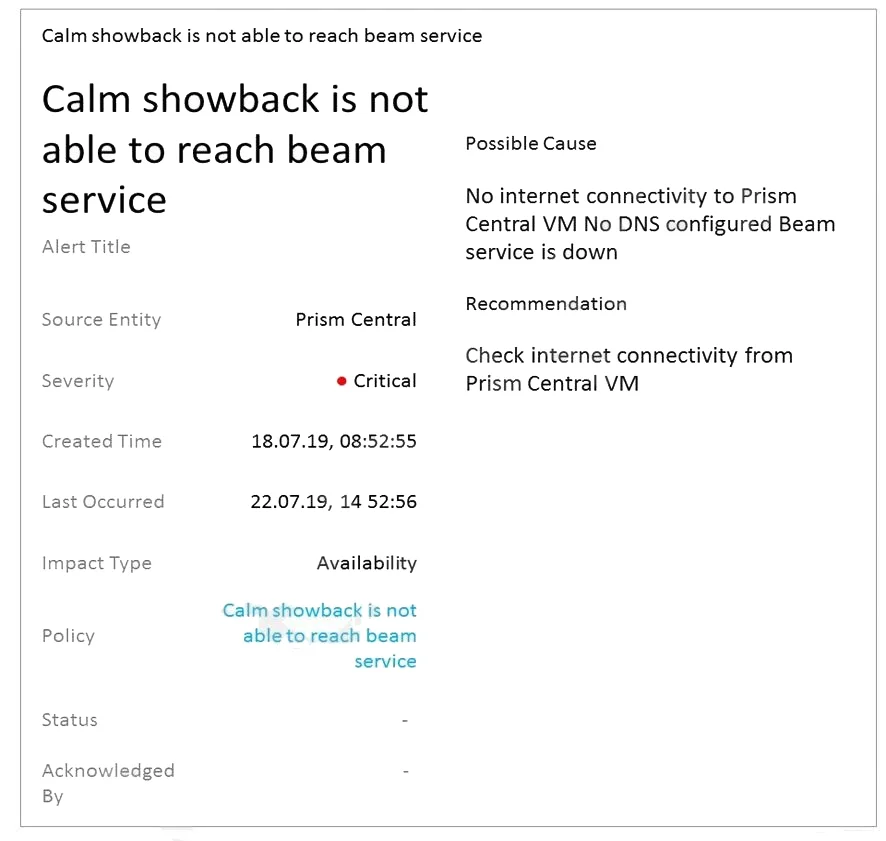
Refer to the exhibit. A customer has decided to enable Calm Showback feature but started to receive an alert in Prism Central stating that Calm showback is not able to reach beam service. Which two…
The correct answer is A. DNS configuration in Prism Central C. Prism Element is configured with Proxy settings. The alert in Prism Central indicates that Calm showback is not able to reach the beam service. This could be due to network connectivity issues or incorrect configurations. The administrator should check the DNS configuration in Prism Central (Option A) to ensure that it is…
Question
Refer to the exhibit. A customer has decided to enable Calm Showback feature but started to receive an alert in Prism Central stating that Calm showback is not able to reach beam service. Which two configuration items should the administrator check to ensure Calm can communicate with Beam? (Choose two.)
Exhibit
Options
- ADNS configuration in Prism Central
- BEnsure Pulse is enabled
- CPrism Element is configured with Proxy settings
- DFlow is enabled in the same Prism Central
How the community answered
(28 responses)- A75% (21)
- B11% (3)
- D14% (4)
Explanation
The alert in Prism Central indicates that Calm showback is not able to reach the beam service. This could be due to network connectivity issues or incorrect configurations. The administrator should check the DNS configuration in Prism Central (Option A) to ensure that it is correctly configured to allow communication with the Beam service. Additionally, checking if Prism Element is configured with Proxy settings (Option C) is essential as it can also affect the communication between Calm and Beam.
Topics
Community Discussion
No community discussion yet for this question.