
N10-009 · Question #109
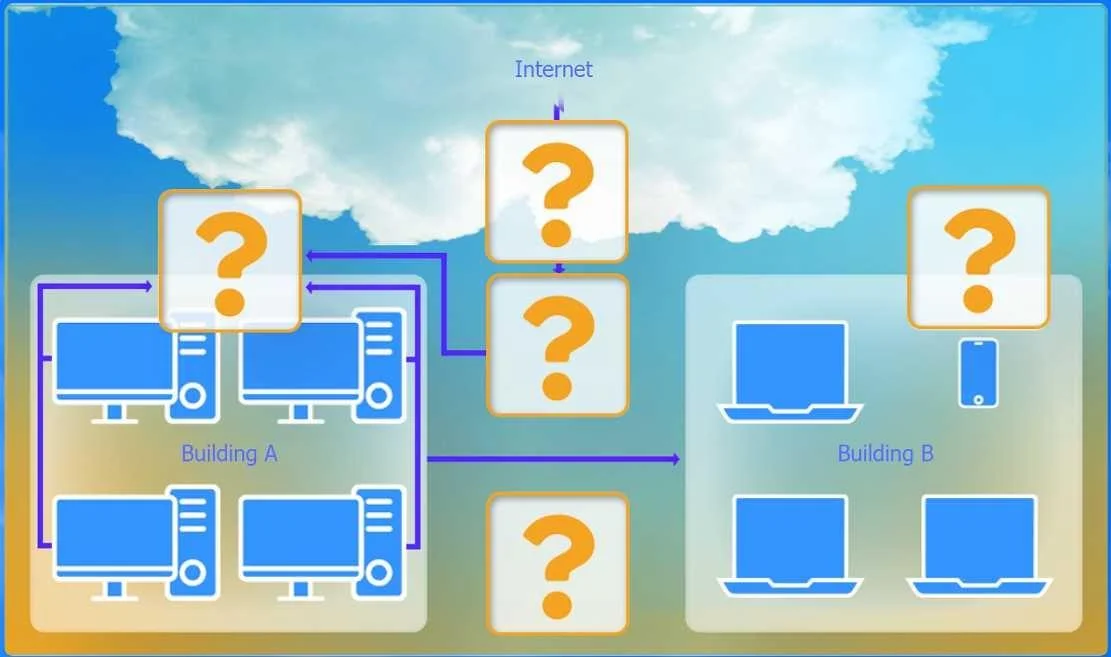
SIMULATION A network administrator has been tasked with configuring a network for a new corporate office. The office consists of two buildings, separated by 50 feet with no physical connectivity…
Exam Simulation Explanation: Corporate Office Network Configuration --- Overall Goal You are building a secure, segmented corporate network spanning two buildings with no physical link between them. The four requirements map directly to specific device choices: | Requirement |…
Question
SIMULATION A network administrator has been tasked with configuring a network for a new corporate office. The office consists of two buildings, separated by 50 feet with no physical connectivity. The configuration must meet the following requirements:
- Devices in both buildings should be able to access the Internet.
- Security insists that all Internet traffic be inspected before
entering the network.
- Desktops should not see traffic destined for other devices.
- All core networking devices need to be managed within Building A.
INSTRUCTIONS Select the appropriate network device for each location. If applicable, click on the magnifying glass next to any device which may require configuration updates and make any necessary changes. Not all devices will be used, but all locations should be filled. If at any time you would like to bring back the initial state of the simulation, please click the Reset All button. Answer:
Exhibits
Explanation
Exam Simulation Explanation: Corporate Office Network Configuration
Overall Goal
You are building a secure, segmented corporate network spanning two buildings with no physical link between them. The four requirements map directly to specific device choices:
| Requirement | Solution |
|---|---|
| Internet access for both buildings | Router at the edge |
| All Internet traffic inspected | Firewall between router and internal network |
| Desktops can't see each other's traffic | Switches (not hubs) in each building |
| All core devices managed from Building A | Wireless Range Extender in Building B (not a full switch/router stack) |
The 50-foot gap with no physical connectivity means Building B needs a wireless bridge/range extender back to Building A - not another router or switch, since those require physical links.
Step 1: Device Placement
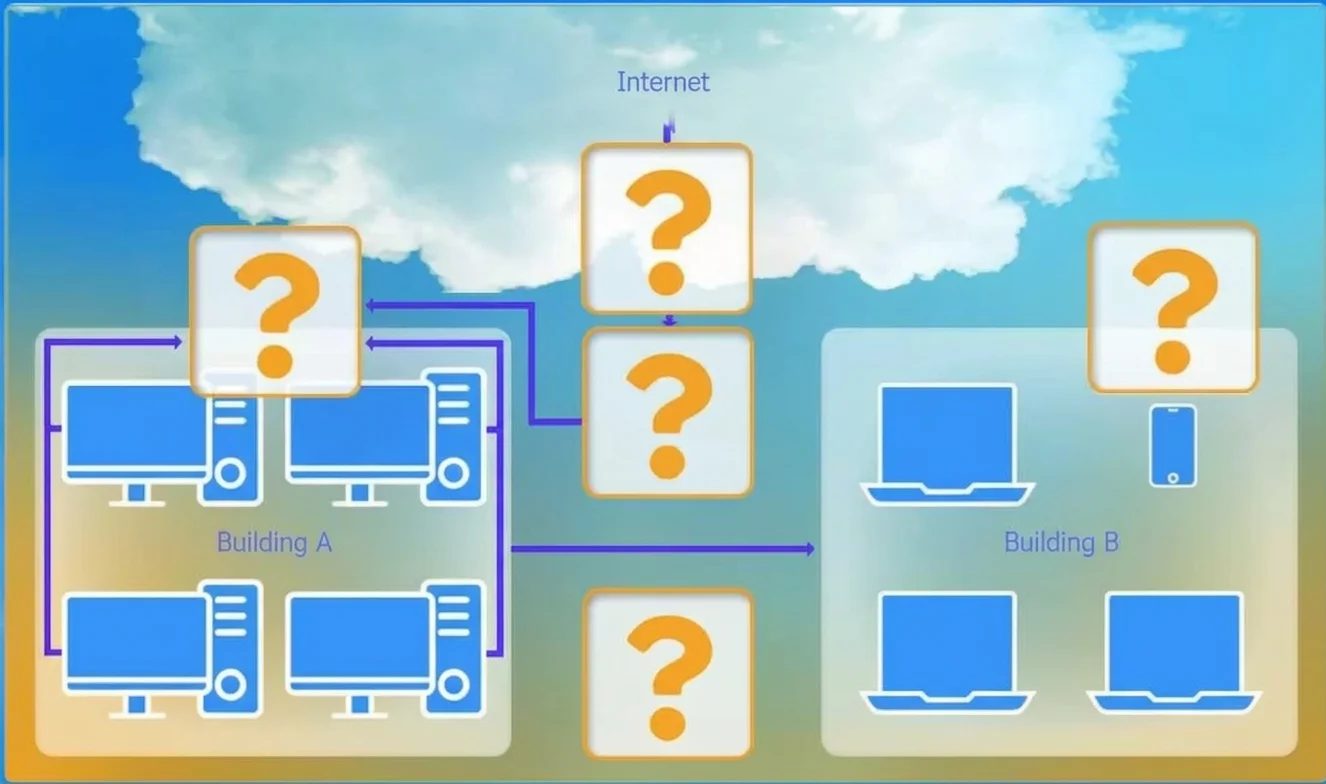
Central connection: Router -> Firewall (in sequence, facing the Internet) Building A: Switch (wired desktops) + core management resides here Building B: Wireless Range Extender (bridges wirelessly back to Building A's network)
Why this order matters:
- The Router handles Layer 3 routing and your public IP. It sits at the perimeter.
- The Firewall sits behind the router but in front of internal devices - this ensures 100% of traffic is inspected before reaching any desktop. If you placed the firewall after the switch, some internal traffic would bypass inspection.
- Switches (not hubs) are used for desktops because switches forward frames only to the destination MAC address - desktops do not see each other's unicast traffic. A hub would broadcast everything to all ports, violating the isolation requirement.
- The Wireless Range Extender in Building B wirelessly extends Building A's network across the 50-foot gap. It requires no additional routing because it operates as a bridge - devices in Building B appear on the same subnet as Building A.
What goes wrong if skipped: Using a hub instead of a switch means all desktop traffic is visible to every device - a security violation. Placing a second router in Building B would create a separate subnet, complicating management and potentially bypassing the central firewall.
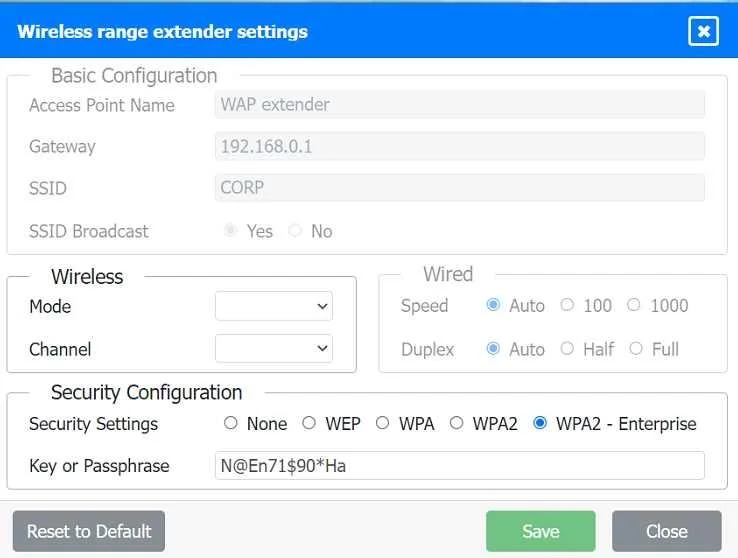
Step 2: Configure the Wireless Range Extender
| Setting | Value | Why |
|---|---|---|
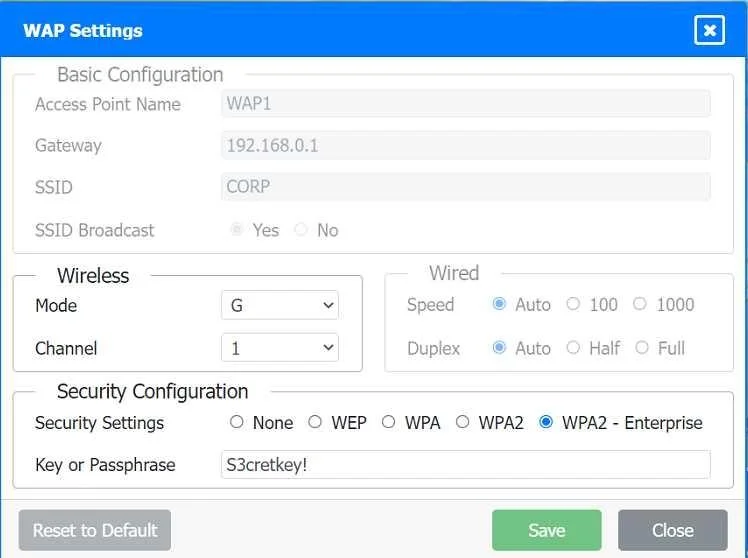
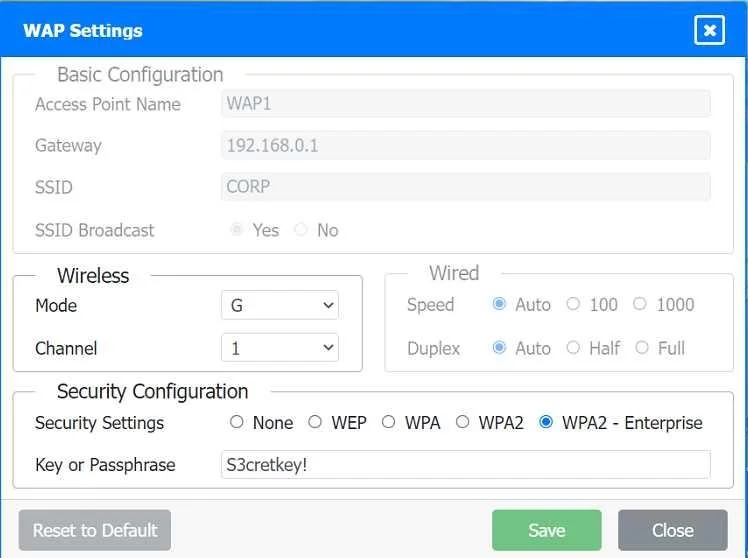
| Access Point Name | WAP extender | Identifies the device for management |
| Gateway | 192.168.0.1 | Points back to Building A's router/firewall - keeps both buildings on the same subnet |
| SSID | CORP | Consistent corporate SSID across both buildings |
| SSID Broadcast | Yes | Allows corporate devices to discover and connect |
| Security | WPA2 - Enterprise | Enterprise mode uses 802.1X/RADIUS for per-user auth - stronger than PSK for a corporate environment |
| Passphrase | N@En71$90*Ha | The pre-shared key / RADIUS credential |
Why WPA2-Enterprise specifically? The question is corporate-focused. WPA2-Personal uses a single shared key anyone can share. Enterprise authenticates each user individually, which is the correct choice when "security insists" on inspection and control.
What goes wrong if skipped: Without a gateway set to 192.168.0.1, Building B devices won't route traffic back through the firewall - bypassing inspection entirely.
Step 3: Configure Firewall Rules
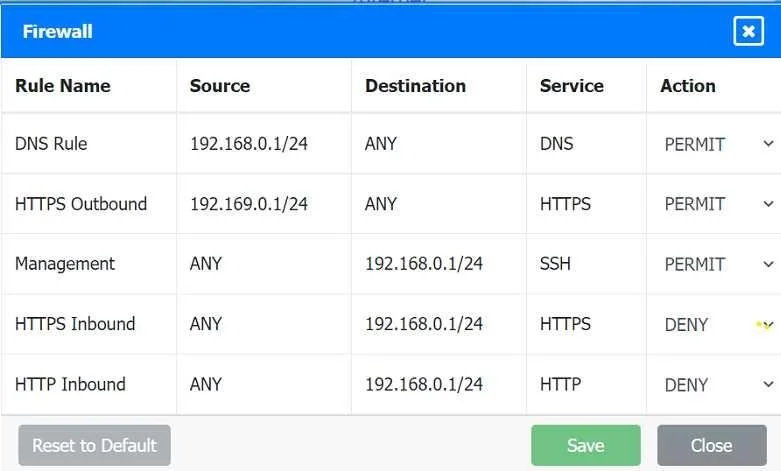
Firewall rules are processed top-down, first match wins. The order here is deliberate.
| Rule | Source | Destination | Service | Action | Why |
|---|---|---|---|---|---|
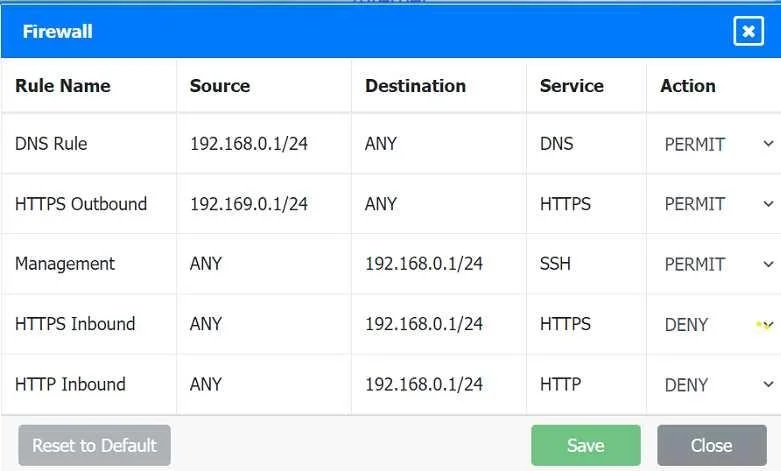
| DNS | 192.168.0.1/24 | ANY | DNS | PERMIT | Internal devices need name resolution to reach the Internet. Without DNS, browsing fails even if HTTPS is allowed. |
| HTTPS Outbound | 192.168.0.1/24 | ANY | HTTPS | PERMIT | Allows internal users to reach secure websites. This is the primary Internet use case. |
| Management (SSH) | ANY | 192.168.0.1/24 | SSH | PERMIT | Allows administrators to manage core devices in Building A remotely via SSH. |
| HTTPS Inbound | ANY | 192.168.0.1/24 | HTTPS | DENY | Blocks outsiders from initiating HTTPS connections into the network. The internal network should not be a server accepting inbound HTTPS. |
| HTTP Inbound | ANY | 192.168.0.1/24 | HTTP | DENY | Blocks unencrypted inbound web traffic - prevents exploitation of internal services via plain HTTP. |
Critical ordering logic:
- DNS and HTTPS Outbound must come before the inbound DENY rules. If the DENY rules were placed first with a broad
ANY -> 192.168.0.1/24match, outbound-initiated return traffic could be blocked depending on the firewall's state-tracking behavior. - SSH Management is permitted before the HTTPS/HTTP inbound denies - because SSH is a different service, it wouldn't be caught by those rules anyway, but keeping it above the denies is clean policy hygiene.
What goes wrong if rules are skipped:
- No DNS rule -> users can't browse by domain name (Internet appears broken).
- No HTTPS Outbound -> users can't reach secure sites.
- No inbound DENY rules -> external attackers can probe internal services.
- No SSH permit -> administrators lose remote management access to Building A devices.
Memory Tip
Use the acronym "DRMI-D" for the firewall rule order:
DNS out -> Reach the web (HTTPS out) -> Manage via SSH -> Inbound HTTPS deny -> Deny HTTP in
Or think of it as: "Let my traffic out, let admins in, keep attackers out."
For device placement, remember: Router faces the world, Firewall faces the inside, Switch segments the floor, Extender bridges the gap.
Topics
Community Discussion
No community discussion yet for this question.