
MS-900 · Question #30
Hotspot Question You are a Microsoft 365 administrator. You need to implement the appropriate features for each scenario. What should you implement? To answer, select the appropriate options at the…
The correct answer is Restrict access to Microsoft Outlook by using a PIN.: Mobile application protection policy; Secure members of the Global Administrators group by using dynamic risk profiles.: Microsoft Azure AD Identity Protection; Secure admin roles by requiring approvals.: Microsoft Azure AD Privilege Identity Management. This question tests the ability to map specific Microsoft 365 and Azure AD security requirements to the appropriate management features: Intune App Protection, Identity Protection, and Privileged Identity Management (PIM).
Question
Exhibit
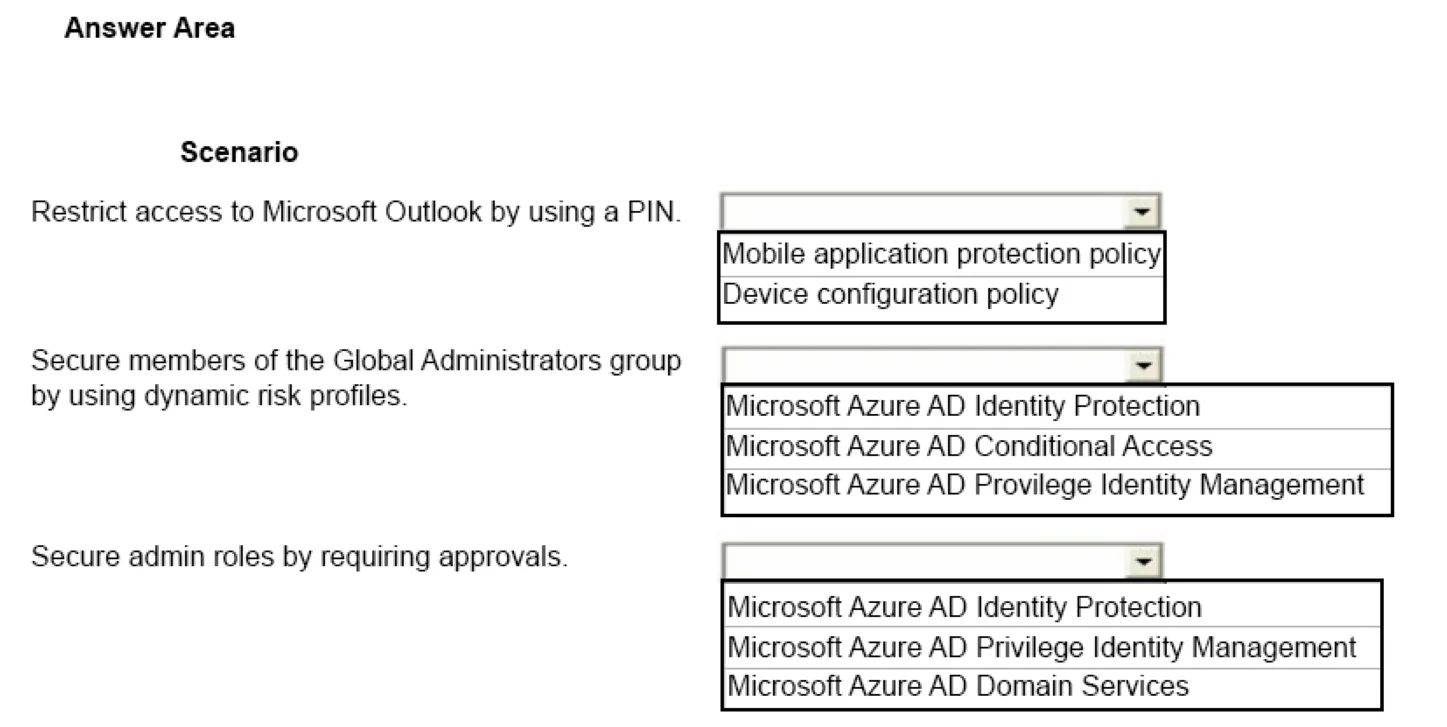
Answer Area
- Restrict access to Microsoft Outlook by using a PIN.Mobile application protection policyMobile application protection policyDevice configuration policy
- Secure members of the Global Administrators group by using dynamic risk profiles.Microsoft Azure AD Identity ProtectionMicrosoft Azure AD Identity ProtectionMicrosoft Azure AD Conditional AccessMicrosoft Azure AD Privilege Identity Management
- Secure admin roles by requiring approvals.Microsoft Azure AD Privilege Identity ManagementMicrosoft Azure AD Identity ProtectionMicrosoft Azure AD Privilege Identity ManagementMicrosoft Azure AD Domain Services
Explanation
This question tests the ability to map specific Microsoft 365 and Azure AD security requirements to the appropriate management features: Intune App Protection, Identity Protection, and Privileged Identity Management (PIM).
Approach. 1. Restrict access to Microsoft Outlook by using a PIN: Select 'Mobile application protection policy'. App Protection Policies (part of Mobile Application Management or MAM) allow administrators to enforce security controls at the application layer, such as requiring a specific PIN to open a managed app like Outlook, regardless of the device's management state. 2. Secure members of the Global Administrators group by using dynamic risk profiles: Select 'Microsoft Azure AD Identity Protection'. Identity Protection is the specific Azure AD (Entra ID) service that uses heuristic and machine learning signals to calculate user and sign-in risk levels dynamically. 3. Secure admin roles by requiring approvals: Select 'Microsoft Azure AD Privilege Identity Management' (PIM). PIM provides Just-In-Time (JIT) privileged access, which includes workflows to require justification and designated approvals before a user can activate an administrative role.
Common mistakes.
- common_mistake. In Scenario 1, choosing 'Device configuration policy' is incorrect because it applies settings globally to the device OS (like a lock screen PIN), not specifically to individual apps. In Scenario 2, 'Conditional Access' is a distractor; while it enforces policies based on risk, it is 'Identity Protection' that actually calculates and provides the dynamic risk profiles. In Scenario 3, 'Azure AD Domain Services' is unrelated, as it provides legacy active directory capabilities (LDAP, Kerberos) in the cloud, not role approval workflows.
Concept tested. Microsoft 365 Security and Compliance: Mobile Application Management (MAM), Azure AD Identity Protection, and Privileged Identity Management (PIM).
Reference. https://learn.microsoft.com/en-us/entra/id-governance/privileged-identity-management/pim-configure
Topics
Community Discussion
No community discussion yet for this question.