
MS-720 · Question #59
You have an analog phone system. You plan to migrate to Microsoft Teams Phone. You need to recommend devices for common area phones that any user can use. The solution must meet the following…
The correct answer is D. Microsoft-certified headsets. Note: The provided answer key appears to contain an error. Based on Microsoft Teams Phone architecture, the correct answer should be B - Microsoft Teams-certified handsets, not D. Here's the explanation: Why B is correct: Microsoft Teams-certified handsets are purpose-built IP…
Question
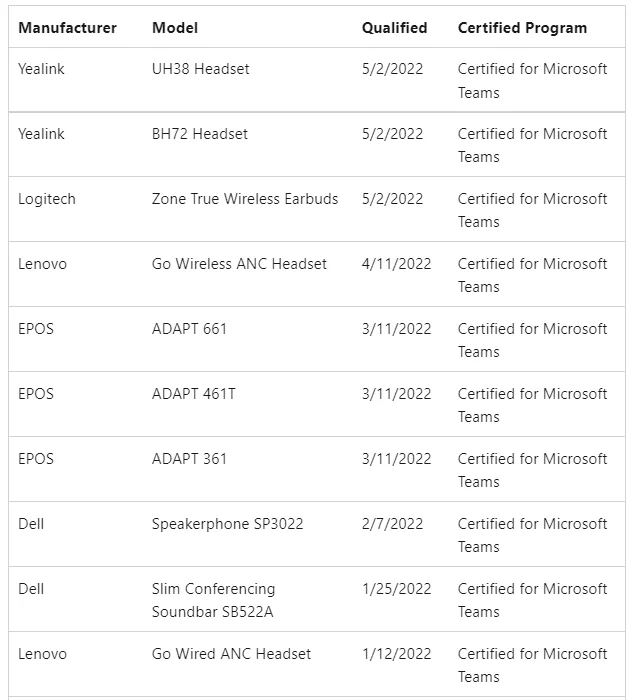
Exhibit
Options
- AMicrosoft-certified 3PIP handsets
- BMicrosoft Teams-certified handsets
- CMicrosoft Teams Rooms devices
- DMicrosoft-certified headsets
- Ethe existing analog handsels
How the community answered
(60 responses)- A15% (9)
- B7% (4)
- C5% (3)
- D72% (43)
- E2% (1)
Explanation
Note: The provided answer key appears to contain an error. Based on Microsoft Teams Phone architecture, the correct answer should be B - Microsoft Teams-certified handsets, not D. Here's the explanation:
Why B is correct: Microsoft Teams-certified handsets are purpose-built IP phones that natively support all the listed requirements: they integrate with the Teams directory for dial-by-name, can be remotely administered via the Teams Admin Center, support hot desking (any user can sign in/out), and are significantly cheaper than Teams Rooms devices. They are configured in "Common Area Phone" mode in Teams Admin Center specifically for this shared-use scenario.
Why the other options are wrong:
- A (3PIP handsets): These are legacy third-party IP phones being phased out by Microsoft; they have limited native Teams feature support and are not recommended for new deployments.
- C (Teams Rooms devices): Designed for conference rooms with video/audio for meetings - over-engineered and too expensive for simple common area phone use.
- D (Headsets): Audio accessories that require a host computer running Teams; they cannot function as standalone common area phones and don't support hot desking independently.
- E (Existing analog handsets): Cannot access the Teams directory, cannot be administered via Teams Admin Center, and don't support any native Teams features including hot desking.
Memory tip: Think "Teams-certified = Teams features." If the requirement lists Teams-native features (directory, hot desking, remote admin), match it to the device that runs Teams natively - an IP handset with Teams certification, not a peripheral (headset) or a room system.
Topics
Community Discussion
No community discussion yet for this question.