
MS-102 · Question #412
You have a Microsoft 365 E5 subscription. You plan to deploy Microsoft Defender for Cloud Apps and connect Microsoft 365 to Defender for Cloud Apps. You need to ensure that you can enable all the…
The correct answer is B. Enable file monitoring for Defender for Cloud Apps. Before you can enable all available Microsoft 365 components (including SharePoint Online and OneDrive for Business) in the Defender for Cloud Apps Microsoft 365 app connector, file monitoring must first be enabled in Defender for Cloud Apps settings. Without file monitoring…
Question
You have a Microsoft 365 E5 subscription. You plan to deploy Microsoft Defender for Cloud Apps and connect Microsoft 365 to Defender for Cloud Apps. You need to ensure that you can enable all the Microsoft 365 components when you add the app connector. What should you do first?
Exhibit
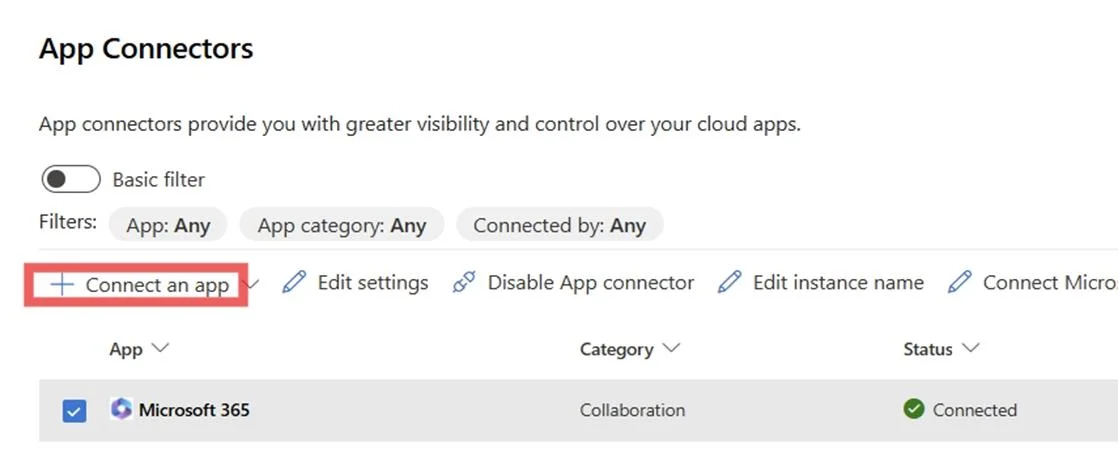
Options
- AConfigure Conditional Access app control.
- BEnable file monitoring for Defender for Cloud Apps.
- CAdd an API token to Defender for Cloud Apps.
- DConfigure Cloud Discovery.
How the community answered
(19 responses)- A11% (2)
- B79% (15)
- C5% (1)
- D5% (1)
Explanation
Before you can enable all available Microsoft 365 components (including SharePoint Online and OneDrive for Business) in the Defender for Cloud Apps Microsoft 365 app connector, file monitoring must first be enabled in Defender for Cloud Apps settings. Without file monitoring turned on, the file-related components (SharePoint, OneDrive) are grayed out and unavailable in the connector configuration. This is a documented prerequisite in Microsoft's setup guidance. Why the others are wrong: Conditional Access app control (A) is a separate feature for session/access policies. Adding an API token (C) applies to non-Microsoft app connectors that use API keys. Configuring Cloud Discovery (D) is for analyzing network traffic logs and is unrelated to enabling the Microsoft 365 app connector components.
Topics
Community Discussion
No community discussion yet for this question.