
MS-102 · Question #25
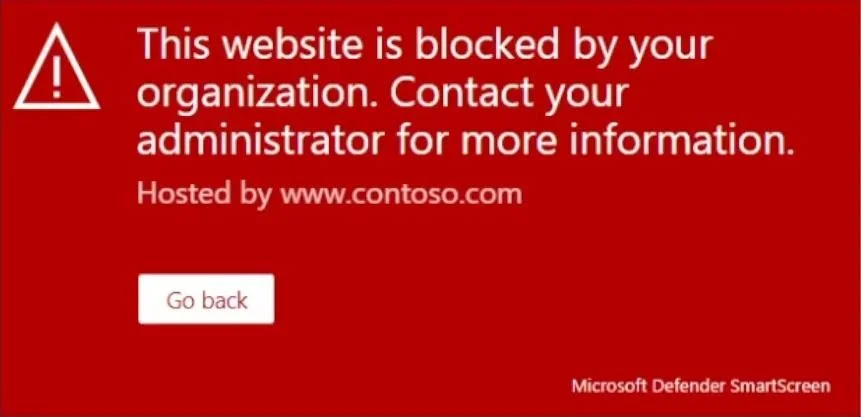
You have a Microsoft 365 E5 subscription that uses Microsoft Defender for Endpoint. When users attempt to access the portal of a partner company, they receive the message shown in the following…
The correct answer is E. Indicators. By creating indicators for IPs and URLs or domains, you can now allow or block IPs, URLs, or domains based on your own threat intelligence. https://learn.microsoft.com/en-us/microsoft-365/security/defender-endpoint/indicator-ip- domain?view=o365-worldwide
Question
You have a Microsoft 365 E5 subscription that uses Microsoft Defender for Endpoint. When users attempt to access the portal of a partner company, they receive the message shown in the following exhibit. You need to enable user access to the partner company's portal. Which Microsoft Defender for Endpoint setting should you modify?
Exhibit
Options
- AAlert notifications
- BAlert suppression
- CCustom detections
- DAdvanced hunting
- EIndicators
How the community answered
(50 responses)- A6% (3)
- B4% (2)
- C2% (1)
- D14% (7)
- E74% (37)
Explanation
By creating indicators for IPs and URLs or domains, you can now allow or block IPs, URLs, or domains based on your own threat intelligence. https://learn.microsoft.com/en-us/microsoft-365/security/defender-endpoint/indicator-ip- domain?view=o365-worldwide
Topics
Community Discussion
No community discussion yet for this question.