
MB-920 · Question #113
A company is using Dynamics 365 Finance to manage its human resources department. The company has a new general accountant that reports to the finance department manager. The new worker must be able…
The correct answer is A. Assign the position to the worker. C. Create the worker. D. Define the position of the worker within the hierarchy. To properly set up a new worker in Dynamics 365 Finance, you must: Create the worker (C) to establish the person's record in the system; Define the position within the hierarchy (D) to establish where the role sits in the organizational structure and reporting chain; and Assign…
Question
Exhibit
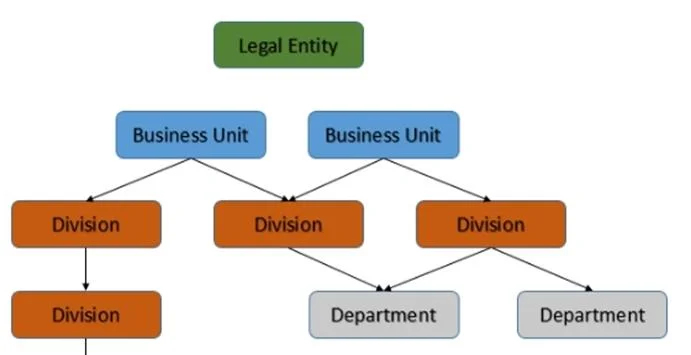
Options
- AAssign the position to the worker.
- BAssociate the worker with the sales and marketing module to calculate commission.
- CCreate the worker.
- DDefine the position of the worker within the hierarchy.
- EAssign the worker to a team.
How the community answered
(40 responses)- A75% (30)
- B15% (6)
- E10% (4)
Explanation
To properly set up a new worker in Dynamics 365 Finance, you must: Create the worker (C) to establish the person's record in the system; Define the position within the hierarchy (D) to establish where the role sits in the organizational structure and reporting chain; and Assign the position to the worker (A) to link the worker record to that defined position. These three steps are the core workflow for onboarding a new employee with the correct organizational placement. Associating with sales and marketing for commission (B) is irrelevant for a general accountant in the finance department. Assigning to a team (E) is optional and not required for basic worker setup or granting system access.
Topics
Community Discussion
No community discussion yet for this question.