
MB-330 · Question #147
Drag and Drop Question A company is designing a new bicycle by using a dimension-based Bill of materials (BOM). The configuration groups have been defined and created. You need to set up a BOM for…
Dimension-Based BOM Setup - Explanation This question tests knowledge of the Microsoft Dynamics 365 Finance & Operations workflow for configuring a dimension-based product. The six options are distractors + correct steps; the question asks you to pick four and arrange them…
Question
Exhibit
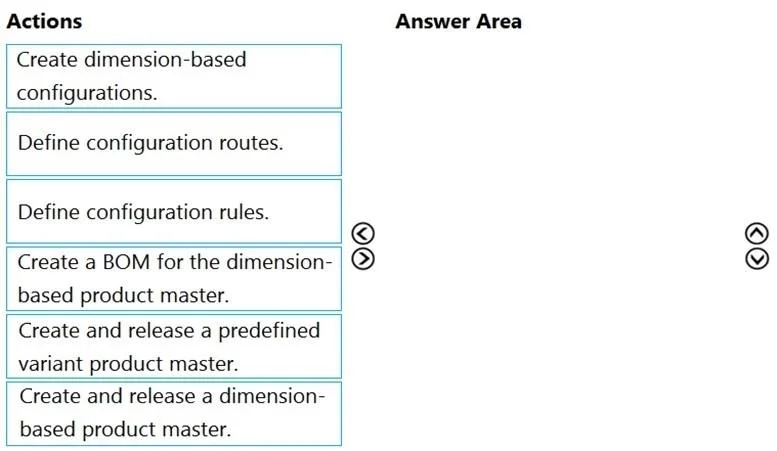
Options
- ACreate dimension-based configurations.
- BDefine configuration routes.
- CDefine configuration rules.
- DCreate a BOM for the dimension-based product master.
- ECreate and release a predefined variant product master.
- FCreate and release a dimension-based product master.
Explanation
Dimension-Based BOM Setup - Explanation
This question tests knowledge of the Microsoft Dynamics 365 Finance & Operations workflow for configuring a dimension-based product. The six options are distractors + correct steps; the question asks you to pick four and arrange them correctly.
Note: The mapping as provided lists all six options (A–F) with alphabetical ordering, which doesn't reflect the logical workflow. The explanation below covers what the sequence should be and identifies the distractors.
The Correct 4-Step Sequence
Step 1 - F: Create and release a dimension-based product master
Why first: This is the non-negotiable foundation. A dimension-based product master defines the configuration technology (Dimension-based configuration). Nothing else - not BOM lines, not configurations, not rules - can exist without it. The product must also be released to a legal entity before it can be used.
Common mistake: Candidates sometimes select option E ("predefined variant product master") here. "Predefined variant" is a different configuration technology - it uses a fixed variant matrix, not dynamic BOM rules. Choosing E is a classic trap.
Step 2 - D: Create a BOM for the dimension-based product master
Why second: Once the product master exists, you build its Bill of Materials - listing all possible components (e.g., frames, handlebars, wheels for all bicycle variants). Crucially, BOM lines are tagged with configuration groups (which the question states are already defined). The BOM structure must exist before you can write rules against it.
Common mistake: Skipping this step or confusing it with creating configurations. You can't define which BOM lines apply to which configuration (Step 4) if the BOM doesn't exist yet.
Step 3 - A: Create dimension-based configurations
Why third: Configurations are the specific valid combinations of dimension values (e.g., Road + Large + Red). These are built from the configuration groups. You need the product master (Step 1) and the BOM structure (Step 2) in place before declaring which combinations are valid.
Common mistake: Treating this as Step 1. Configurations have no home without a product master to belong to.
Step 4 - C: Define configuration rules
Why fourth/last: Configuration rules specify which BOM lines are active for which configurations - for example, "road bike frame only applies when the Frame type = Road." This step requires both the BOM lines (Step 2) and the configurations (Step 3) to already exist, since rules reference both.
Common mistake: Doing this before Step 3. Rules reference specific configurations by name; if those configurations don't exist yet, you can't write the rules.
The Two Distractors
| Option | Why it's excluded |
|---|---|
| B - Define configuration routes | Routes define manufacturing operations, not BOM structure. Route setup is a separate concern and is not part of the BOM setup sequence. |
| E - Create and release a predefined variant product master | This is a completely different configuration technology. Predefined variants use a static variant grid, not dynamic BOM rules. Including it here would be a fundamental workflow error. |
Summary of Correct Order
F → D → A → C
(Product Master) → (BOM) → (Configurations) → (Rules)
Each step is a prerequisite for the next - you're building from the product entity outward to the logical rules that govern it.
Topics
Community Discussion
No community discussion yet for this question.