
Juniper
JN0-452 · Question #19
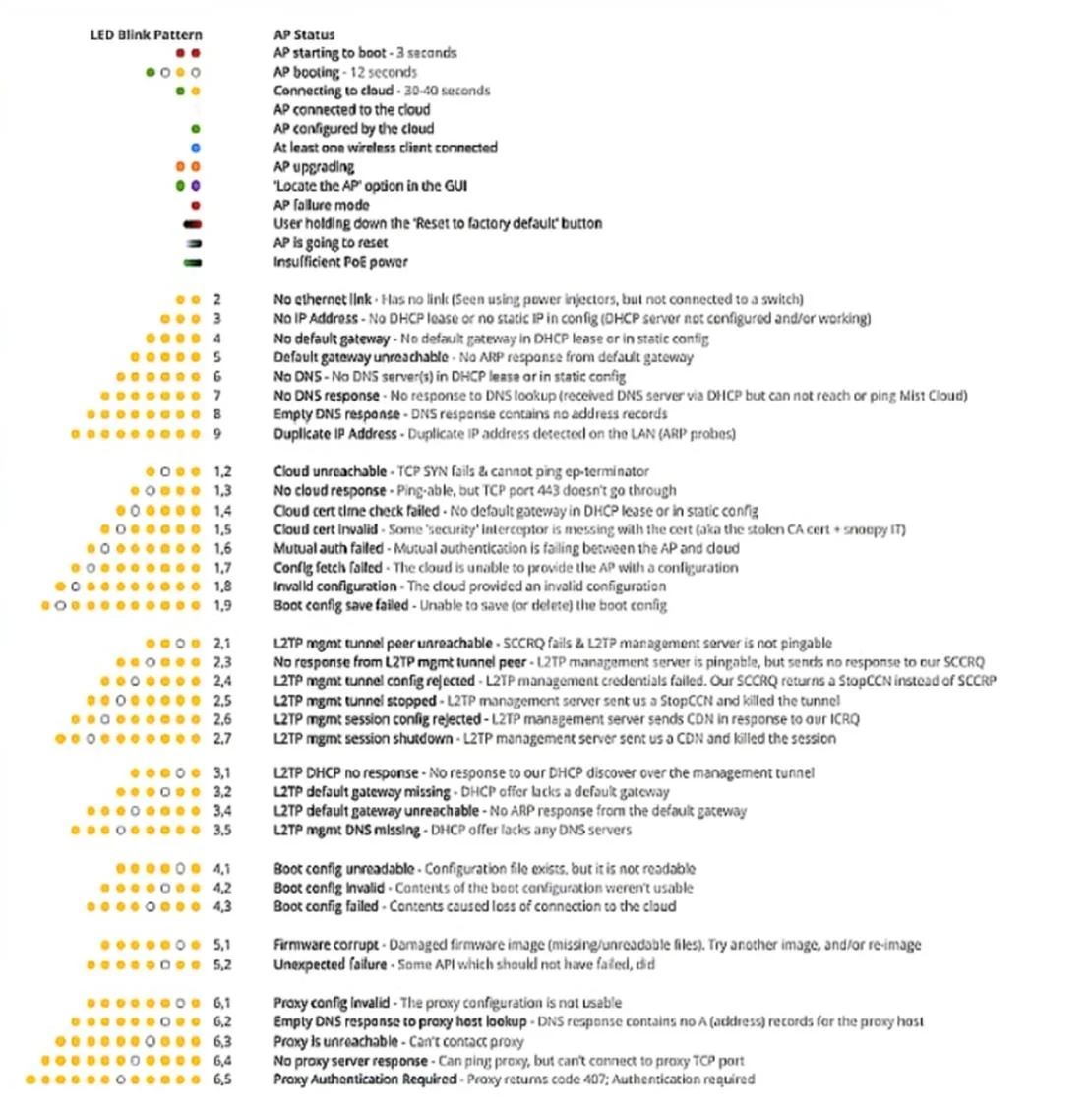
Click the Exhibit button. As your Juniper Access Point first receives power, you observe the LED as it attempts to join the cloud. The LED blinks amber twice. You reboot your switch and the AP…
Sign in or unlock JN0-452 to reveal the answer and full explanation for question #19. The question stem and answer options stay visible for context.
Mist AI Wireless Troubleshooting
Question
Click the Exhibit button. As your Juniper Access Point first receives power, you observe the LED as it attempts to join the cloud. The LED blinks amber twice. You reboot your switch and the AP. After about 50 seconds, the AP blinks amber seven times. Referring to the exhibit, what is happening in this scenario?
Exhibit
Options
- AAt first, there was power to the AP but no link-level connectivity; when you rebooted, it came back
- BAt first, there was power to the AP but no link-level connectivity; when you rebooted, it came back
- CYour connection is being blocked by a firewall and some ports must be opened.
- DAt first, there was power to the AP but you could not get a DHCP address; when you rebooted, it
Unlock JN0-452 to see the answer
You've previewed enough free JN0-452 questions. Unlock JN0-452 for full answers, explanations, the timed quiz mode, progress tracking, and the master PDF. Question stem and options stay visible so you can still see what's on the exam.
Topics
#AP LED indicators#connectivity troubleshooting#firewall ports#AP onboarding