
HP
HPE6-A85 · Question #86
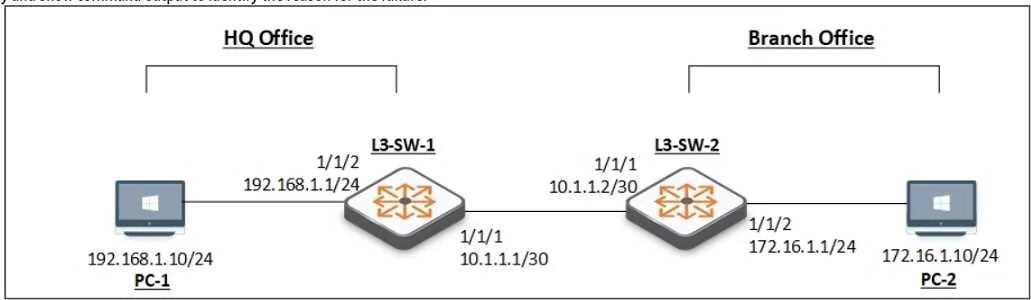
You have been asked to troubleshoot failed connectivity between a local subnet in the HQ Office and a remote subnet in the Branch Office. PC1 is unable to ping PC2. Use the provided topology and…
Sign in or unlock HPE6-A85 to reveal the answer and full explanation for question #86. The question stem and answer options stay visible for context.
Monitoring and Troubleshooting Campus Access Solutions
Question
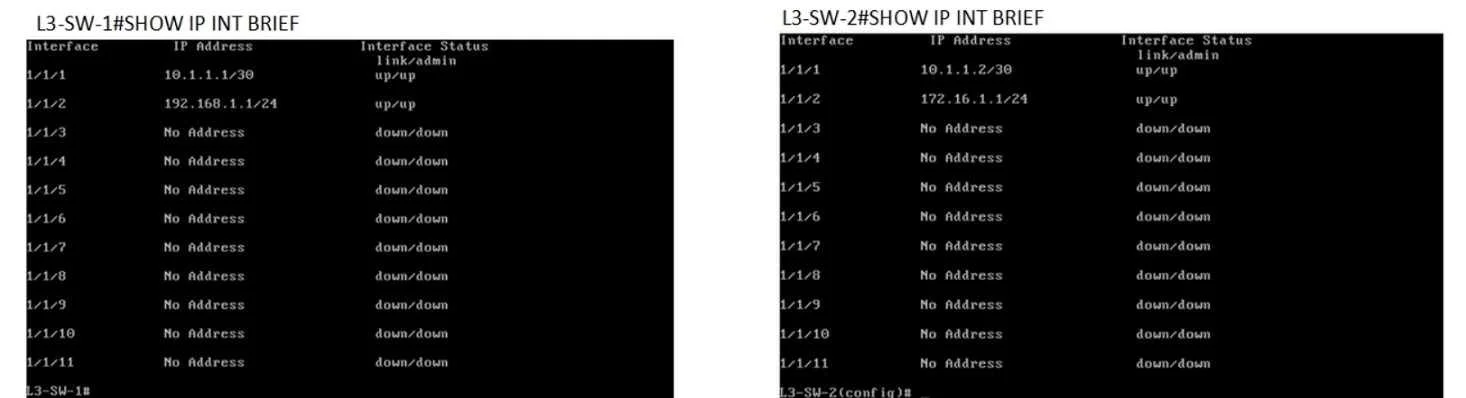
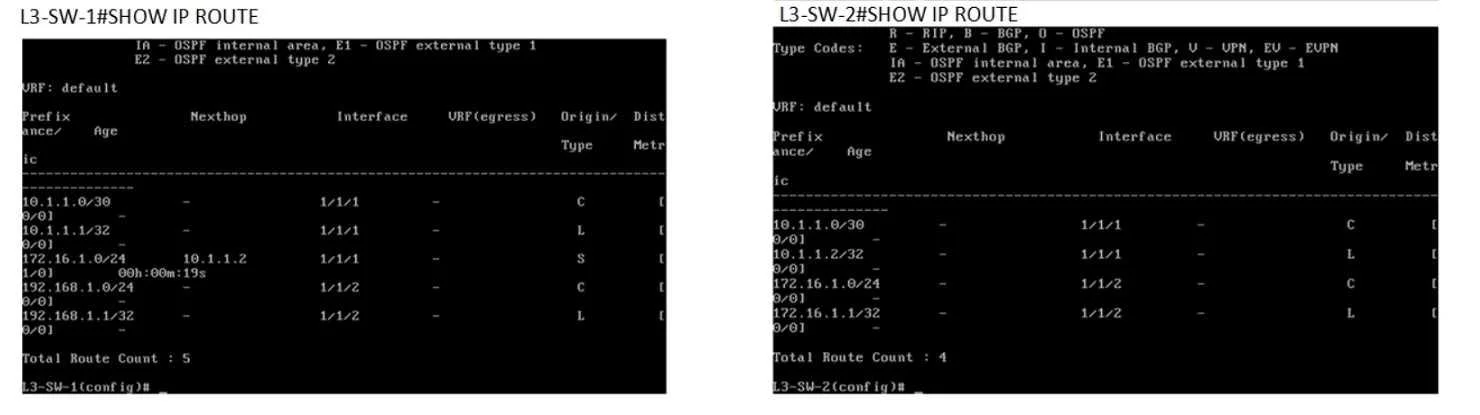
You have been asked to troubleshoot failed connectivity between a local subnet in the HQ Office and a remote subnet in the Branch Office. PC1 is unable to ping PC2. Use the provided topology and show command output to identify the reason for the failure:
Exhibits
Options
- AOn Branch Office - L3-SW-2- There is no Layer 3 SVI configured in the correct subnet.
- BOn HQ Office L3-SW-1 - There is no route to the Branch Office.
- COn HQ Office L3-SW-1 - The switch does not have a static default route to the internet.
- DOn Branch Office L3-SW-2- The switch does not have a static route to the HQ Office Local Subnet.
Unlock HPE6-A85 to see the answer
You've previewed enough free HPE6-A85 questions. Unlock HPE6-A85 for full answers, explanations, the timed quiz mode, progress tracking, and the master PDF. Question stem and options stay visible so you can still see what's on the exam.
Topics
#static routing#L3 troubleshooting#inter-site connectivity#routing table analysis