
HP
HPE6-A69 · Question #56
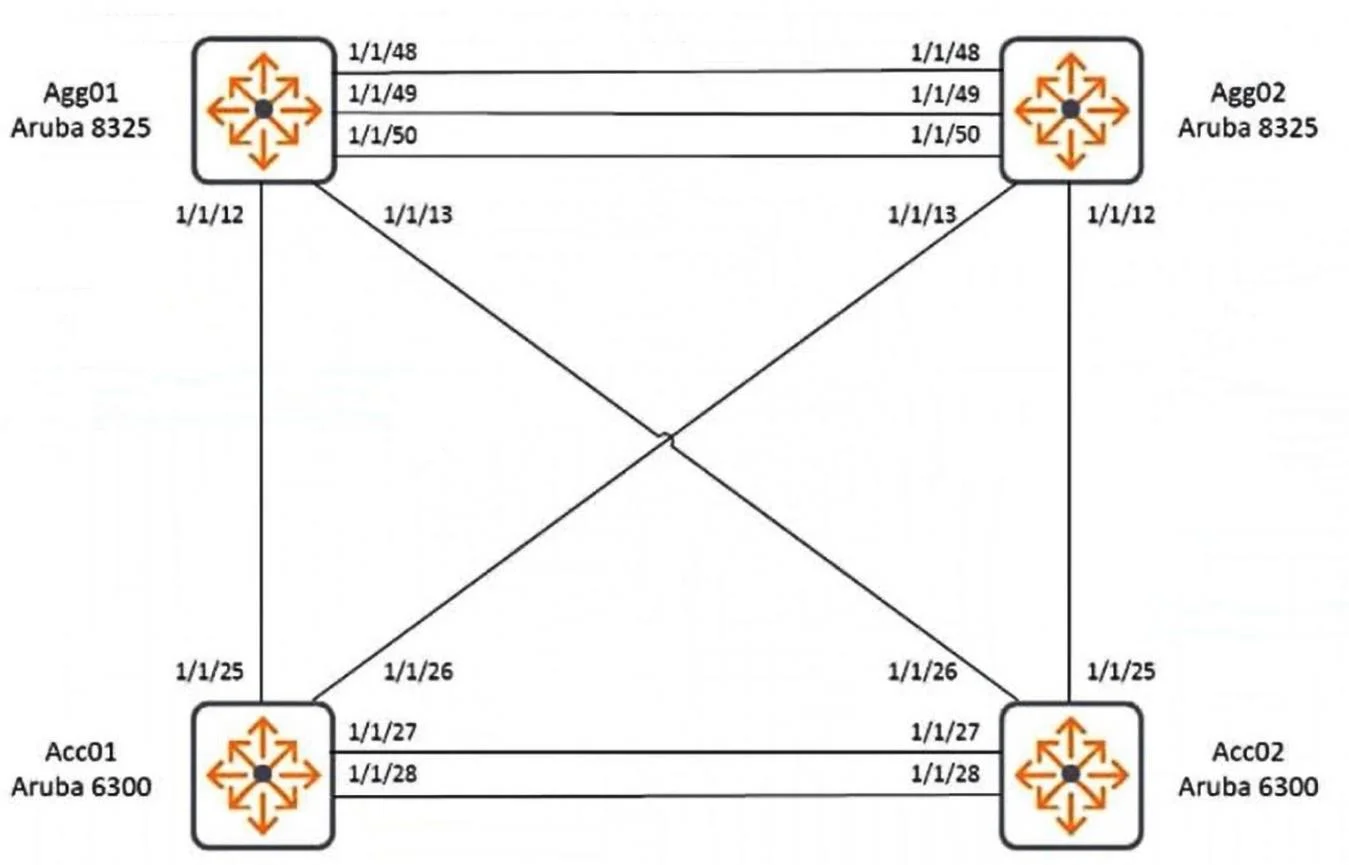
(Scenarios may contain multiple errors, which may or may not impact the solution.) Refer to the exhibit. An engineer has attempted to configure two pairs of switches in the referenced configuration…
The correct answer is D. Modify the interface lag 2 command, removing "multi-chassis". See the full explanation below for the reasoning.
Question
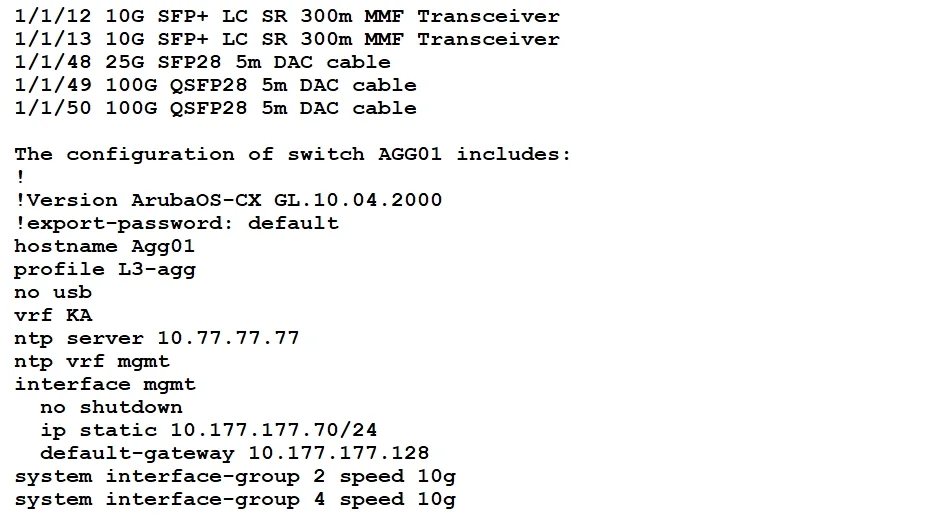
(Scenarios may contain multiple errors, which may or may not impact the solution.) Refer to the exhibit. An engineer has attempted to configure two pairs of switches in the referenced configuration. It is required to implement VSX keep-alive at the aggregation layer. The ports of the ArubaOS-CX 8325 switches used for Agg01 and Agg02 are populated as follows:
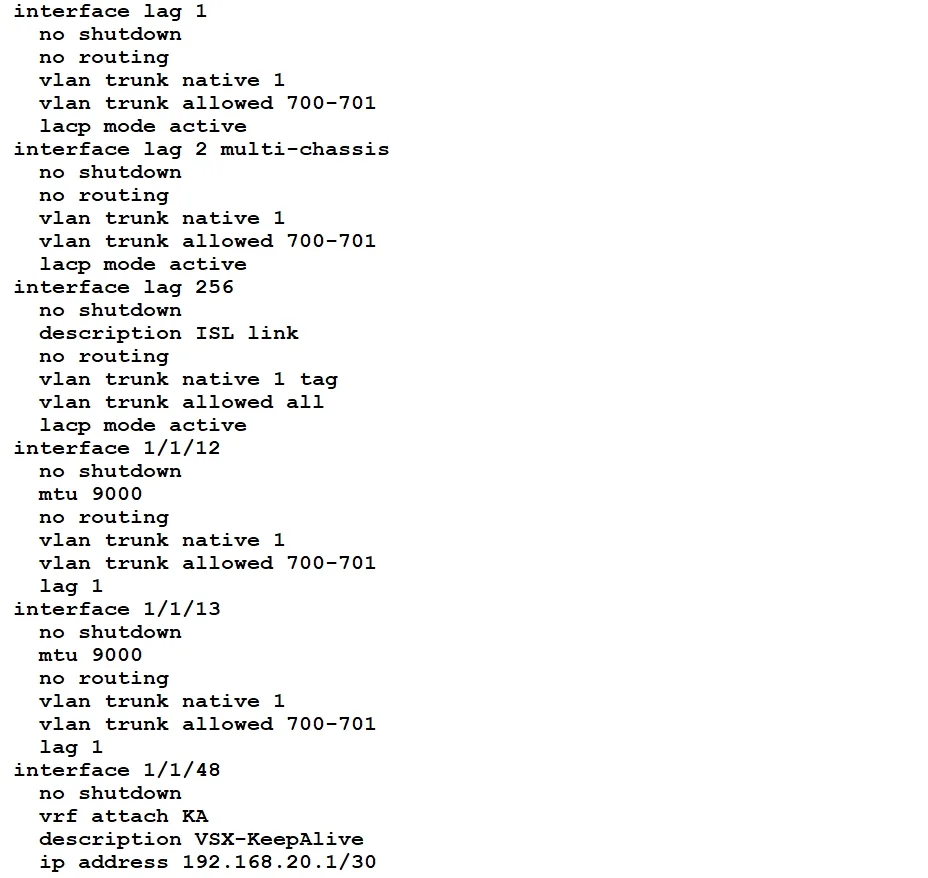
VSX keep-alive is not working. Which modification should you make to resolve the error condition?
Exhibits
Options
- AModify the system interface-group 4 speed 10g command, change "10g" to "25g"
- BEdit the vsx-sync command, adding "keep-alive"
- CEdit interface 1/1/48, changing "vrf attach KA" to "vrf attach ka"
- DModify the interface lag 2 command, removing "multi-chassis"
How the community answered
(38 responses)- A8% (3)
- B16% (6)
- C5% (2)
- D71% (27)
Community Discussion
No community discussion yet for this question.