
H12-323_V2.0 · Question #3
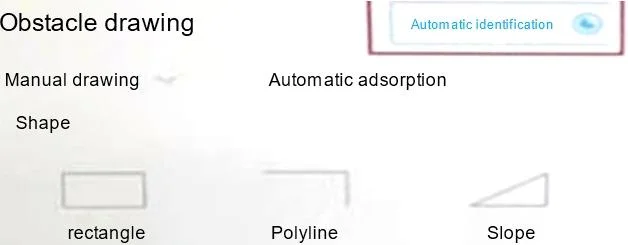
When using WLAN Planner to automatically identify obstacles, which of the following types of drawings does not support the "automatic identification" function as shown in the figure?
The correct answer is D. CAD. CAD (Computer-Aided Design) files use a vector-based format containing geometric data and layered object definitions, which WLAN Planner's automatic obstacle identification algorithm cannot process - the feature is designed to analyze raster/pixel-based image data, not vector…
Question
When using WLAN Planner to automatically identify obstacles, which of the following types of drawings does not support the "automatic identification" function as shown in the figure?
Exhibit
Options
- APDF
- BJPG
- CPNG
- DCAD
How the community answered
(23 responses)- A4% (1)
- B13% (3)
- C4% (1)
- D78% (18)
Explanation
CAD (Computer-Aided Design) files use a vector-based format containing geometric data and layered object definitions, which WLAN Planner's automatic obstacle identification algorithm cannot process - the feature is designed to analyze raster/pixel-based image data, not vector geometry. PDF, JPG, and PNG are all raster-compatible formats: PDF can embed rasterized page content that the tool can scan, while JPG and PNG are standard bitmap formats whose pixel data the planner reads directly to detect wall boundaries and obstacles. In short, A, B, and C are wrong as distractors because they all represent or carry pixel-based image data that the automatic identification engine can interpret.
Memory tip: Think of it this way - CAD files are "drawn by a computer," not a photo or scan of a floor plan. WLAN Planner's auto-detect reads pictures of buildings, not engineering drawing data. If it's a real image format (PDF/JPG/PNG), it's supported; if it's a design file (CAD), it's not.
Topics
Community Discussion
No community discussion yet for this question.