
FCP_FMG_AD-7.6 · Question #70
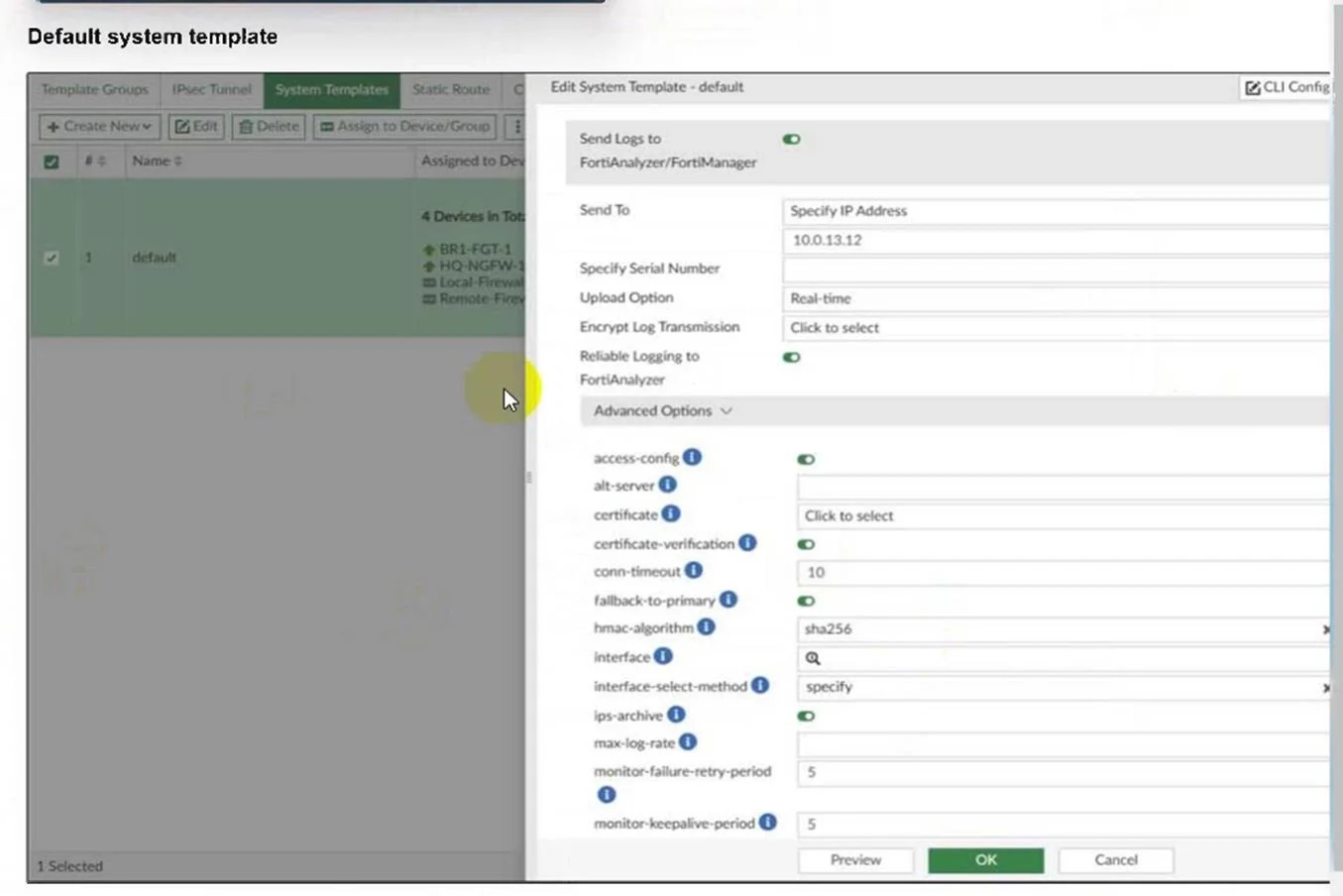
Refer to the exhibit. An administrator has assigned the default system template to install all devices with the FortiAnalyzer IP address 10.0.13.12. However, not all FortiGate devices can reach…
The correct answer is B. Configure a metadata variable at the ADOM level and use it in the template. Since the field "interface" has the magnifying glass icon, it means that you can use a metadata variable calling it the "$" symbol.
Question
Refer to the exhibit. An administrator has assigned the default system template to install all devices with the FortiAnalyzer IP address 10.0.13.12. However, not all FortiGate devices can reach FortiAnalyzer using the default interface. Some devices may use the LAN interface, while others may use the WAN interface. How can the administrator change the source interface for FortiGate devices using the default system template?
Exhibit
Options
- AUse per-device dynamic object configurations at the ADOM level and apply them in the template.
- BConfigure a metadata variable at the ADOM level and use it in the template.
- CCreate a different system template for each FortiGate, if the configuration is different.
- DCreate a meta field on FortiManager system settings of type Device and use it in the template.
How the community answered
(24 responses)- A4% (1)
- B79% (19)
- C13% (3)
- D4% (1)
Explanation
Since the field "interface" has the magnifying glass icon, it means that you can use a metadata variable calling it the "$" symbol.
Topics
Community Discussion
No community discussion yet for this question.