
DP-500 · Question #16
You have a 1.2-GB Power BI dataset. You need to ensure that you can redeploy the dataset by using Tabular Editor. The solution must minimize how long it will take to apply changes to the dataset…
The correct answer is B. Turn on Large dataset storage format D. Enable XMLA read-write. To redeploy a 1.2-GB dataset using Tabular Editor and minimize deployment time, enabling Large dataset storage format and XMLA read-write in Power BI is essential.
Question
Exhibit
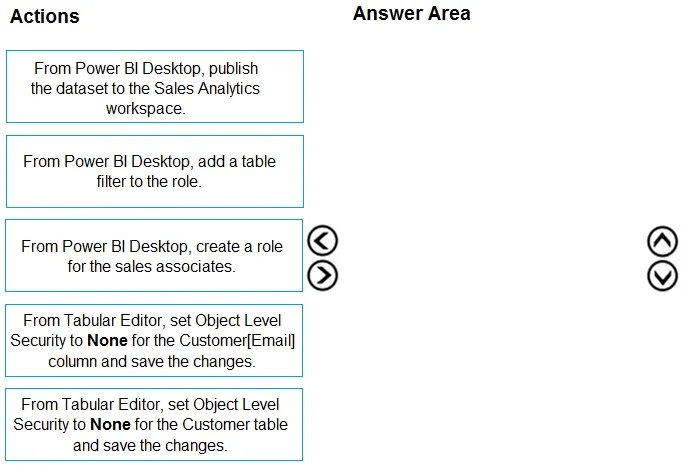
Options
- AEnable service principal authentication for read-only admin APIs
- BTurn on Large dataset storage format
- CConnect the target workspace to an Azure Data Lake Storage Gen2 account
- DEnable XMLA read-write.
How the community answered
(38 responses)- A8% (3)
- B74% (28)
- C18% (7)
Why each option
To redeploy a 1.2-GB dataset using Tabular Editor and minimize deployment time, enabling Large dataset storage format and XMLA read-write in Power BI is essential.
Service principal authentication for read-only admin APIs is not directly related to enabling Tabular Editor for dataset redeployment or minimizing deployment time.
Enabling Large dataset storage format allows datasets to exceed the 1 GB limit, supporting the 1.2 GB dataset, and optimizes storage for faster operations with XMLA endpoints.
Connecting the target workspace to an Azure Data Lake Storage Gen2 account is related to Power BI dataflows or incremental refresh using data lakes, not directly to enabling Tabular Editor redeployment of a dataset.
Enabling XMLA read-write connectivity is crucial for external tools like Tabular Editor to connect directly to the dataset in the Power BI service for metadata and data definition language (DDL) operations, facilitating faster redeployments.
Concept tested: Power BI large datasets and XMLA endpoint for external tools
Source: https://learn.microsoft.com/en-us/power-bi/enterprise/service-premium-connect-tools#enable-xmla-read-write
Topics
Community Discussion
No community discussion yet for this question.