
DP-300 · Question #47
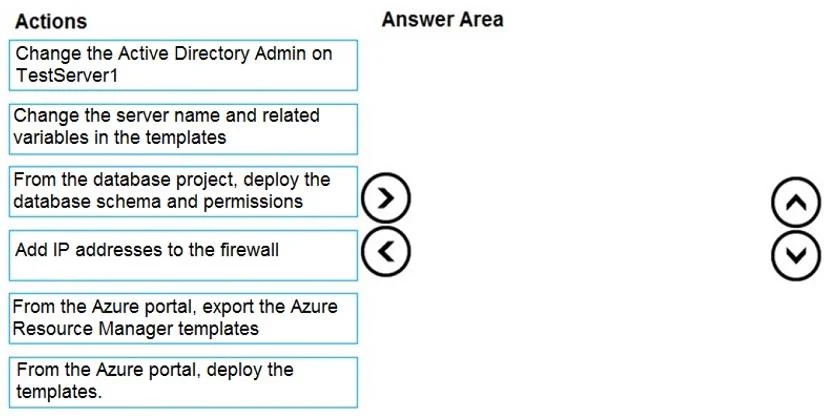
Drag and Drop Question You have a resource group named App1Dev that contains an Azure SQL Database server named DevServer1. DevServer1 contains an Azure SQL database named DB1. The schema and…
The correct answer is From the Azure portal, export the Azure Resource Manager templates; Change the server name and related variables in the templates; From the Azure portal, deploy the templates.; From the database project, deploy the database schema and permissions. The correct sequence follows a logical infrastructure-as-code deployment workflow: first export the ARM templates from App1Dev (capturing the existing configuration of DevServer1 and DB1), then modify the server name and variables to reflect TestServer1 and App1Test, then…
Question
Exhibit
Answer Area
Drag items
Correct arrangement
- From the Azure portal, export the Azure Resource Manager templates
- Change the server name and related variables in the templates
- From the Azure portal, deploy the templates.
- From the database project, deploy the database schema and permissions
Explanation
The correct sequence follows a logical infrastructure-as-code deployment workflow: first export the ARM templates from App1Dev (capturing the existing configuration of DevServer1 and DB1), then modify the server name and variables to reflect TestServer1 and App1Test, then deploy the modified templates to create the new resource group with matching configurations, and finally deploy the database schema and permissions from the SSDT project to populate DB1 with the correct structure and access controls. This approach ensures the new environment mirrors the original without manual reconfiguration.
Topics
Community Discussion
No community discussion yet for this question.