
DP-300 · Question #428
SIMULATION You need to implement a disaster recovery solution by using active geo-replication for an Azure Azure SQL database named db1. The replica must be in the East US Azure region on a server…
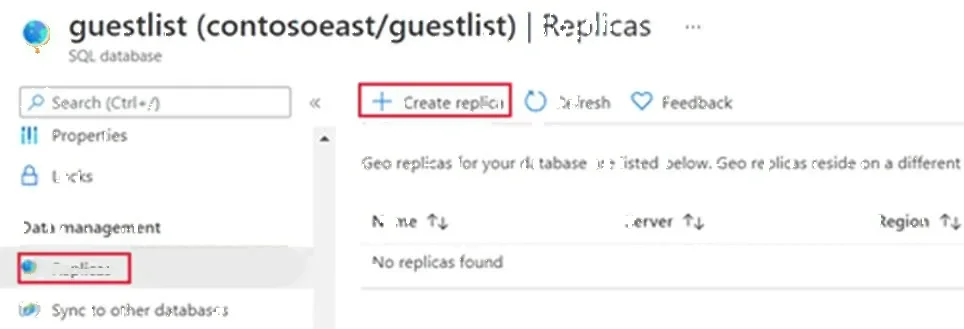
The correct approach uses Azure Portal's built-in active geo-replication feature by navigating to the source database (db1), accessing the Replicas blade under Data Management, and creating a geo-secondary replica on the specified disaster recovery server…
Question
Exhibit
Explanation
The correct approach uses Azure Portal's built-in active geo-replication feature by navigating to the source database (db1), accessing the Replicas blade under Data Management, and creating a geo-secondary replica on the specified disaster recovery server (sql23456789-dr.database.windows.net) in East US. This workflow is the Microsoft-recommended method for configuring active geo-replication, which maintains a continuously synchronized, readable secondary database in a different Azure region to ensure business continuity. The steps follow the exact Azure Portal UI flow required to establish cross-region replication without requiring T-SQL or PowerShell.
Topics
Community Discussion
No community discussion yet for this question.