
DP-300 · Question #176
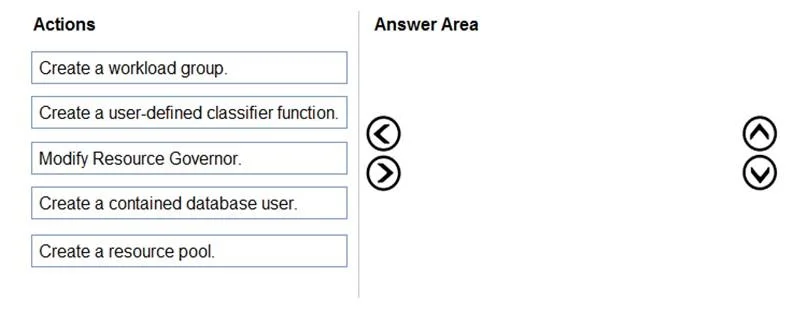
Drag and Drop Question You have an Azure SQL managed instance named SQLMI1 that has Resource Governor enabled and is used by two apps named App1 and App2. You need to configure SQLMI1 to limit the…
The correct answer is Create a resource pool.; Create a workload group.; Create a user-defined classifier function.; Modify Resource Governor. To limit CPU and memory for App1 using Resource Governor, you must follow a specific sequence: first create a resource pool to define the CPU/memory limits, then create a workload group that references the resource pool, then create a classifier function that routes App1's…
Question
Exhibit
Answer Area
Drag items
Correct arrangement
- Create a resource pool.
- Create a workload group.
- Create a user-defined classifier function.
- Modify Resource Governor.
Explanation
To limit CPU and memory for App1 using Resource Governor, you must follow a specific sequence: first create a resource pool to define the CPU/memory limits, then create a workload group that references the resource pool, then create a classifier function that routes App1's sessions to that workload group, and finally modify (ALTER) Resource Governor to register the classifier function and apply all changes. This sequence is mandatory because each object depends on the previous one existing first - a workload group must reference a resource pool, and Resource Governor must be altered to activate the classifier function.
Topics
Community Discussion
No community discussion yet for this question.