
D-PE-OE-23 · Question #29
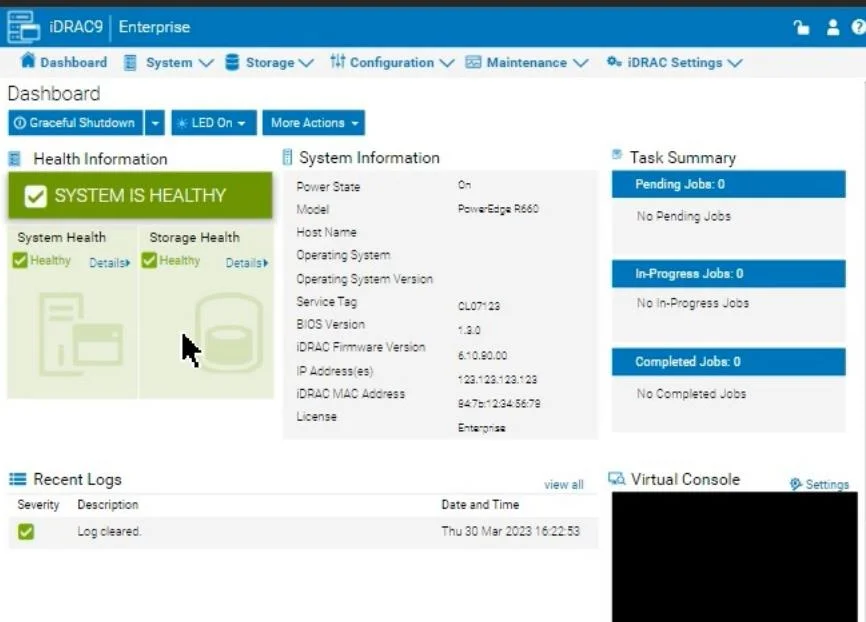
SIMULATION An administrator has been tasked to create and save replacement of a server configuration with the file name of "PE-server". The profile must include the configuration for only the…
The correct answer is D. 8 GB. Option D (8 GB) is correct because Dell iDRAC's vFlash (virtual flash) media - used to store server configuration profiles and OS deployment images - requires a minimum of 8 GB of dedicated storage, which is the standard capacity for the iDRAC vFlash SD card used in PowerEdge…
Question
SIMULATION An administrator has been tasked to create and save replacement of a server configuration with the file name of "PE-server". The profile must include the configuration for only the following components:
- NIC
- RAID
- iDRAC
Using the simulator, create and save the replacement with these components. Answer:
To create and save a server configuration profile with specific components in the iDRAC interface, follow these steps:
Access Configuration Profiles:
Go to the "Configuration" tab on the top menu bar. From the dropdown options, select "Server Configuration Profile." Create a New Profile:
Within the Server Configuration Profile section, choose the option to Create a New Profile. You will likely see options to specify which components to include in the configuration profile. Select Components:
When prompted, select only the components required for the configuration:
NIC: Network Interface Card settings. RAID: Storage controller and RAID configuration. iDRAC: iDRAC management settings. Ensure that other components are not selected to meet the requirement. Save the Configuration:
Enter the file name "PE-server" for the profile. Choose the option to Save or Export the configuration profile. This should save the configuration to the specified name, typically on the server or local storage available through iDRAC. Verify the Profile Creation:
After saving, verify that the profile appears in the list of server configuration profiles with the name "PE-server." Confirm that it includes only the selected components. By following these steps, you should successfully create and save the configuration profile with the specified components.
Exhibit
Options
- A965 MB
- B8361 MB
- C1064 MB
- D8 GB
How the community answered
(41 responses)- A12% (5)
- B7% (3)
- C5% (2)
- D76% (31)
Explanation
Option D (8 GB) is correct because Dell iDRAC's vFlash (virtual flash) media - used to store server configuration profiles and OS deployment images - requires a minimum of 8 GB of dedicated storage, which is the standard capacity for the iDRAC vFlash SD card used in PowerEdge servers.
Options A (965 MB), B (8361 MB), and C (1064 MB) are distractors designed to confuse - they are not standard capacities aligned with Dell's supported vFlash SD card specifications; these odd values don't correspond to any real iDRAC storage tier and serve to test whether you know the actual standardized requirement.
Memory tip: Think "8 GB = iDRAC's baseline" - just as 8 GB is a common baseline RAM size for basic servers, it's also the baseline storage size for iDRAC's vFlash. The round number (8 GB) stands out against the distractors' irregular MB values, so on the exam, the clean, standard size is your clue.
Topics
Community Discussion
No community discussion yet for this question.