
CKS · Question #76
The alpine Deployment in the alpine namespace has three containers that run different versions of the alpine image. First, find out which version of the alpine image contains the libcrypto3 package…
The exam question tests Kubernetes deployment management, container image introspection for package versions, and Software Bill of Materials (SBOM) generation using the bom tool, requiring the user to identify, document, and remove a specific container image from a deployment…
Question
Exhibit
Explanation
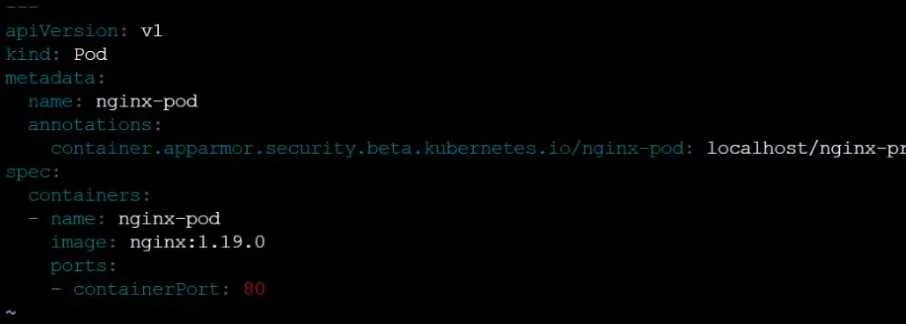
The exam question tests Kubernetes deployment management, container image introspection for package versions, and Software Bill of Materials (SBOM) generation using the bom tool, requiring the user to identify, document, and remove a specific container image from a deployment based on a package version, although the provided exhibit images are unrelated to the question's context.
Approach. Given that this is likely a simulation question where the user interacts with a command-line environment (as hinted by the terminal screenshot, despite its irrelevant content), the correct approach would involve a sequence of command-line operations:
-
Inspect the
alpineDeployment to find image versions: First, determine the image versions used by the containers in thealpineDeployment. The question states the manifest is at/home/candidate/alpine-deployment.yaml. If this file isn't pre-populated with all details, the user might need to query the cluster:kubectl get deployment alpine -n alpine -o yaml- Identify the
imagefield for each of the three containers withinspec.template.spec.containers. - Let's assume the images are
alpine:3.14,alpine:3.15, andalpine:3.16for this example.
-
Identify the
alpineimage version containinglibcrypto3at3.1.4-r5: For each identifiedalpineimage version, the test-taker must inspect its contents. This is typically done by running a temporary container and querying its package manager. Assumingapkis the package manager foralpine:docker run --rm alpine:3.14 apk info libcrypto3docker run --rm alpine:3.15 apk info libcrypto3docker run --rm alpine:3.16 apk info libcrypto3- The test-taker would look for output indicating
libcrypto3-3.1.4-r5(or a similar version string) is present. Let's assumealpine:3.15is the version identified.
-
Create an SPDX document for the identified image: Once
alpine:3.15(or the correct version) is identified, use thebomtool as specified:bom generate -o /home/candidate/alpine.spdx alpine:3.15
-
Update the
alpineDeployment manifest: Open the specified manifest file for editing:vim /home/candidate/alpine-deployment.yaml(ornano)- Navigate to the
spec.template.spec.containerssection. - Locate the container definition (the entire YAML block) where the
imagefield matchesalpine:3.15(or the identified version). - Delete this entire container block, ensuring that YAML indentation is correctly maintained for the remaining containers and parent elements.
-
Apply the updated Deployment: Save the modified YAML file and apply the changes to the Kubernetes cluster:
kubectl apply -f /home/candidate/alpine-deployment.yaml -n alpine- Verify the deployment status and the number of running containers to ensure the change was successful:
kubectl get deployment alpine -n alpineorkubectl get pods -n alpine.
Common mistakes.
- common_mistake. Common mistakes include:
- Misidentifying the correct image version: Failing to accurately find which
alpineimage version containslibcrypto3at the specified version. This could involve using incorrectapkcommands, misinterpreting output, or not checking all image versions. - Modifying the wrong container: Accidental removal of an incorrect container from the
alpine-deployment.yamlfile, or modifying other containers when the instruction is to 'Do not modify any other containers'. - YAML Syntax Errors: Introducing incorrect indentation or syntax errors while editing
alpine-deployment.yaml, which would causekubectl applyto fail. - Incorrect
bomtool usage: Using thebomtool with incorrect arguments, image name, or output file path. - Not using the manifest file: Attempting to update the deployment directly using
kubectl edit deploymentand then failing to save or apply the changes to the specified manifest file/home/candidate/alpine-deployment.yamlas required by the question. - Incorrect
kubectlcommand: Forgetting to specify the namespace (-n alpine) when applying changes or checking resources. - Getting sidetracked by irrelevant exhibit: While not applicable to the 'correct' solution due to the exhibit's irrelevance, a test-taker might be confused by the
nginx-podrelated exhibits and waste time investigatingnginxresources instead of thealpinedeployment.
Concept tested. This question tests a combination of several core concepts in Kubernetes and container security:
- Kubernetes Deployment Management: Understanding how to inspect, modify, and apply changes to Kubernetes Deployments using
kubectland YAML manifests. - Container Image Introspection: The ability to examine the contents of a container image (specifically installed packages and their versions) using tools like
docker runcombined with the image's package manager (apkfor Alpine Linux). - Software Bill of Materials (SBOM): Knowledge of SBOM concepts and the practical application of tools like
bomto generate SPDX documents for container images. - YAML Editing: Proficiency in editing YAML files, maintaining correct syntax and indentation for Kubernetes resource definitions.
- Linux Command-Line Proficiency: General command-line skills required to navigate, edit files, and execute commands.
Topics
Community Discussion
No community discussion yet for this question.