
CKS · Question #46
You can switch the cluster/configuration context using the following command: [desk@cli] $ kubectl config use-context prod-account Context: A Role bound to a Pod's ServiceAccount grants overly…
Refactor Kubernetes RBAC permissions by editing an existing Role to be less permissive and creating a new Role and RoleBinding to grant specific update permissions for statefulsets to a ServiceAccount.
Question
- Given an existing Pod named web-pod running in the namespace database.
- Edit the existing Role bound to the Pod's ServiceAccount test-sa to only allow performing get operations, only on resources of type Pods.
- Create a new Role named test-role-2 in the namespace database, which only allows performing update operations, only on resources of type statefulsets.
- Create a new RoleBinding named test-role-2-bind binding the newly created Role to the Pod's ServiceAccount.
Exhibits
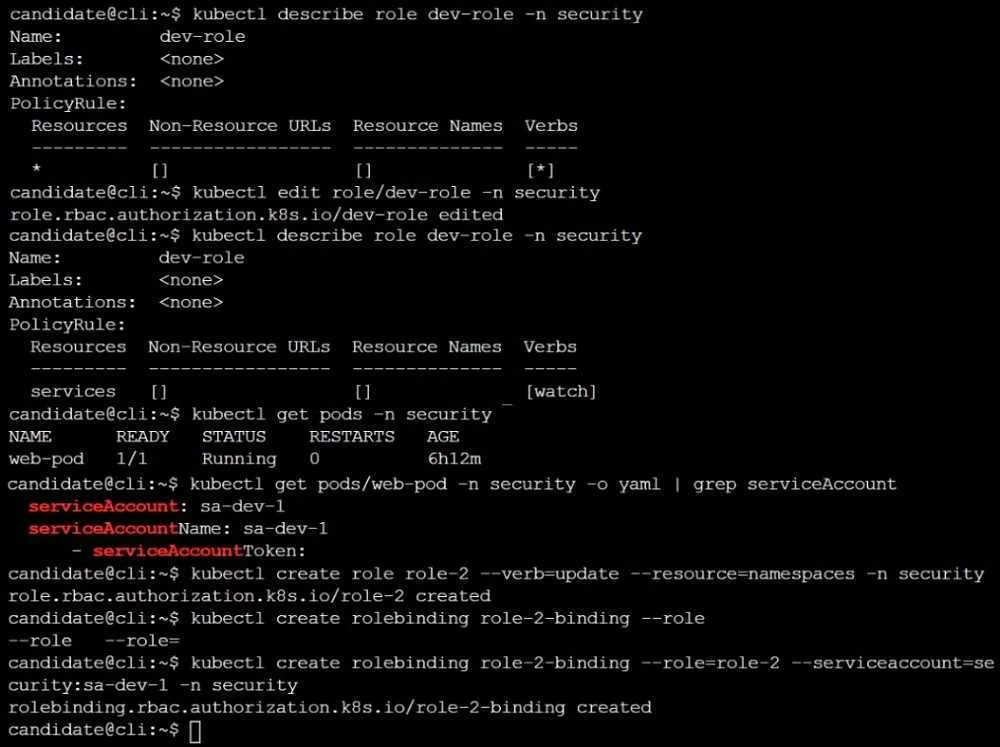
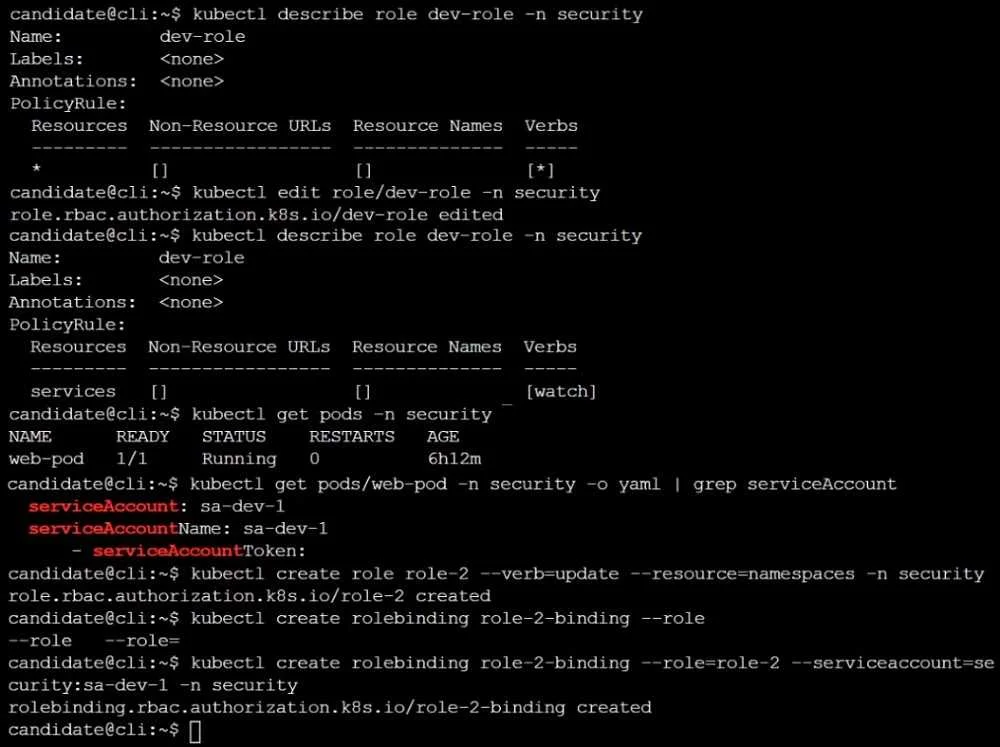
Explanation
Refactor Kubernetes RBAC permissions by editing an existing Role to be less permissive and creating a new Role and RoleBinding to grant specific update permissions for statefulsets to a ServiceAccount.
Approach. The correct approach involves executing a series of kubectl commands in the CLI, ensuring to use the specific object names, permissions, and namespace (database) as stated in the question, rather than following the potentially misleading examples or incorrect parameters shown in the exhibit images.
-
Identify ServiceAccount: The question states the Pod's ServiceAccount is
test-sain thedatabasenamespace. This is the subject for the RoleBinding. -
Edit the existing Role (
dev-role): The task requires modifyingdev-roleto allow onlygetoperations onPodsin thedatabasenamespace.- Interaction: Execute
kubectl edit role dev-role -n database. - Inside the text editor (e.g.,
viornano), locate therulessection and modify it to precisely define the required permissions.Podsare a core API resource, so theirapiGroupsentry is an empty string"". - Modified
rulessection:rules: - apiGroups: - "" resources: - "pods" verbs: - "get" - Save and exit the editor.
- Interaction: Execute
-
Create a new Role (
test-role-2): This Role needs to grantupdateoperations onstatefulsetsin thedatabasenamespace.- Interaction: Since
statefulsetsbelong to theappsAPI group, andkubectl create role --resourceflag defaults toapiGroups: [""](core API group), creating the Role directly with flags is technically incorrect. The most robust and correct method is to create a YAML manifest and apply it. - Create
test-role-2.yamlwith the following content:apiVersion: rbac.authorization.k8s.io/v1 kind: Role metadata: name: test-role-2 namespace: database rules: - apiGroups: - "apps" # Crucial: StatefulSets are in the 'apps' API group resources: - "statefulsets" verbs: - "update" - Execute:
kubectl apply -f test-role-2.yaml
- Interaction: Since
-
Create a new RoleBinding (
test-role-2-bind): This binding connects thetest-role-2Role to thetest-saServiceAccount in thedatabasenamespace.- Interaction: Execute
kubectl create rolebinding test-role-2-bind --role=test-role-2 --serviceaccount=database:test-sa -n database.
- Interaction: Execute
Common mistakes.
- common_mistake. Common mistakes include:
- Incorrect Namespace: Using
securityas the namespace for any command (e.g.,kubectl edit role dev-role -n security,kubectl create role test-role-2 -n security, etc.) instead ofdatabase, as explicitly specified in the question. This would result in the RBAC objects being created in the wrong namespace and not applying to the target Pod/ServiceAccount. - Incorrect ServiceAccount Name: Referencing
sa-dev-1(from the exhibit) instead oftest-sa(from the task) when creating theRoleBinding. The permissions would be bound to the wrong identity. - Incorrect Permissions for
dev-role: Editingdev-roleto have permissions other thangetonpods(e.g., keeping*for resources/verbs, or applyingwatchonservicesas shown in the exhibit's demonstration) would fail to meet the task's requirement to reduce overly permissive permissions to a specificgetoperation onpods. - Incorrect API Group for
test-role-2(StatefulSets): If the newtest-role-2is created usingkubectl create role --resource=statefulsetswithout explicitly defining theapiGroups: ['apps']via a manifest, the command would defaultapiGroupsto[''](core API group). This would make the Role ineffective forstatefulsets, as they reside in theappsAPI group. - Deleting Existing RoleBinding: The note explicitly states 'Don't delete the existing RoleBinding'. Any command or action that would remove the original binding would be incorrect.
- Missing or Incorrect RoleBinding: Failing to create
test-role-2-bind, or bindingtest-role-2to an incorrect ServiceAccount or Role, would mean the new update permissions are not effectively granted.
Concept tested. The core concepts tested are Kubernetes Role-Based Access Control (RBAC), including the definition and management of Role and RoleBinding resources. Specifically, it assesses the ability to:
- Understand and define permissions using
apiGroups,resources, andverbs. - Correctly identify the appropriate API group for specific Kubernetes resources (e.g.,
podsin""for core,statefulsetsinapps). - Associate
RoleswithServiceAccounts usingRoleBinding. - Modify existing RBAC resources (
kubectl edit). - Create new RBAC resources (
kubectl create role,kubectl create rolebinding). - Apply the principle of least privilege by restricting overly permissive permissions.
- Manage RBAC objects within specific namespaces (
-nflag). - Understand the relationship between Pods and ServiceAccounts for authorization within a cluster.
Topics
Community Discussion
No community discussion yet for this question.