
CKAD · Question #4
You are tasked to create a ConfigMap and consume the ConfigMap in a pod using a volume mount. Please complete the following: Create a ConfigMap named another-config containing the key/value pair…
Kubernetes ConfigMap with Volume Mount Overall Goal ConfigMaps decouple configuration data from container images. Instead of baking config values into your image, you store them in Kubernetes and inject them at runtime. Volume mounting is the preferred approach when you want…
Question
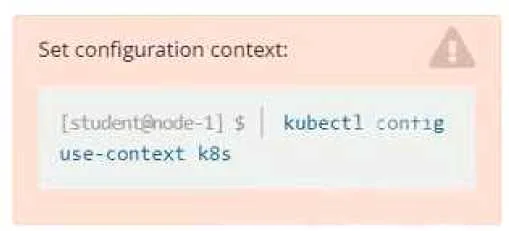
Exhibit
Explanation
Kubernetes ConfigMap with Volume Mount
Overall Goal
ConfigMaps decouple configuration data from container images. Instead of baking config values into your image, you store them in Kubernetes and inject them at runtime. Volume mounting is the preferred approach when you want config data to appear as files inside the container (versus environment variables, which are better for simple scalar values).
Step-by-Step Breakdown
Step 1: Create the ConfigMap
kubectl create configmap another-config --from-literal=key4=value3
This creates a ConfigMap object in the cluster with one key-value pair. Kubernetes stores this in etcd. Without this object existing first, the pod definition will reference a non-existent ConfigMap and fail to schedule (the pod stays in Pending with a "configmap not found" error).
Step 2: Define and apply the Pod spec
apiVersion: v1
kind: Pod
metadata:
  name: nginx-configmap
spec:
  containers:
  - name: nginx
    image: nginx
    volumeMounts:
    - name: config-vol
      mountPath: /also/a/path
  volumes:
  - name: config-vol
    configMap:
      name: another-config
kubectl apply -f pod.yaml
Three things work together here:
| Part | What it does |
|---|---|
volumes[].configMap.name | Tells Kubernetes which ConfigMap to project |
volumeMounts[].name | Links the container mount to the named volume |
volumeMounts[].mountPath | The directory inside the container where keys appear as files |
When the pod starts, each key in the ConfigMap becomes a file at the mount path. So /also/a/path/key4 will contain the text value3.
What Goes Wrong If Steps Are Skipped
- ConfigMap created after pod: Pod enters
Pendingindefinitely until the ConfigMap exists. - Volume declared but not mounted: The ConfigMap is never projected into the container filesystem - the path won't exist.
- Mount declared but no volume: Kubernetes rejects the pod spec with a validation error ("volume not found").
- Wrong ConfigMap name in pod spec: Pod fails with
MountVolume.SetUp failederror.
Verification
kubectl exec nginx-configmap -- cat /also/a/path/key4
# Output: value3
Memory Tip
Think of it as a two-level pipe: ConfigMap → Volume (cluster level) → VolumeMount (container level). You must wire both ends. The volume is the adapter between the Kubernetes object and the container's filesystem. If either end is missing, nothing flows through.
Topics
Community Discussion
No community discussion yet for this question.