
AZ-500 · Question #73
Drag and Drop Question You have an Azure subscription named Sub1 that contains an Azure Log Analytics workspace named LAW1. You have 500 Azure virtual machines that run Windows Server 2016 and are…
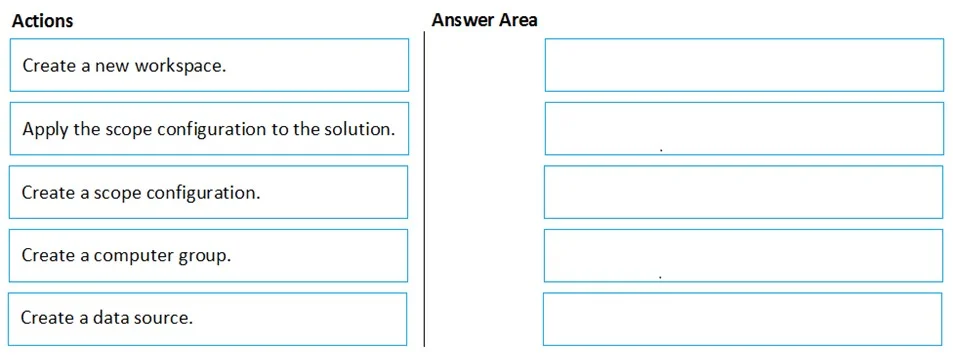
The correct answer is Create a computer group.; Create a scope configuration.; Apply the scope configuration to the solution. To limit System Update Assessment logs to only 100 of the 500 VMs, you must first create a computer group that contains those 100 specific machines, then create a scope configuration that references that computer group, and finally apply the scope configuration to the Update…
Question
Exhibit
Answer Area
Drag items
Correct arrangement
- Create a computer group.
- Create a scope configuration.
- Apply the scope configuration to the solution.
Explanation
To limit System Update Assessment logs to only 100 of the 500 VMs, you must first create a computer group that contains those 100 specific machines, then create a scope configuration that references that computer group, and finally apply the scope configuration to the Update Assessment solution. This workflow uses Azure Monitor's Solution Targeting feature, which allows you to restrict which agents send data to a specific solution, preventing unnecessary data ingestion and reducing costs.
Topics
Community Discussion
No community discussion yet for this question.