
AZ-500 · Question #490
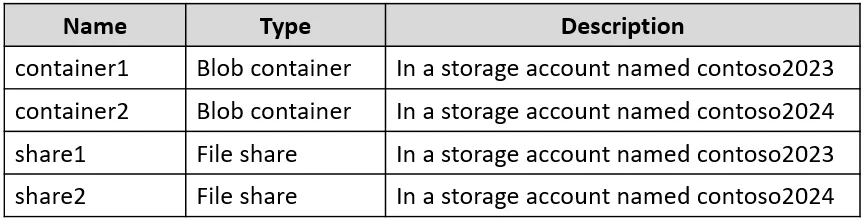
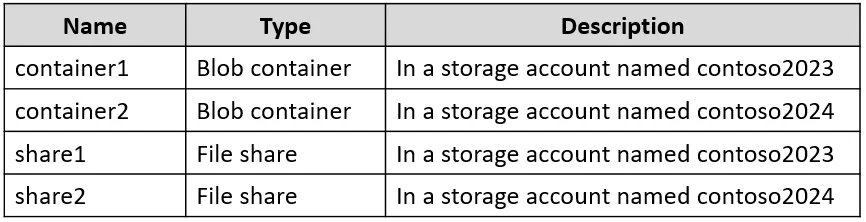
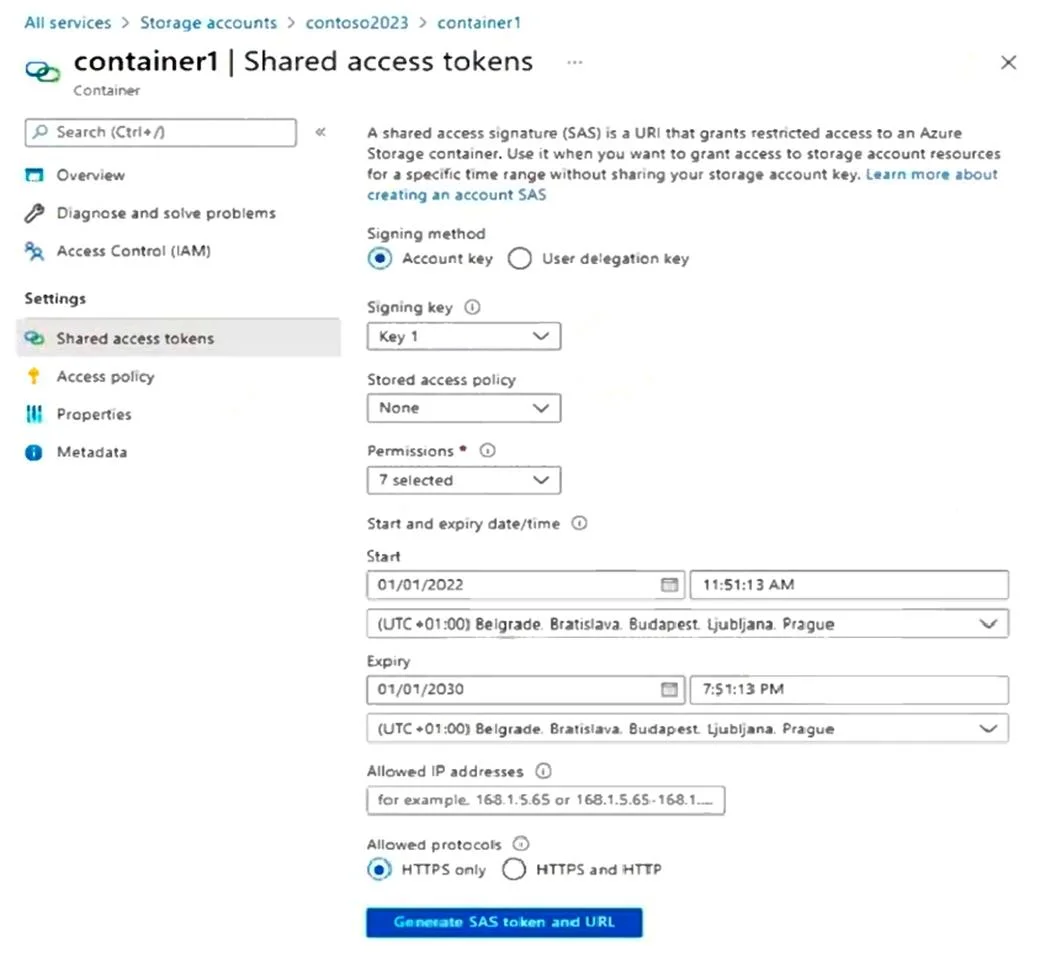
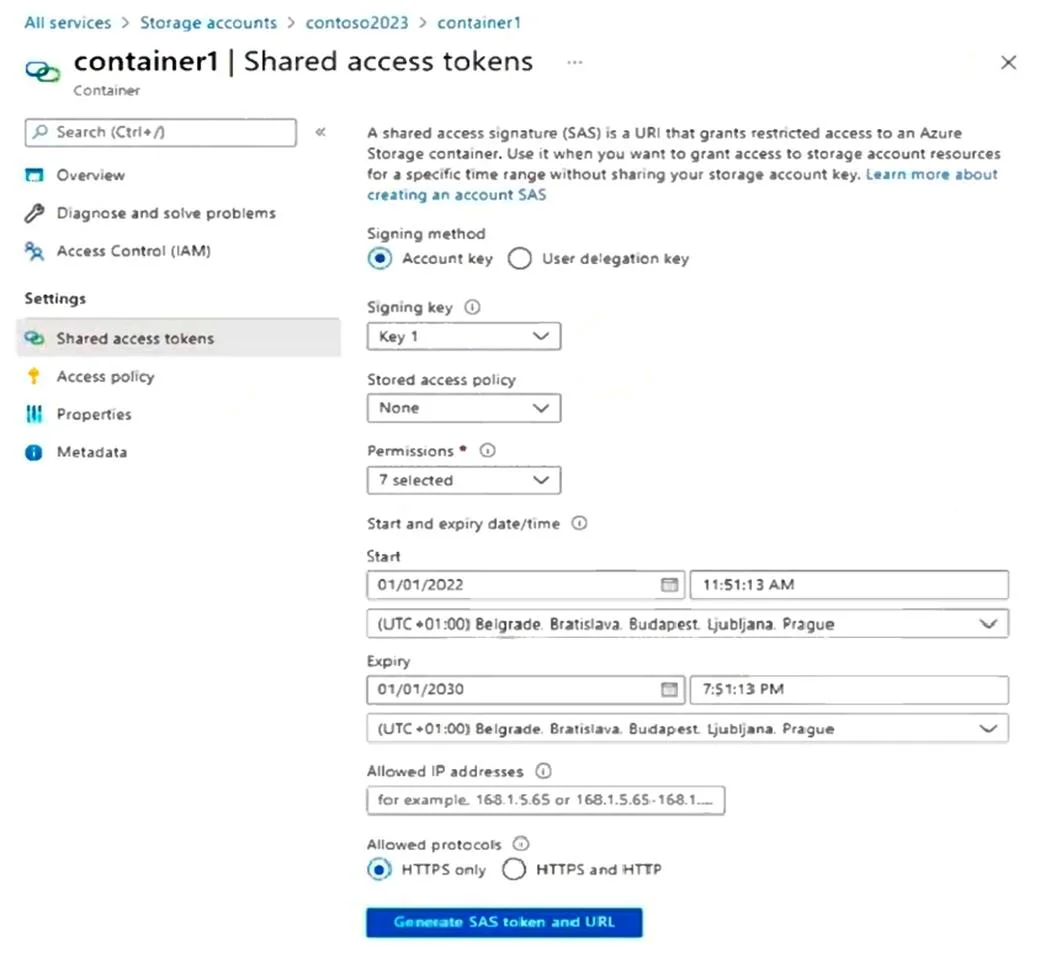
Hotspot Question You have an Azure subscription that contains the resources shown in the following table. You create a shared access token as shown in the following exhibit. Which resources can you…
The correct answer is container1 = No; container2 = No; share1 = No; share2 = No. This question tests understanding of Azure Storage Shared Access Signatures (SAS tokens), specifically how the scope, permissions, allowed services, resource types, and expiry configured in a SAS token determine which storage resources can be accessed.
Question
Exhibits
Answer Area
- container1No
- container2No
- share1No
- share2No
Explanation
This question tests understanding of Azure Storage Shared Access Signatures (SAS tokens), specifically how the scope, permissions, allowed services, resource types, and expiry configured in a SAS token determine which storage resources can be accessed.
Approach. A Shared Access Signature (SAS) token is scoped at creation time to a specific storage account and signed with a specific key (Key1 in this case). The SAS token defines allowed services (Blob, File, Queue, Table), allowed resource types (Service, Container, Object), allowed permissions (Read, Write, Delete, List, etc.), and an expiry time. Only resources within the storage account that the SAS was created for, that match the allowed services and resource types, and that fall within the validity window can be accessed. Resources in other storage accounts (signed with different account keys or belonging to different accounts) cannot be accessed with this token. If the SAS was created for the 'storage1' account using Key1, only the services and resource types explicitly enabled in that SAS configuration within 'storage1' are accessible - for example, if only Blob service and Container/Object resource types are selected, then only blob containers and blobs in 'storage1' are accessible, not file shares, queues, or tables, and not any resources in other storage accounts.
Concept tested. Azure Storage Account Shared Access Signature (SAS) token scope - understanding that a SAS token is bound to a single storage account (signed by its key), and access is further restricted by the services (Blob/File/Queue/Table), resource types (Service/Container/Object), permissions, IP restrictions, and expiry time configured at token creation. Resources in other storage accounts or services not included in the SAS configuration are not accessible.
Reference. https://learn.microsoft.com/en-us/azure/storage/common/storage-sas-overview
Topics
Community Discussion
No community discussion yet for this question.