
AZ-500 · Question #278
SIMULATION You need to ensure that the rg1lod10598168n1 Azure Storage account is encrypted by using a key stored in the KeyVault10598168 Azure key vault. To complete this task, sign in to the Azure…
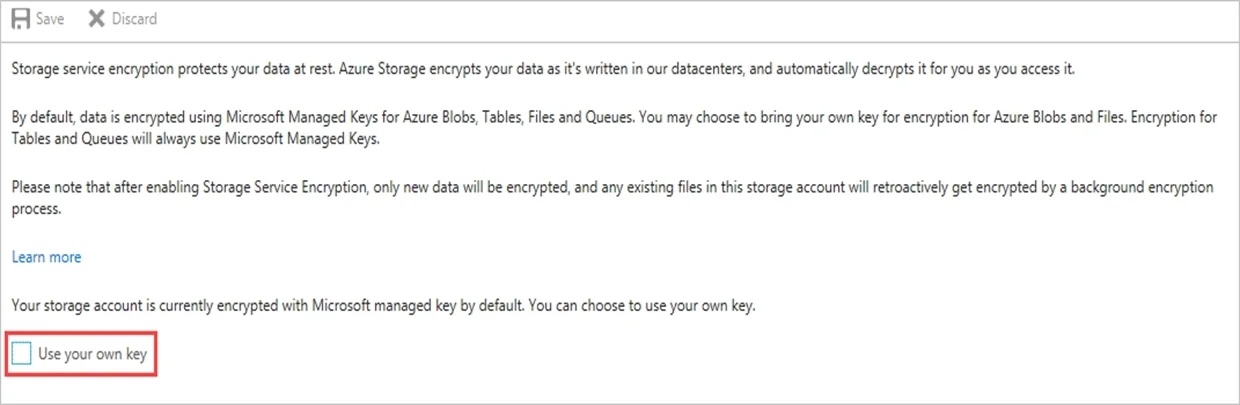
To encrypt an Azure Storage account with a customer-managed key (CMK), you must navigate to the Storage account's Encryption settings and select 'Use your own key' (also called Customer-managed keys), then point it to the desired Azure Key Vault and specific key. This process…
Question
Exhibit
Explanation
To encrypt an Azure Storage account with a customer-managed key (CMK), you must navigate to the Storage account's Encryption settings and select 'Use your own key' (also called Customer-managed keys), then point it to the desired Azure Key Vault and specific key. This process delegates encryption key control to the customer rather than using Microsoft-managed keys, enabling greater security governance and compliance. The Key Vault must have soft-delete and purge protection enabled, and the storage account's managed identity must be granted appropriate permissions (Get, Wrap Key, Unwrap Key) on the Key Vault.
Topics
Community Discussion
No community discussion yet for this question.