
AZ-500 · Question #171
SIMULATION You need to ensure that the audit logs from the SQLdb1 Azure SQL database are stored in the WS11641655 Azure Log Analytics workspace. To complete this task, sign in to the Azure portal…
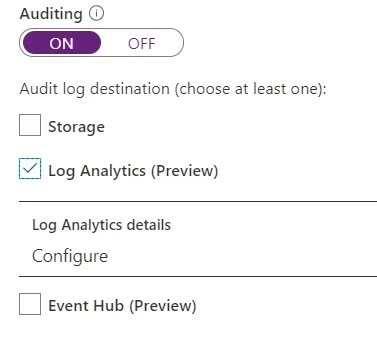
The correct steps navigate directly to the SQLdb1 database's Auditing settings under the Security section, which is the dedicated configuration area for directing audit logs to various destinations. Enabling auditing and selecting the Log Analytics option, then configuring it…
Question
Exhibit
Explanation
The correct steps navigate directly to the SQLdb1 database's Auditing settings under the Security section, which is the dedicated configuration area for directing audit logs to various destinations. Enabling auditing and selecting the Log Analytics option, then configuring it to point to the WS11641655 workspace, establishes the integration between Azure SQL Database auditing and Azure Monitor Log Analytics. Saving the configuration ensures audit log data is continuously streamed to the specified workspace for centralized monitoring and analysis.
Topics
Community Discussion
No community discussion yet for this question.