
AZ-400 · Question #426
Drag and Drop Question You have an Azure Repos Git repository named repo1. You need to ensure that you can authenticate to repo1 by using SSH. Which four actions should you perform in sequence? To…
The correct answer is Create SSH keys by using ssh-keygen.; Sign in to Azure DevOps.; Add the SSH public key.; Clone repo1. To authenticate to Azure Repos via SSH, you must first generate an SSH key pair locally using ssh-keygen (which creates both a public and private key). Then you sign in to Azure DevOps and add the SSH public key to your profile/security settings, which allows Azure DevOps to…
Question
Exhibit
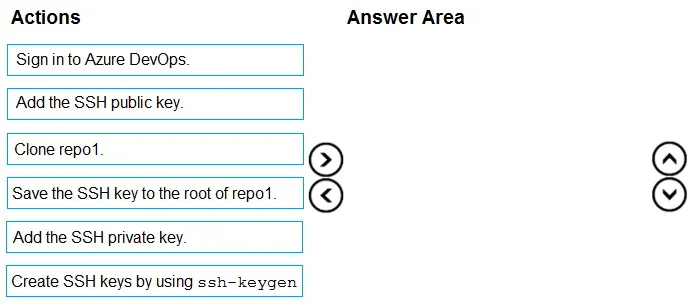
Answer Area
Drag items
Correct arrangement
- Create SSH keys by using ssh-keygen.
- Sign in to Azure DevOps.
- Add the SSH public key.
- Clone repo1.
Explanation
To authenticate to Azure Repos via SSH, you must first generate an SSH key pair locally using ssh-keygen (which creates both a public and private key). Then you sign in to Azure DevOps and add the SSH public key to your profile/security settings, which allows Azure DevOps to verify your identity. Finally, you clone the repository using the SSH URL, which uses the locally stored private key to authenticate against the registered public key.
Topics
Community Discussion
No community discussion yet for this question.