
AZ-400 · Question #325
Drag and Drop Question You use Azure Pipelines to automate Continuous Integration/Continuous Deployment (CI/CD) for an Azure web app named WebApp1. You configure an Azure Monitor alert that is…
The correct answer is Create an Azure logic app.; Select the HTTP request trigger.; Update the action group in Azure Monitor. The correct sequence is to first create an Azure Logic App, then configure it with an HTTP Request trigger (which generates a webhook URL that can receive alerts), and finally update the Azure Monitor action group to call that Logic App webhook when the alert fires. This…
Question
Exhibit
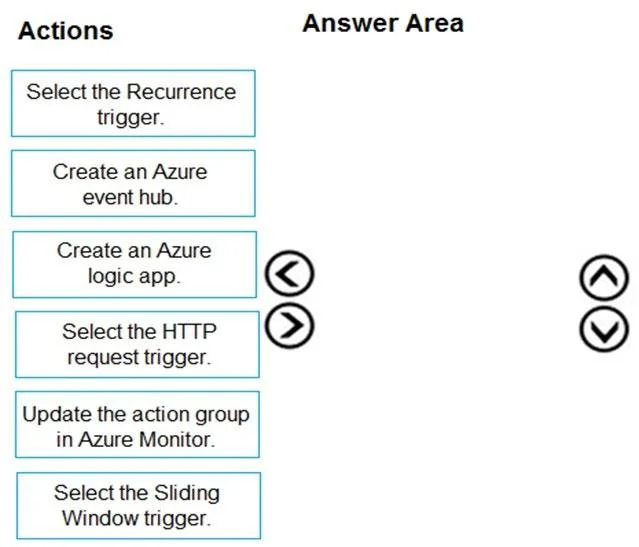
Answer Area
Drag items
Correct arrangement
- Create an Azure logic app.
- Select the HTTP request trigger.
- Update the action group in Azure Monitor.
Explanation
The correct sequence is to first create an Azure Logic App, then configure it with an HTTP Request trigger (which generates a webhook URL that can receive alerts), and finally update the Azure Monitor action group to call that Logic App webhook when the alert fires. This approach minimizes administrative effort because Logic Apps provide native connectors to thousands of third-party systems without requiring custom code, and the HTTP Request trigger is the correct entry point for receiving webhook-based alerts from Azure Monitor action groups.
Topics
Community Discussion
No community discussion yet for this question.