
AZ-400 · Question #282
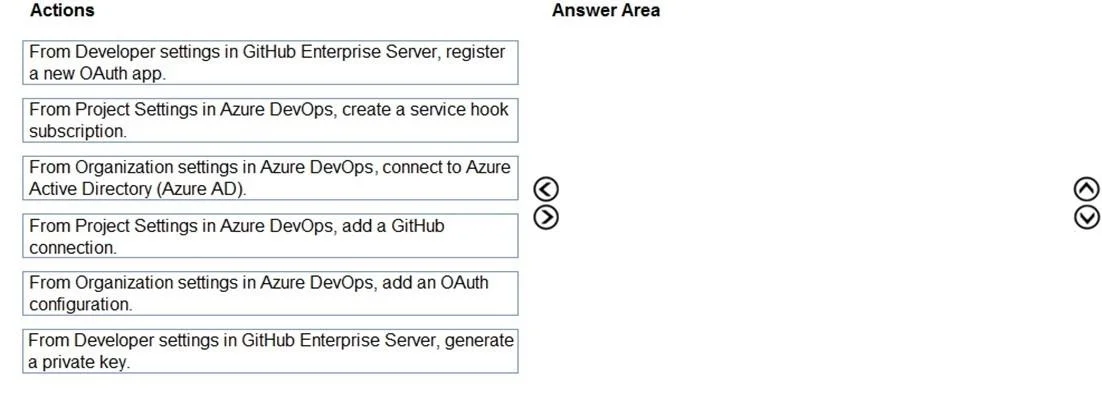
Drag and Drop Question You use GitHub Enterprise Server as a source code repository. You create an Azure DevOps organization named Contoso. In the Contoso organization, you create a project named…
The correct answer is From Developer settings in GitHub Enterprise Server, register a new OAuth app.; From Organization settings in Azure DevOps, add an OAuth configuration.; From Project Settings in Azure DevOps, add a GitHub connection. To link GitHub Enterprise Server to Azure DevOps using OAuth, you must first register a new OAuth app in GitHub Developer Settings to obtain a Client ID and Client Secret, then add that OAuth configuration in Azure DevOps Organization Settings using those credentials, and…
Question
Exhibit
Answer Area
Drag items
Correct arrangement
- From Developer settings in GitHub Enterprise Server, register a new OAuth app.
- From Organization settings in Azure DevOps, add an OAuth configuration.
- From Project Settings in Azure DevOps, add a GitHub connection.
Explanation
To link GitHub Enterprise Server to Azure DevOps using OAuth, you must first register a new OAuth app in GitHub Developer Settings to obtain a Client ID and Client Secret, then add that OAuth configuration in Azure DevOps Organization Settings using those credentials, and finally add a GitHub connection at the Project Settings level to enable linking of commits, pull requests, and issues to work items. This three-step sequence establishes the OAuth trust chain from GitHub to Azure DevOps at both the organization and project levels.
Topics
Community Discussion
No community discussion yet for this question.