
AZ-400 · Question #176
SIMULATION You need to configure a virtual machine named VM1 to securely access stored secrets in an Azure Key Vault named az400-11566895-kv. To complete this task, sign in to the Microsoft Azure…
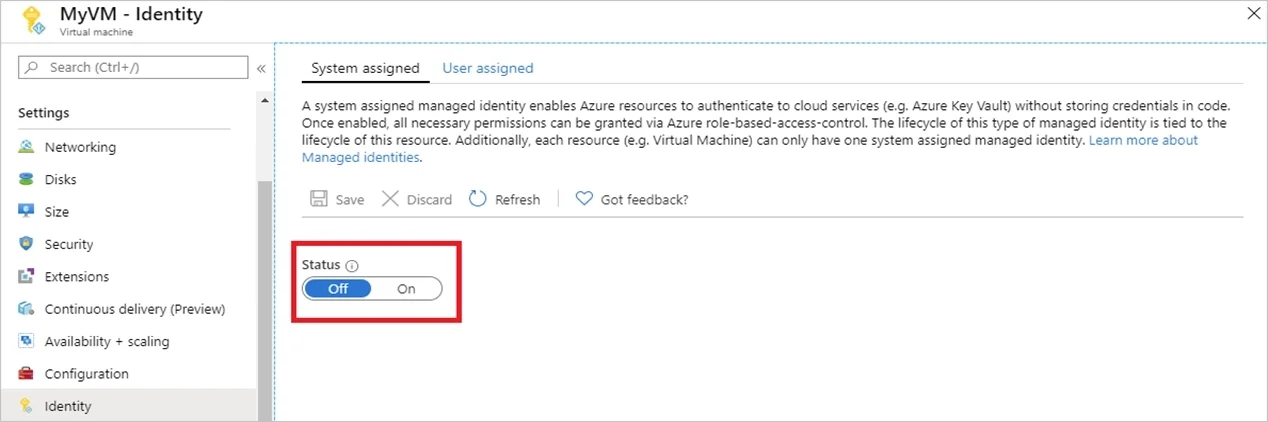
Enabling a system-assigned managed identity on VM1 is the correct approach because it creates an automatically managed identity in Azure Active Directory that is tied directly to the VM's lifecycle, eliminating the need to manage credentials manually. Once the managed identity…
Question
Exhibit
Explanation
Enabling a system-assigned managed identity on VM1 is the correct approach because it creates an automatically managed identity in Azure Active Directory that is tied directly to the VM's lifecycle, eliminating the need to manage credentials manually. Once the managed identity is enabled, you can then grant that identity access to the Key Vault (az400-11566895-kv) via an access policy, allowing the VM to securely retrieve secrets without storing credentials in code or configuration. This follows the principle of least privilege and Azure's recommended zero-secrets architecture for service-to-service authentication.
Topics
Community Discussion
No community discussion yet for this question.