
AZ-400 · Question #125
SIMULATION You need to create a notification if the peak average response time of an Azure web app named az400- 9940427-main is more than five seconds when evaluated during a five-minute period. The…
The correct approach follows the proper Azure portal workflow for creating metric-based alert rules on App Service resources. By navigating to the App Service resource, accessing the Monitoring > Alerts section, and configuring the alert with the 'Average Response Time' metric…
Question
Exhibit
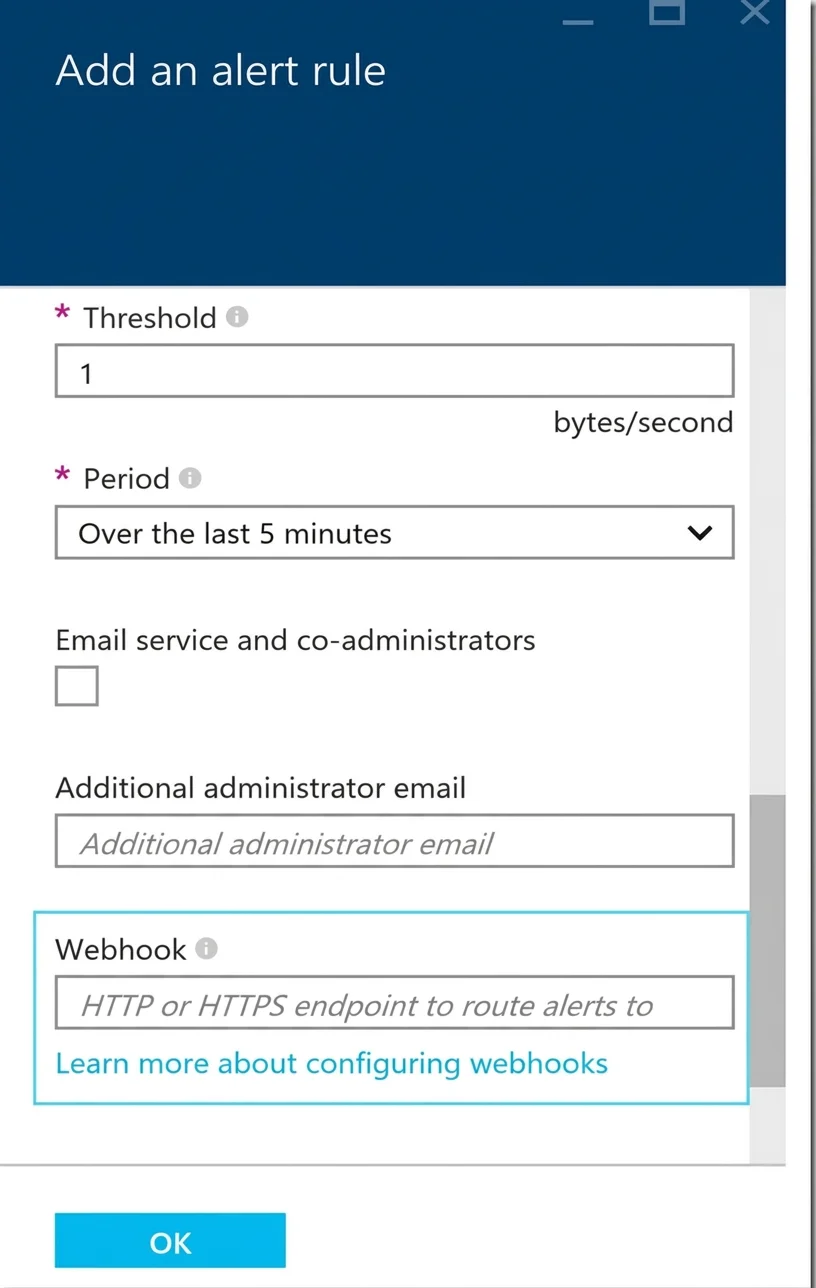
Explanation
The correct approach follows the proper Azure portal workflow for creating metric-based alert rules on App Service resources. By navigating to the App Service resource, accessing the Monitoring > Alerts section, and configuring the alert with the 'Average Response Time' metric, a threshold of 5 seconds, a 5-minute evaluation period, and a webhook action group pointing to 'https://contoso.com/notify', the solution meets all specified requirements. This leverages Azure Monitor's classic alert functionality to trigger automated notifications via webhook when performance thresholds are breached.
Topics
Community Discussion
No community discussion yet for this question.