
Microsoft
AZ-400 · Question #118
SIMULATION You need to ensure that an Azure web app named az400-9940427-main supports rolling upgrades. The solution must ensure that only 10 percent of users who connect to az400- 9940427-main use…
This solution configures deployment slots and traffic routing in Azure App Service, enabling rolling upgrades with controlled user exposure.
Submitted by chiamaka_o· Mar 6, 2026Design and implement build and release pipelines
Question
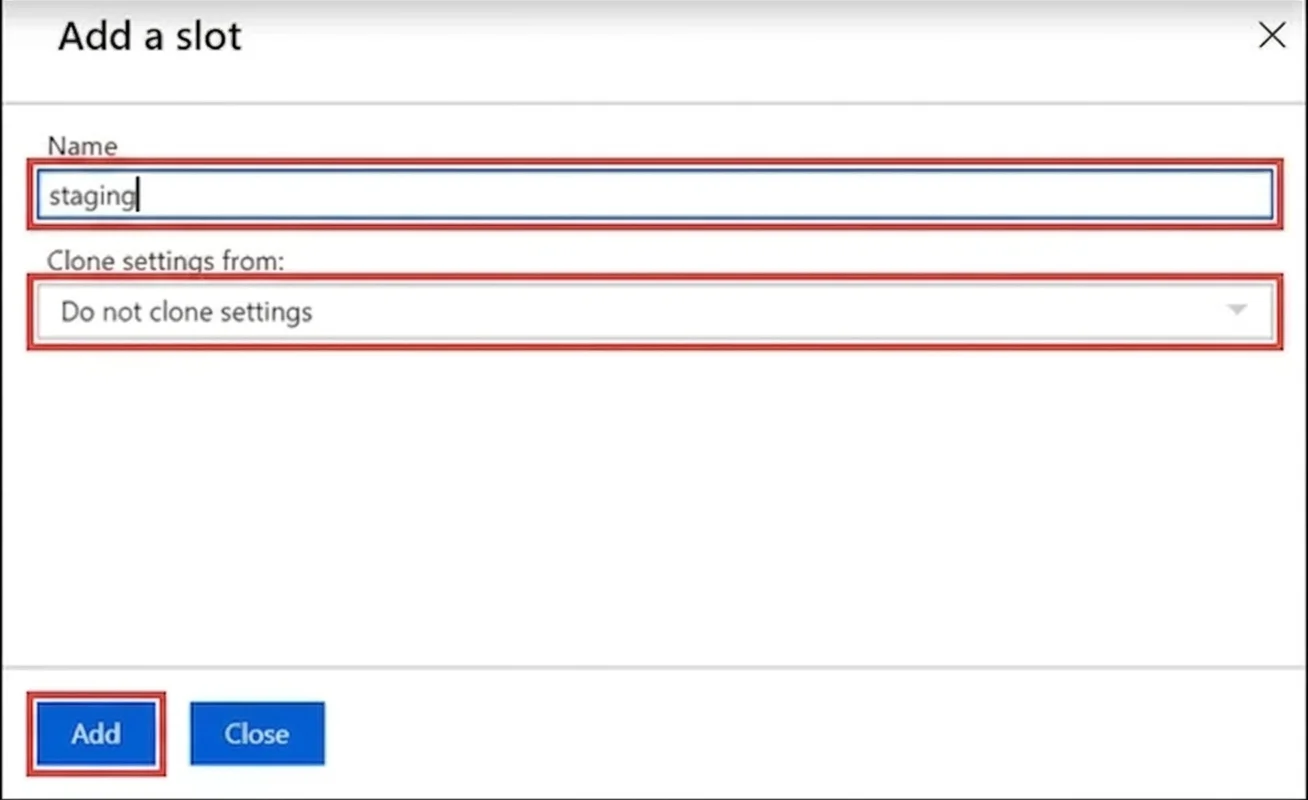
SIMULATION You need to ensure that an Azure web app named az400-9940427-main supports rolling upgrades. The solution must ensure that only 10 percent of users who connect to az400- 9940427-main use update versions of the app. The solution must minimize administrative effort. To complete this task, sign in to the Microsoft Azure portal. Answer: Set up staging environments in Azure App Service 1. Open Microsoft Azure Portal 2. Log into your Azure account, select your app's resource page, in the left pane, select Deployment slots > Add Slot. 3. In the Add a slot dialog box, give the slot a name, and select whether to clone an app configuration from another deployment slot. Select Add to continue. 4. After the slot is added, select Close to close the dialog box. The new slot is now shown on the Deployment slots page. By default, Traffic % is set to 0 for the new slot, with all customer traffic routed to the production slot. 5. Select the new deployment slot to open that slot's resource page. 6. Change TRAFFIC % to 10 References: https://docs.microsoft.com/en-us/azure/app-service/deploy-staging-slots
Exhibit
Explanation
This solution configures deployment slots and traffic routing in Azure App Service, enabling rolling upgrades with controlled user exposure.
Concept tested. Azure App Service deployment slots, rolling upgrades, traffic routing
Reference. https://learn.microsoft.com/en-us/azure/app-service/deploy-staging-slots
Community Discussion
No community discussion yet for this question.