
AZ-400 · Question #10
Case Study 2 - Contoso, Ltd Background Contoso, Ltd. is a manufacturing company that has a main office in Chicago. Contoso plans to improve its IT development and operations processes by…
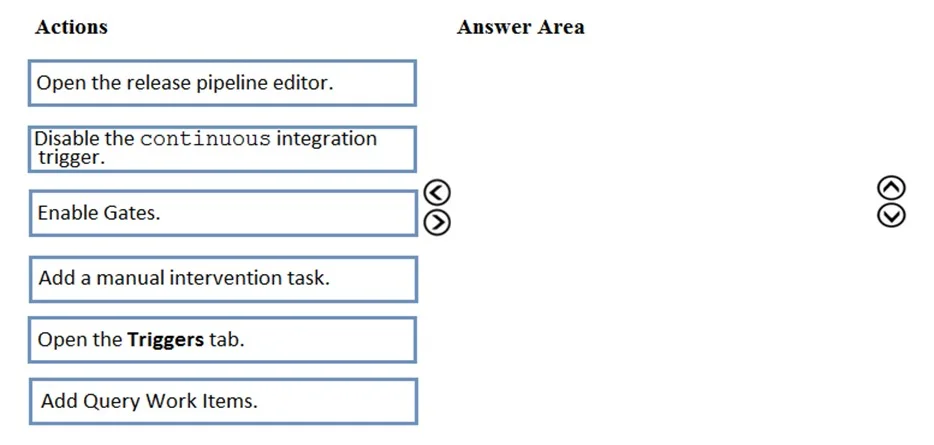
The correct answer is Open the release pipeline editor.; Enable Gates.; Add Query Work Items. To ensure that a release pipeline only proceeds when certain work item conditions are met (e.g., all linked work items are in a specific state), you must open the release pipeline editor, enable Gates on the appropriate stage, and then add a 'Query Work Items' gate that checks…
Question
Exhibits
Answer Area
Drag items
Correct arrangement
- Open the release pipeline editor.
- Enable Gates.
- Add Query Work Items.
Explanation
To ensure that a release pipeline only proceeds when certain work item conditions are met (e.g., all linked work items are in a specific state), you must open the release pipeline editor, enable Gates on the appropriate stage, and then add a 'Query Work Items' gate that checks an Azure Boards query. Gates allow automated pre/post-deployment checks based on work item queries, ensuring quality conditions are satisfied before deployment proceeds.
Topics
Community Discussion
No community discussion yet for this question.