
AZ-305 · Question #372
Hotspot Question You have multiple Azure subscriptions. You need to use Azure Policy definitions and automatic remediation to manage compliance for new resources deployed to the subscriptions. The…
This question tests knowledge of Azure Policy effects that support automatic remediation and the Azure resource type required to execute that remediation on non-compliant resources.
Question
Exhibit
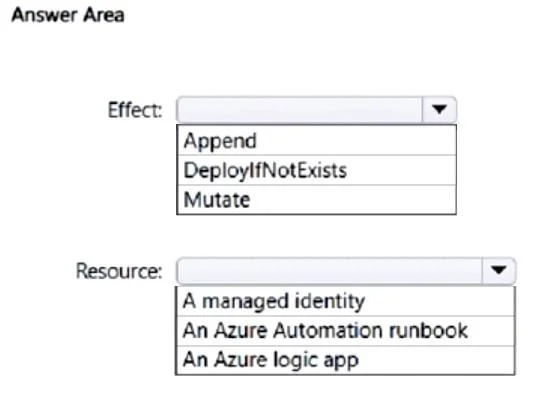
Answer Area
- Effect:AppendDeployIfNotExistsMutate
- Resource:A managed identityAn Azure Automation runbookAn Azure logic app
Explanation
This question tests knowledge of Azure Policy effects that support automatic remediation and the Azure resource type required to execute that remediation on non-compliant resources.
Approach. The correct Azure Policy effect that supports remediation is 'DeployIfNotExists' (DINE), which automatically deploys a specified resource or configuration when a compliant state is not detected. The Azure resource used to perform the remediation is a 'Managed Identity' - specifically, a system-assigned or user-assigned managed identity must be associated with the policy assignment so it has the necessary permissions (RBAC role) to deploy or modify resources on behalf of the policy. The 'Modify' effect also supports remediation (for tags and properties), but DeployIfNotExists is the primary effect for deploying missing resources. Without the managed identity, the policy engine cannot authenticate and execute the remediation tasks against the target subscriptions.
Concept tested. Azure Policy effects (DeployIfNotExists/Modify) that enable automatic remediation, and the requirement for a Managed Identity to be assigned to the policy assignment so it can authenticate and perform remediation actions across Azure subscriptions.
Reference. https://learn.microsoft.com/en-us/azure/governance/policy/concepts/effects#deployifnotexists
Topics
Community Discussion
No community discussion yet for this question.