
AZ-305 · Question #297
Hotspot Question You have two Azure AD tenants named contoso.com and fabrikam.com. Each tenant is linked to 50 Azure subscriptions. Contoso.com contains two users named User1 and User2. You need to…
The correct answer is User1:: Owner; User2:: Owner. This question tests knowledge of Azure AD and Azure subscription roles needed to transfer subscriptions between tenants and elevate access when no accounts have full permissions, while following least privilege.
Question
Exhibit
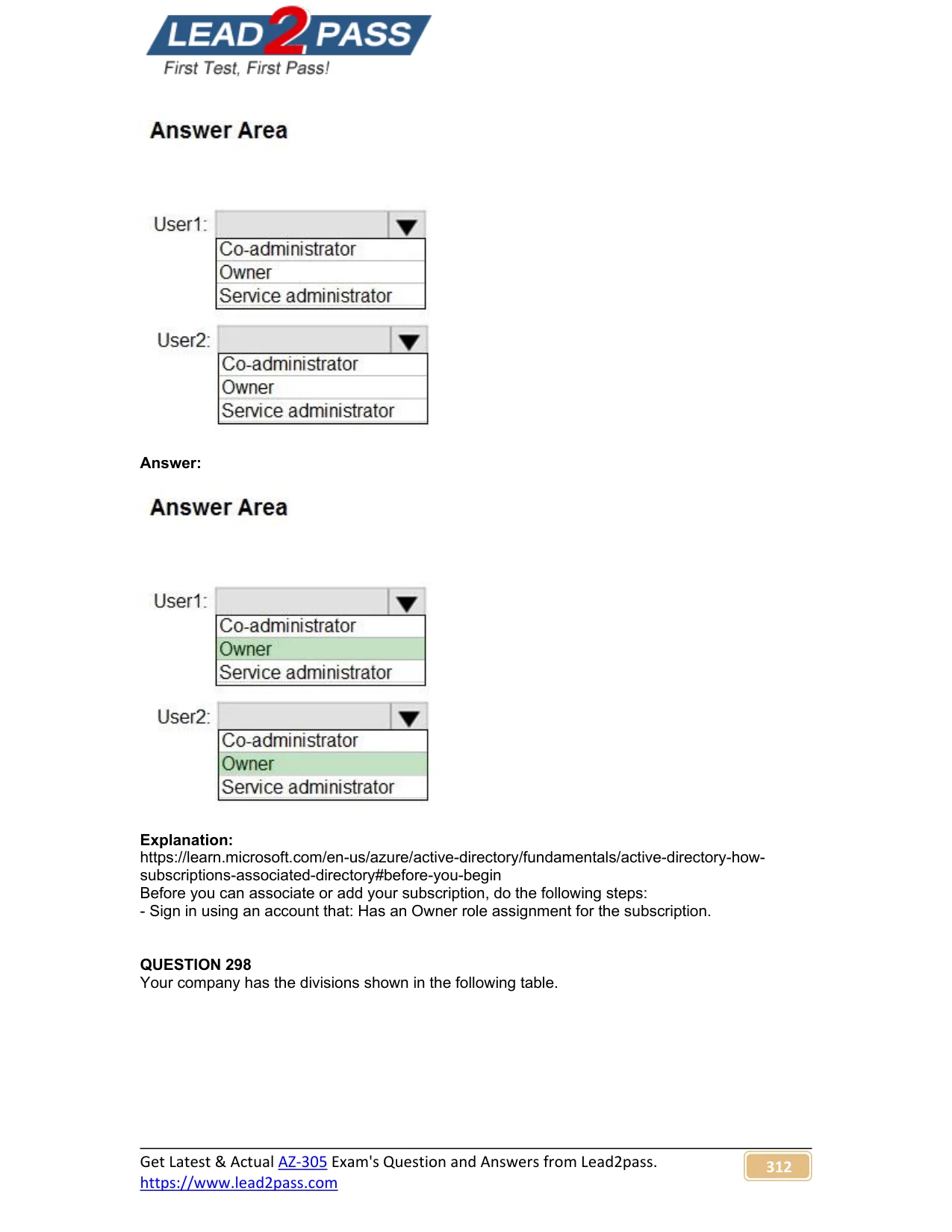
Answer Area
- User1:OwnerCo-administratorOwnerService administrator
- User2:OwnerCo-administratorOwnerService administrator
Explanation
This question tests knowledge of Azure AD and Azure subscription roles needed to transfer subscriptions between tenants and elevate access when no accounts have full permissions, while following least privilege.
Approach. User1 needs to change the Azure AD tenant linked to specific Azure subscriptions, which requires the 'Owner' role on those subscriptions (at minimum) - however, to transfer a subscription to a different Azure AD directory, the user must be an Owner of the subscription. But since the requirement is about changing the linked tenant across subscriptions under contoso.com, User1 should be assigned the 'Owner' role at the subscription level (or via a management group). User2 needs to be able to elevate access to subscriptions that have no available Azure AD accounts with full permissions after a tenant transfer. This maps directly to the Azure AD 'Global Administrator' role, which allows a user to elevate their access to all Azure subscriptions in a tenant via the 'Access management for Azure resources' toggle in Azure AD properties - this is the User Access Administrator role at root scope. The principle of least privilege is satisfied because Owner is the minimum role to transfer a subscription, and Global Administrator is required (not Owner/Contributor) to elevate access at the root scope when no subscription-level accounts exist.
Concept tested. Understanding Azure AD roles vs. Azure RBAC roles: specifically, that transferring an Azure subscription to another Azure AD directory requires the Owner role on the subscription, and that elevating access to all Azure subscriptions when no accounts have permissions requires the Azure AD Global Administrator role (which enables the 'Access management for Azure resources' setting granting User Access Administrator at root scope).
Reference. https://learn.microsoft.com/en-us/azure/cost-management-billing/manage/billing-subscription-transfer and https://learn.microsoft.com/en-us/azure/role-based-access-control/elevate-access-global-admin
Topics
Community Discussion
No community discussion yet for this question.