
AZ-220 · Question #40
You have 20 devices that connect to an Azure IoT hub. You open Azure Monitor as shown in the exhibit. (Click the Exhibit tab.) You discover that telemetry is not being received from five IoT…
The correct answer is D. Configure diagnostics for Connections and send the logs to Azure Log Analytics. To log device connection events and errors, turn on diagnostics for IoT Hub. We recommend turning on these logs as early as possible, because if diagnostic logs aren't enabled, when device disconnects occur, you won't have any information to troubleshoot the problem with. 1…
Question
Exhibit
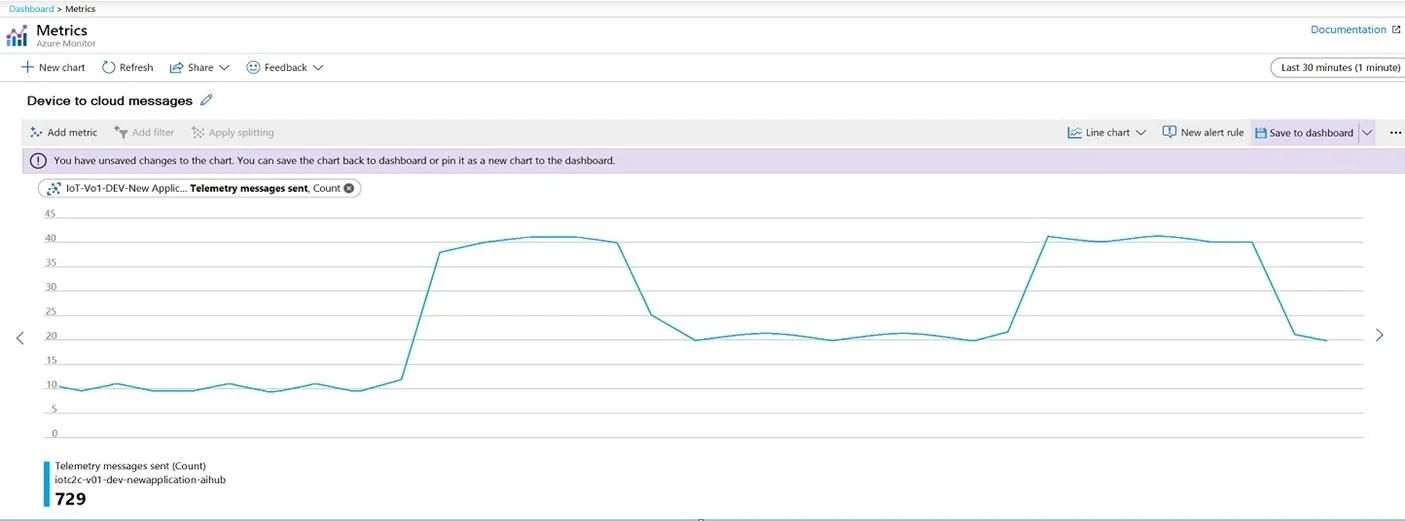
Options
- AAdd the Number of throttling errors metric and archive the logs to an Azure storage account.
- BConfigure diagnostics for Routes and stream the logs to Azure Event Hubs.
- CAdd the Telemetry messages sent metric and archieve the logs to an Azure Storage account.
- DConfigure diagnostics for Connections and send the logs to Azure Log Analytics.
How the community answered
(20 responses)- A5% (1)
- B5% (1)
- C15% (3)
- D75% (15)
Explanation
To log device connection events and errors, turn on diagnostics for IoT Hub. We recommend turning on these logs as early as possible, because if diagnostic logs aren't enabled, when device disconnects occur, you won't have any information to troubleshoot the problem with. 1. Sign in to the Azure portal. 2. Browse to your IoT hub. 3. Select Diagnostics settings. 4. Select Turn on diagnostics. 5. Enable Connections logs to be collected. 6. For easier analysis, turn on Send to Log Analytics https://docs.microsoft.com/bs-cyrl-ba/azure/Iot-hub/iot-hub-troubleshoot-connectivity
Topics
Community Discussion
No community discussion yet for this question.