
AZ-204 · Question #63
Drag and Drop Question You are developing an IoT solution. The solution requires bidirectional communication between a .NET application and Azure IoT Hub. You need to obtain connection information…
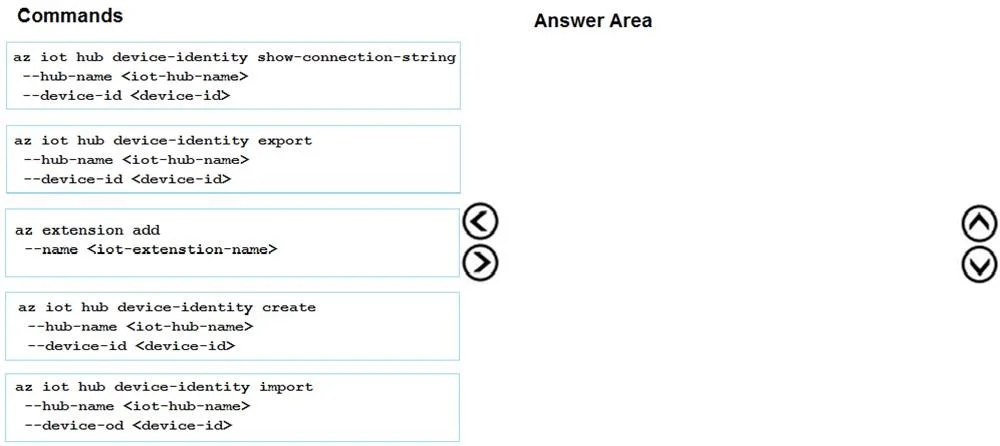
The correct answer is az extension add --name <iot-extension-name>; az iot hub device-identity create --hub-name <iot-hub-name> --device-id <device-id>; az iot hub device-identity show-connection-string --hub-name <iot-hub-name> --device-id <device-id>. The correct three-command sequence is: (1) 'az extension add --name <iot-extension-name>' to install the Azure IoT CLI extension required for IoT Hub commands, (2) 'az iot hub device-identity create --hub-name <iot-hub-name> --device-id <device-id>' to register a new test…
Question
Exhibit
Answer Area
Drag items
Correct arrangement
- az extension add --name <iot-extension-name>
- az iot hub device-identity create --hub-name <iot-hub-name> --device-id <device-id>
- az iot hub device-identity show-connection-string --hub-name <iot-hub-name> --device-id <device-id>
Explanation
The correct three-command sequence is: (1) 'az extension add --name <iot-extension-name>' to install the Azure IoT CLI extension required for IoT Hub commands, (2) 'az iot hub device-identity create --hub-name <iot-hub-name> --device-id <device-id>' to register a new test device in IoT Hub, and (3) 'az iot hub device-identity show-connection-string --hub-name <iot-hub-name> --device-id <device-id>' to retrieve the device connection string needed for bidirectional communication in the .NET application. This sequence follows the logical flow of: install prerequisites → create the device identity → retrieve connection credentials.
Topics
Community Discussion
No community discussion yet for this question.