
AZ-104 · Question #812
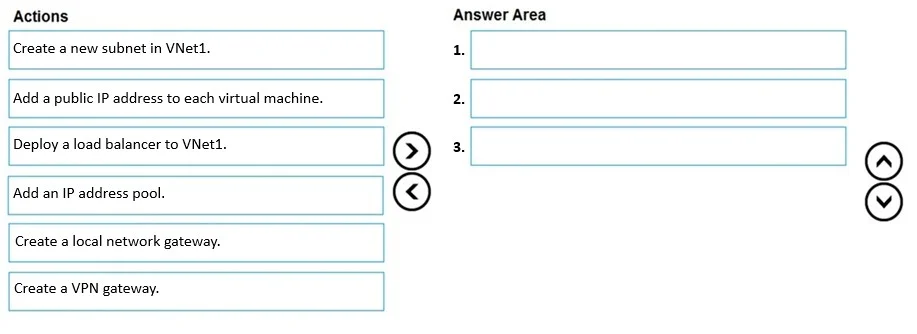
Drag and Drop Question You have an Azure subscription that contains a virtual network named VNet1. VNet1 contains virtual machines that have Remote Desktop enabled. Several users plan to work…
The correct answer is Create a new subnet in VNet1.; Add an IP address pool.; Create a VPN gateway. To configure a Point-to-Site VPN, you must first create a dedicated GatewaySubnet within VNet1 (the 'new subnet' referenced), then create a VPN Gateway in that subnet to handle encrypted tunnel termination, and finally configure an IP address pool (the client address pool) that…
Question
Exhibit
Answer Area
Drag items
Correct arrangement
- Create a new subnet in VNet1.
- Add an IP address pool.
- Create a VPN gateway.
Explanation
To configure a Point-to-Site VPN, you must first create a dedicated GatewaySubnet within VNet1 (the 'new subnet' referenced), then create a VPN Gateway in that subnet to handle encrypted tunnel termination, and finally configure an IP address pool (the client address pool) that assigns IP addresses to connecting remote users. These three steps are the core requirements for a functional P2S VPN configuration in Azure, performed in this specific sequence because the gateway requires the subnet to exist first, and the IP pool is configured as part of the gateway setup.
Topics
Community Discussion
No community discussion yet for this question.