
AZ-104 · Question #736
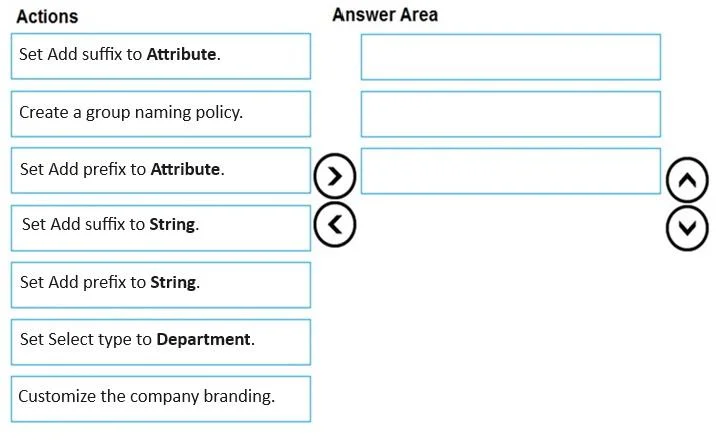
Drag and Drop Question You have a Microsoft Entra tenant. You need to ensure that when a new Microsoft 365 group is created, the group name is automatically formatted as follows: Which three actions…
The correct answer is Create a group naming policy.; Set Add prefix to Attribute.; Set Select type to Department. To automatically format a Microsoft 365 group name using a department-based prefix (e.g., [Department]-GroupName), you must first create a group naming policy in Microsoft Entra, then configure the prefix using 'Add prefix' set to 'Attribute' type (not a static string), and…
Question
Exhibit
Answer Area
Drag items
Correct arrangement
- Create a group naming policy.
- Set Add prefix to Attribute.
- Set Select type to Department.
Explanation
To automatically format a Microsoft 365 group name using a department-based prefix (e.g., [Department]-GroupName), you must first create a group naming policy in Microsoft Entra, then configure the prefix using 'Add prefix' set to 'Attribute' type (not a static string), and finally select 'Department' as the specific attribute to pull from the user's profile. This ensures the prefix dynamically reflects the department of the group creator, which matches the described formatting requirement.
Topics
Community Discussion
No community discussion yet for this question.