
AZ-104 · Question #254
Hotspot Question You have Azure Active Directory tenant named Contoso.com that includes following users: Contoso.com includes following Windows 10 devices: You create following security groups in…
The correct answer is User1 can add Device2 to Group1 = No; User2 can add Device1 to Group1 = Yes; User2 can add Device2 to Group2 = No. Group owners can manually add members to Assigned groups, but not to Dynamic groups, and non-owners cannot modify groups they do not own.
Question
Exhibit
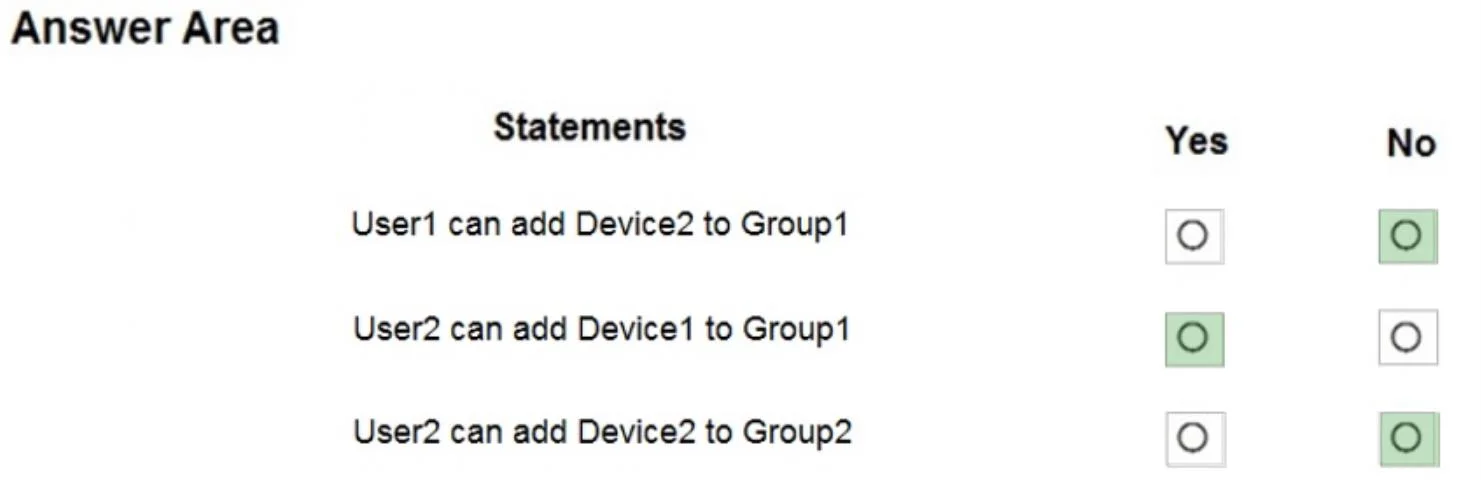
Answer Area
- User1 can add Device2 to Group1No
- User2 can add Device1 to Group1Yes
- User2 can add Device2 to Group2No
Explanation
Group owners can manually add members to Assigned groups, but not to Dynamic groups, and non-owners cannot modify groups they do not own.
Approach. Although the text omits the specific tables, this is a standard exam question where Group1 is an 'Assigned' group owned by User2, and Group2 is a 'Dynamic Device' group. Statement 1 is 'No' because User1 is not the owner of Group1 and lacks the necessary admin roles to add members. Statement 2 is 'Yes' because User2 is the owner of Group1; since Group1 is an 'Assigned' group, the owner can manually add members. Statement 3 is 'No' because Group2 uses 'Dynamic Device' membership. Dynamic group membership is determined by attribute rules, so users (even the group owner) cannot manually add or remove members.
Common mistakes.
- common_mistake. A common mistake is assuming that being the owner of a group grants the ability to manually add members regardless of the group type. However, for Dynamic groups, Entra ID (Azure AD) manages membership automatically based on queries, completely restricting manual additions.
Concept tested. Azure AD (Entra ID) Group Membership Types (Assigned vs. Dynamic) and Group Owner Permissions
Reference. https://learn.microsoft.com/en-us/entra/identity/users/groups-dynamic-membership
Topics
Community Discussion
No community discussion yet for this question.