
AI-102 · Question #365
Drag and Drop Question You have an Azure subscription that contains a storage account named sa1 and an Azure AI Document Intelligence resource named DI1. You need to create and train a custom model…
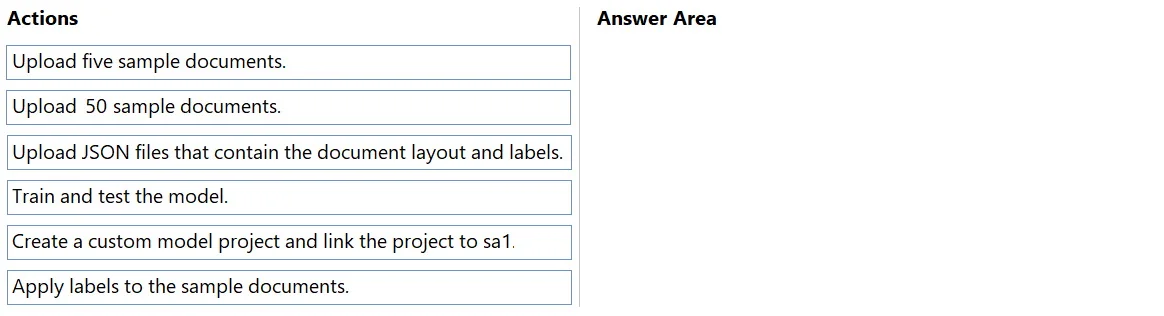
The correct answer is Create a custom model project and link the project to sa1; Upload five sample documents.; Apply labels to the sample documents.; Train and test the model. The correct sequence reflects the minimum-effort workflow in Document Intelligence Studio for training a custom model: first, create a custom model project and link it to the storage account (sa1) so Document Intelligence Studio knows where to store and retrieve data; then…
Question
Exhibit
Answer Area
Drag items
Correct arrangement
- Create a custom model project and link the project to sa1
- Upload five sample documents.
- Apply labels to the sample documents.
- Train and test the model.
Explanation
The correct sequence reflects the minimum-effort workflow in Document Intelligence Studio for training a custom model: first, create a custom model project and link it to the storage account (sa1) so Document Intelligence Studio knows where to store and retrieve data; then upload at least five sample documents (the minimum required), apply labels to those documents to define the fields the model should extract, and finally train and test the model. This Studio-based approach abstracts away manual JSON creation, which is why uploading pre-made JSON layout/label files is unnecessary - the Studio generates those automatically when you apply labels through its UI.
Topics
Community Discussion
No community discussion yet for this question.