
98-349 · Question #210
Which of the following steps will you take to remove a printer? Each correct answer represents a part of the solution. Choose all that apply.
The correct answer is B. Right-click the printer and choose Remove device. C. Open the Devices and Printers window. Take the following steps to remove a printer: 1. Open the Devices and Printers window. 2. Right-click the printer and choose Remove device. 3. Click Yes. Answer: A and D are incorrect. Take the following steps to enable a Plug and Play device: 1. Click the Start button and open…
Question
Exhibit
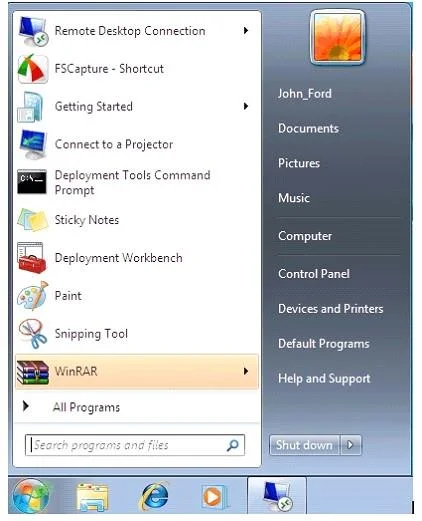
Options
- AOpen Device Manager.
- BRight-click the printer and choose Remove device.
- COpen the Devices and Printers window.
- DRight-click the device, and then click Enable.
How the community answered
(49 responses)- A4% (2)
- B90% (44)
- D6% (3)
Explanation
Take the following steps to remove a printer: 1. Open the Devices and Printers window. 2. Right-click the printer and choose Remove device. 3. Click Yes. Answer: A and D are incorrect. Take the following steps to enable a Plug and Play device: 1. Click the Start button and open Control Panel. 2. Open Device Manager. 3. Right-click the device, and then click Enable.
Topics
Community Discussion
No community discussion yet for this question.